
📑 On this page
Modern workspaces are evolving, and the modern standing desk has emerged as a popular solution for professionals seeking better health and productivity. Prolonged sitting is linked to issues like back pain, fatigue, and even increased risk of chronic diseases, so making the switch to a height-adjustable modern standing desk can be a game-changer. This article is brought to you by Esmond Service Centre, Singapore’s trusted tech and ergonomic solutions provider.
Why listen to us? Our team has years of experience helping customers optimize their work setups, and we are the exclusive authorized reseller of the locally designed Vival standing desks. In other words, we understand cutting-edge office tech and how to make it work for you. In the sections below, we’ll share expert insights and step-by-step guidance to help you maximize the benefits of your modern standing desk. Whether you’re looking to improve your posture, boost your energy levels, or set up your workspace for success, we’ve got you covered with practical, approachable advice.
Quick Overview: What This Modern Standing Desk Guide Covers
In this guide, you’ll discover:
- Desk design that blends style with ergonomics, and what actually matters.
- Practical setup tips to avoid strain and maximize comfort.
- Healthy routines for alternating between sitting and standing.
- Key features to look for when choosing a desk in Singapore.
- Expert recommendations from Esmond Service Centre, the sole distributor of Vival standing desks.
This quick overview gives you the highlights — scroll on for full insights and actionable steps.
| Key Point | Summary |
|---|---|
| Health Boost with Proper Use | Alternate sitting and standing to reduce back/neck pain and boost energy. Small changes like standing after lunch add up. |
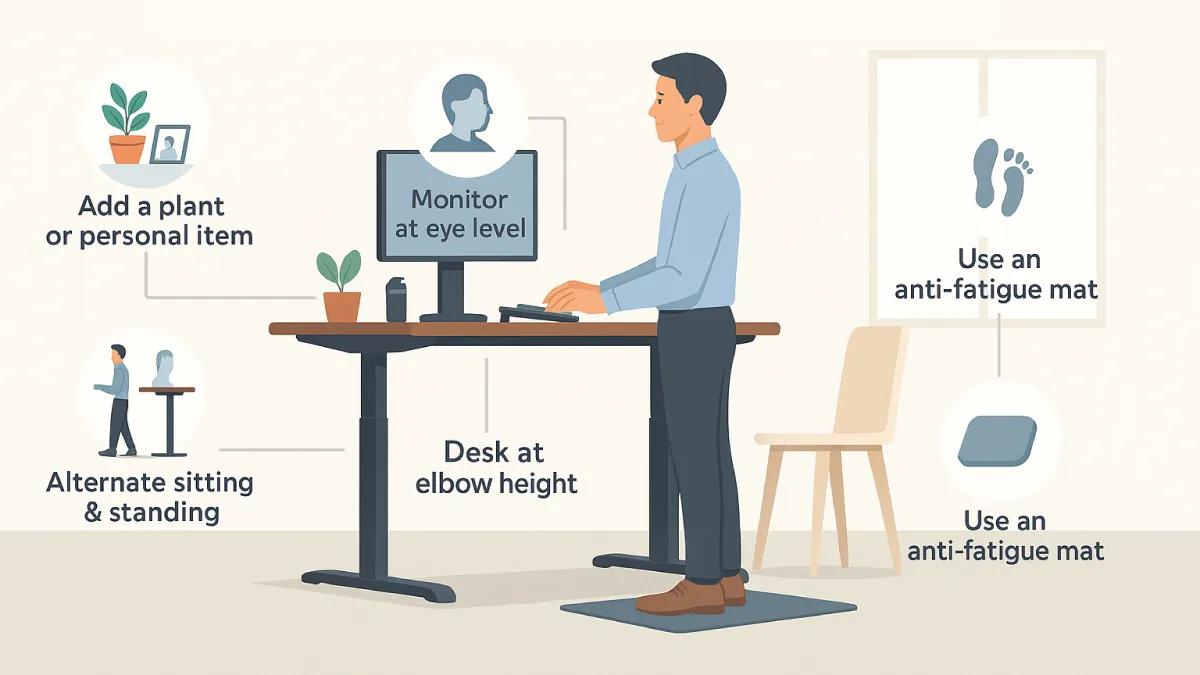
| Ergonomics Are Everything | Adjust desk height to elbows, keep screens at eye level, and use anti-fatigue mats for long-term comfort. |
| Build a Sustainable Routine | Start with short standing intervals, listen to your body, and take breaks to stretch and refresh. |
| Choose Quality and Support | Pick desks with dual motors, sturdy build, and warranty. Vival desks via Esmond Service Centre ensure local support. |
| Enjoy the Benefits | A well-set desk and routine lead to better focus, posture, and less tension. Share and refine your own approach. |
What Are the Health and Productivity Benefits of a Modern Standing Desk?
Switching to a modern standing desk is more than just a trend – it’s a proactive step toward a healthier and more dynamic workday. Sitting all day can lead to stiffness, poor circulation, and decreased focus. By contrast, standing (even for part of the day) encourages you to move more and engage your muscles, which can increase your energy and focus. In fact, alternating between sitting and standing throughout the day helps maintain healthy circulation and can reduce strain on your lower back, neck, and shoulders. Over time, users often report feeling more alert and less prone to the mid-afternoon “slump” because standing periodically combats the sluggishness of prolonged sitting.
From a health perspective the useful findings are narrower than the headlines suggest, so here is what the research actually says. Standing after a meal blunts the blood-sugar spike: in a 2014 study of 10 desk workers, one afternoon spent standing for 185 minutes cut the post-lunch glucose rise by 43% against the same work done sitting, and burned 174 more calories across the afternoon — about 0.83 a minute. Movement counts were no higher on the standing afternoon, so the difference came from standing itself, not from extra walking about. On back pain, a 2018 meta-analysis of 8 studies found that sit-stand desks may reduce low back discomfort — a small effect, and its authors are explicit that the literature does not cover people who already have back pain and does not establish how long you need to stand. And the reason to break up sitting at all is the long game: a 2012 review of 18 studies covering 794,577 adults found the most sedentary adults had roughly 2.12x the risk of type 2 diabetes and 2.47x the risk of a cardiovascular event compared with the least sedentary, and the link was most consistent for diabetes. A standing desk is not a cure-all — you will not lose weight just by standing a little — but it is a practical way to sit less.
Setting Up Your Modern Standing Desk for Optimal Ergonomics
Simply owning a modern standing desk isn’t enough – how you set it up and use it will determine whether you stay comfortable or develop new aches and pains. Ergonomics is all about adjusting your workspace to fit you, so let’s make sure your standing desk is configured correctly. Here are some step-by-step ergonomic setup tips:
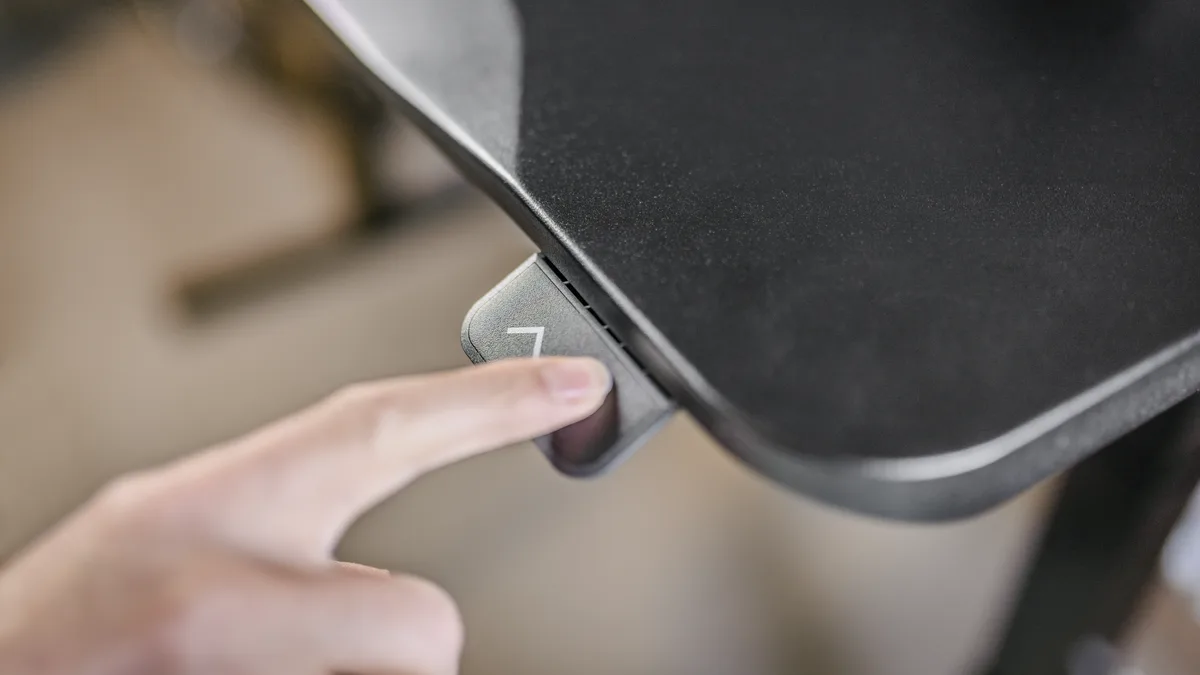
- Adjust the Desk Height: Set the desktop height roughly at the level of your elbows when you’re standing upright. Your arms should bend at about a 90° angle with forearms parallel to the floor. This ensures you aren’t hunching your shoulders or straining your arms. Many modern standing desks have electric controls and memory presets – take advantage of these by saving your ideal heights for both sitting and standing positions, so you can switch with one touch.
- Position Your Monitor and Keyboard: Place your monitor so that the top of the screen is at or slightly below eye level when you stand straight. You shouldn’t have to tilt your neck up or down to see. The keyboard and mouse should be on the same surface and level as they would be for a seated setup – keep wrists straight and in line with your forearms to prevent strain. An external monitor arm or a laptop stand can help get the screen height right on a modern standing desk, and an external keyboard will allow a more ergonomic arm position if you use a laptop. Proper monitor and keyboard placement will maintain a neutral spine and neck, preventing soreness during long work sessions.
- Mind Your Posture: Stand upright with your head level and not jutting forward. Relax your shoulders (no shrugging up toward your ears) and keep your upper arms loose by your sides. Avoid leaning on the desk; instead, engage your core muscles slightly to support a natural posture. Good posture at a modern standing desk reduces stress on your spine and helps you avoid the hunching that often happens when we get tired.
- Use Supportive Accessories: What you wear and stand on matters. Wear comfortable, supportive shoes to cushion your feet – standing in unsupportive footwear can cause foot pain or fatigue. Consider using an anti-fatigue mat on the floor where you stand. These mats provide a bit of cushioning and encourage subtle micro-movements in your leg muscles, which improves circulation and reduces fatigue in your legs and feet. Also, keep a small footrest or even a sturdy box under your desk; you can occasionally prop one foot up on it and switch feet every so often. This trick shifts your weight and eases pressure on your lower back and legs during longer standing periods.
- Cable Management and Desk Layout: One often overlooked aspect of setting up a modern standing desk is managing the cables and ensuring nothing snags when you adjust the height. Use cable clips or sleeves to keep wires tidy and give them enough slack for the highest desk position. Arrange your frequently used items (like notepads, phone, water cup) within easy reach to avoid excessive bending or stretching. A clean, well-organized desktop not only looks professional but also makes transitions between sitting and standing smoother and safer.
By following these ergonomic setup steps, you’ll create a comfortable workstation that allows you to reap the benefits of your standing desk without causing new problems. Every adjustment – from desk height to monitor position – has a purpose: to maintain a neutral body position that minimizes strain. When your modern standing desk is properly configured, you should feel supported and pain-free both while sitting and standing. If something feels off (e.g., wrist pain or neck craning), take the time to tweak the setup – these small changes can make a big difference in your daily comfort.
Using a Standing Desk Safely: Build a Healthy Sit-Stand Routine
One of the biggest mistakes new standing desk users make is trying to stand for hours on end from day one. The reality is that your body needs time to adjust to this new way of working. To avoid sore feet or an aching back, it’s crucial to build a balanced sit-stand routine. Here’s how to ease into using your modern standing desk effectively:
- Build up to it, don't start at the top: the mistake almost everyone makes is standing all day on day one. Work towards 2 hours a day of standing and light activity first, then towards 4 — that is the international expert statement's own progression, and it is a target to reach over weeks, not a first-morning instruction. In your first week, two or three spells of 15 to 20 minutes is plenty. Jumping straight to standing all day is how people end up with sore feet, aching legs and a stiff back and then abandon the desk altogether.
- Alternate often, and know what the numbers mean: the value of a modern standing desk is in the switching, not in the standing. Spread across an eight-hour day, 2 hours works out at roughly 15 minutes in every hour, and 4 hours at roughly 30 — which is where the figure in the summary above comes from. ⚠️ Treat those as a direction of travel rather than a prescription: the experts who published them say plainly that the evidence behind them is "largely observational and retrospective studies, or short-term interventional studies". Set a gentle reminder or use the desk's memory presets so switching takes one button. And when you are standing, shift your weight or take a few steps on the spot — staying rigid in one standing position is its own kind of still.
- Listen to Your Body: Pay attention to how you feel throughout the day. If your feet are getting very sore, it’s okay to sit down a bit earlier. If you notice you’re slouching while standing (a sign of fatigue), it’s also a cue to switch to sitting. The goal is to gradually increase your standing time as your endurance builds. Over a few weeks, you might work up to standing for half your workday or whatever balance feels best for you. Everyone’s comfort level is different – some might prefer shorter, more frequent standing sessions, while others enjoy longer standing periods. Find a rhythm that maintains your comfort and focus.
- Take Full Breaks Too: Whether sitting or standing, it’s important to step away from your desk occasionally. Every hour or so, try to take a short break away from the computer – walk to get a glass of water, stretch your arms and legs, or just give your eyes a rest from the screen. These brief breaks will refresh you and prevent the strain that comes with continuous computer work (like eye strain or tight muscles). Your modern standing desk encourages more movement, so embrace that by moving around when you can. Think of it this way: the standing desk is one part of a healthier work routine, but regular breaks and stretches complement it to keep you feeling your best.
By building good habits with your standing desk, you’ll maximize its benefits. Alternating between sitting and standing keeps your blood flowing and mind engaged, while gradual adaptation ensures you don’t trade one set of pains for another. Over time, many people find the sweet spot where they feel more energetic and focused thanks to the variety of movement a modern standing desk offers. Remember, the goal is a sustainable routine you can stick with — consistency is what ultimately leads to better health and productivity.
What Features Should You Look for in a Modern Standing Desk?
Not all standing desks are created equal. “Modern” standing desks typically come with features and enhancements that older crank desks or DIY setups lack. If you’re in the market for one (or looking to upgrade), consider the following key features and why they matter for your daily use:
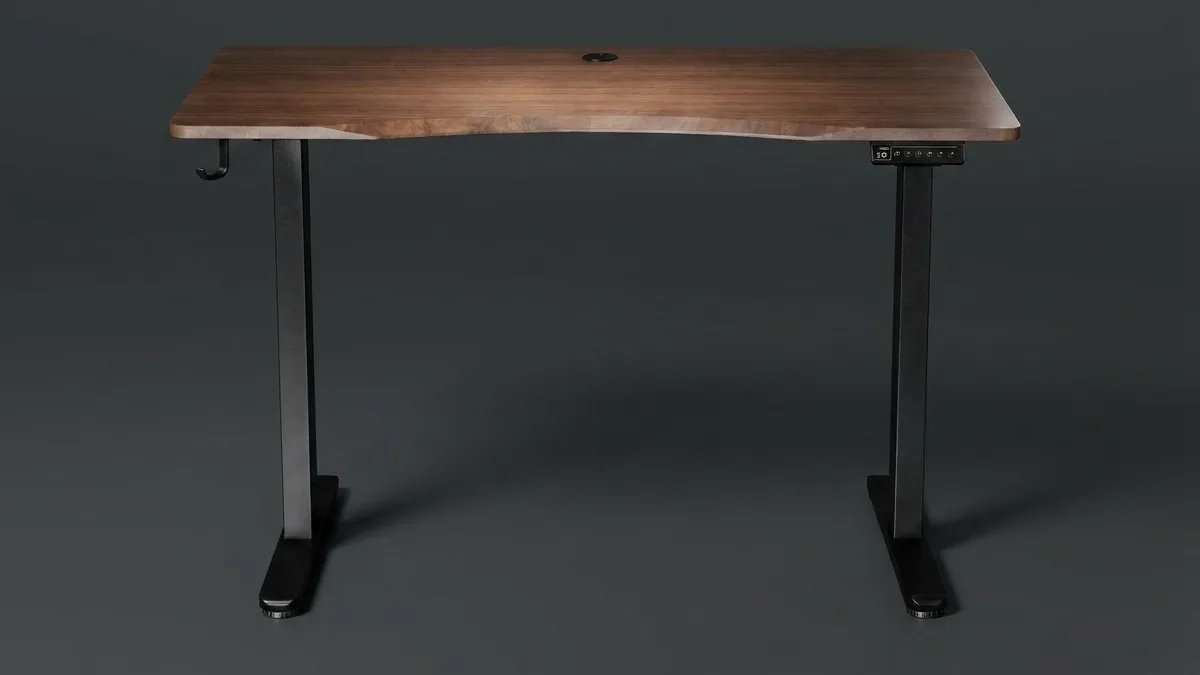
- Electric Dual-Motor Lift: Most high-quality modern standing desks use electric motors for lifting, and many now feature dual motors (one in each leg column). Why is this important? A dual-motor system provides smoother and more stable height adjustments, especially under heavier loads. Unlike single-motor desks that might struggle or wobble if you have multiple monitors and devices, dual motors share the load evenly and keep the desktop steady as it moves. This means your monitor won’t wobble and your coffee won’t spill when you raise or lower the desk – a huge plus for both safety and convenience. Dual motors also tend to lift faster and last longer because each motor is under less strain. In short, if you plan to have a substantial setup on your desk, a modern standing desk with a robust dual-motor mechanism is worth the investment for its stability and durability.
- Sturdy Construction and Weight Capacity: Look for a desk with a solid frame (steel or reinforced metal) and a weight capacity that exceeds your needs. A modern standing desk should handle your PC, monitors, and accessories with ease – typically 70–100 kg capacity is common for good models. A sturdier frame also contributes to stability (less shaking while typing). Some desks include a crossbar for extra support, though modern designs often manage stability without one. Always check that the desk feels stable at both sitting and standing heights; user reviews and tests can tell you if a model tends to wobble. A stable desk not only feels better to work on, it also signals quality engineering.
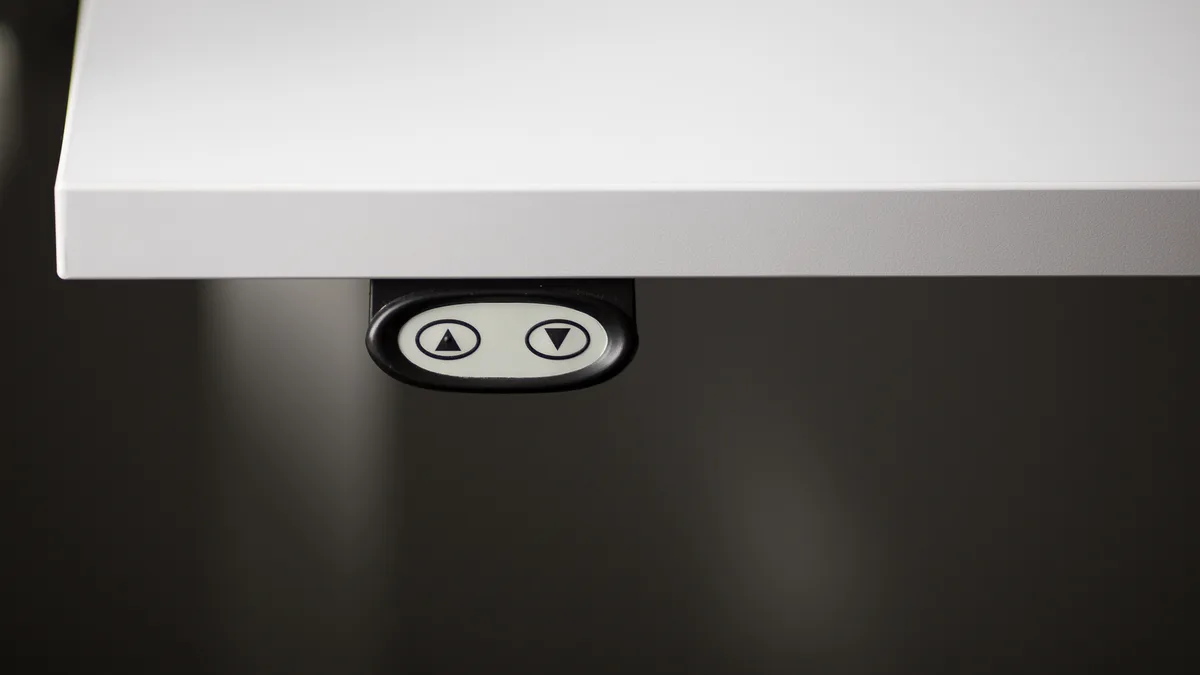
- Memory Preset Controller: One hallmark of a modern standing desk is a programmable controller. This is a little panel with up/down buttons and memory preset buttons. It allows you to save your preferred sitting and standing heights (and sometimes a third height if you have a perching stool or another position). With presets, switching positions is effortless – just press one button and the desk moves to exactly the right height every time. This feature takes the guesswork out of adjustment and encourages you to alternate more frequently (since it becomes so easy to do). When comparing models, consider how many presets it offers and whether the controller is easy to use (some even have smartphone apps or reminders).
- Tabletop Size and Material: Modern standing desks come in various sizes and finishes. The size of the desktop should suit your space and equipment. Common home office models have tops around 120×60 cm (great for small rooms or HDB flats in Singapore), while larger options (150×70 cm, etc.) exist for those with more room. If you’re short on space, a compact yet functional desk size is important – for instance, the Vival standing desk offers a 120×60 cm top that’s ideal for small home offices without overwhelming the room. The tabletop material and finish also matter: look for a durable surface (like an MDF or hardwood top) with a low-glare matte finish so you don’t get reflections. A scratch-resistant, easy-to-clean surface will keep your desk looking modern and professional for years.
- Additional Features and Local Support: little extras matter. Does the desk have built-in cable management (grommets or a tray)? Does it have anti-collision sensing that stops the desktop when it meets an obstruction? Then look hard at the warranty, and read the term rather than the headline. Esmond Service Centre backs the Vival standing desk with a 1-year local warranty (12 months) covering manufacturing defects in the motor and leg assembly, the controller and the other electrical parts, with a one-to-one replacement part where a claim is approved. Full terms are on our Vival warranty policy page. Buy from an authorised reseller so the product is genuine and the warranty is honoured.
When evaluating modern standing desks, keep these features in mind relative to your needs and budget. A cheaper desk might save money upfront, but if it wobbles, struggles with your setup, or breaks down, it could cost you more in the long run (both financially and in frustration). It’s worth investing in a well-built desk that has the modern features to make your work-life easier. Remember, this is a tool for your health and productivity – quality and reliability are part of that equation. By choosing a desk with the right features, you’ll set yourself up for a smooth and enjoyable standing desk experience.
Choosing the Right Standing Desk (and Making It Work for You)
With the market full of standing desk options, how do you choose the right one? Start by considering your own situation: your body, your workspace, and how you’ll use the desk. Here are some tips for choosing and personalizing your modern standing desk:
- Assess Your Space and Needs: Measure your available area and think about your equipment. If you have a dual-monitor setup, you’ll need a desk wide enough for both screens and other essentials. If your home office is a small corner of a room, a sleek and compact modern standing desk will be most suitable. Pay attention to height range as well – ensure the desk can go low and high enough for your stature both sitting and standing. If you’re very tall or short, check the specs or look for models with an extended range. The goal is a desk that fits you and your space perfectly, so you can use it comfortably at all times.
- Prioritise Quality and Support: buy from a reputable brand or reseller. A modern standing desk is a long-term investment in your health, so look for a real warranty and local service you can actually reach. The Vival standing desk, for instance, is a Singapore-designed model built for local homes and offices; Esmond Service Centre is its exclusive distributor here, which is what makes the warranty and the spare parts local rather than an overseas shipping problem. Its columns travel 72–120 cm, so check your own elbow height lands inside that range before you buy anything — our standing desk height calculator works it out from your height. Order it online at projectvival.com, with free island-wide delivery or pick-up at our Sin Ming branch.
- Set a Realistic Budget: Modern standing desks range from budget-friendly to premium. You don’t necessarily need the most expensive model to get a great experience, but extremely cheap no-brand desks might cut corners in ways that affect performance or safety. Determine a budget that balances cost with quality and features. Keep in mind that features like dual motors, solid build, and good warranty may cost a bit more but are worth it. There are excellent mid-range options out there (for example, Vival offers a dual-motor standing desk at a very competitive price point, proving you can get premium features without breaking the bank). Think of it this way: you’re investing in a piece of furniture that supports your well-being and productivity every day – that’s a worthy investment.
- Personalize Your Setup: Once you’ve chosen your modern standing desk, make it truly yours. A standing desk by itself improves your workflow, but pairing it with the right accessories takes it to the next level. Consider adding a monitor arm (so you can easily adjust screen height and angle), a keyboard tray if needed, or an under-desk laptop mount. Use cable management kits to keep the area tidy. Maybe add a small desk lamp or some plants to create a pleasant vibe. Also, arrange your workflow: for example, place a charging dock or USB hub on the desk so devices stay within reach even as the desk moves. The more your setup is tailored to your needs, the more you’ll enjoy using the desk every day. This personalization ensures that your standing desk isn’t just a generic piece of office furniture, but rather a productivity hub designed for your comfort and style.
- Build Good Habits: Finally, remember that the value of a modern standing desk comes from using it wisely. The best desk in the world won’t help if you never stand up, or if you ignore ergonomics. Commit to the healthy habits we discussed: adjust it properly, alternate positions regularly, and listen to your body’s feedback. Perhaps set an intention or schedule – e.g. stand during all your morning Zoom meetings, or use a fitness tracker that nudges you to move every hour. By pairing a great standing desk with great habits, you’ll truly transform your work life for the better.
In summary, choosing the right standing desk involves a mix of practical considerations (size, features, budget) and personal preferences. Take your time to research and even test if possible. Once you have the desk, treat it as a supportive partner in your daily routine. With the right choice and proper use, your modern standing desk will become an integral part of a healthier, more productive workday – one that you’ll wonder how you ever worked without!
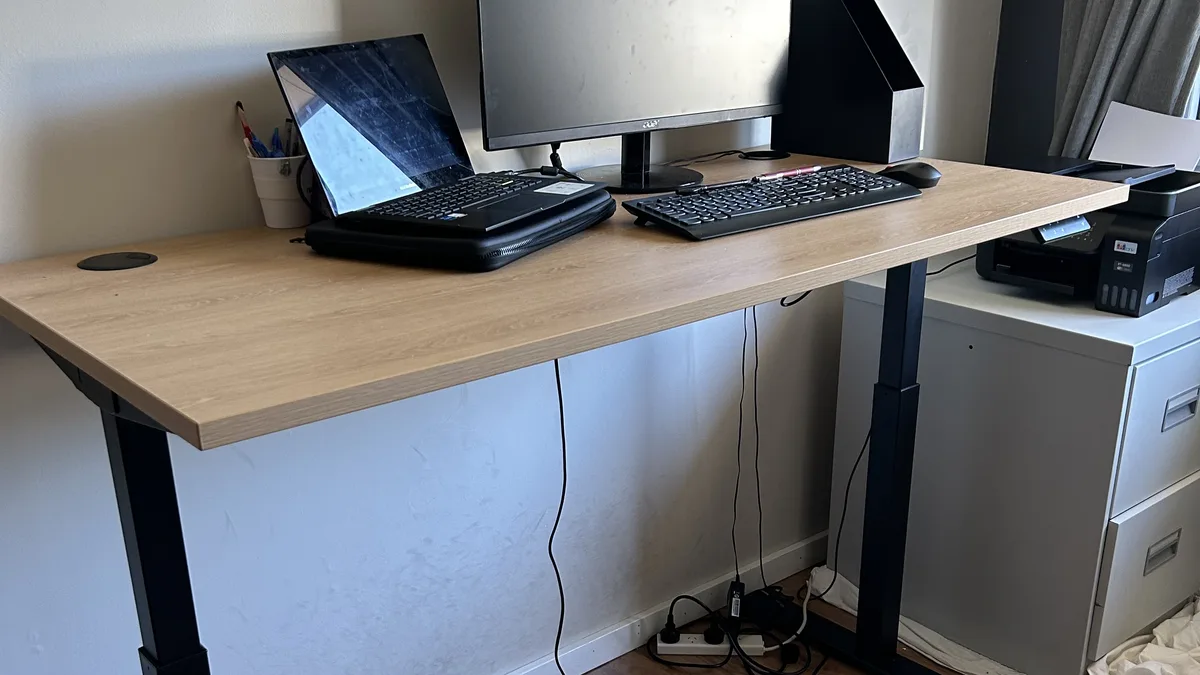
When to Stop Adjusting and Get Professional Help
A standing desk is a piece of furniture, not a treatment, and there is a point where the answer stops being another adjustment. If pain is still there after you have set the desktop to elbow height and the screen to eye level and given it a couple of weeks — or if you get numbness, pins and needles or weakness in your hands, arms, legs or feet at any point — stop experimenting with the desk and see a doctor or a physiotherapist. Those symptoms need a person who can examine you; no desk height diagnoses them.
It is worth being clear about what the desk will and will not fix, because the two get confused. Raising your desk cannot fix a chair that gives your lower back no support, a laptop screen sitting flat on the desktop, or an injury you already have — those need a chair, a stand or a clinician respectively. And the hardware has its own stop line: if the desktop drifts down on its own, lists to one side, clicks, stops part-way through its travel, or one column lags behind the other, stop using it and contact us. ⛔ Do not force a stuck column — a lifting column pushed past something wedged under the desktop is how an in-warranty fault becomes a repair you pay for. Bring it to Esmond Service Centre, or call us before you take anything apart.
Elevate Your Workspace with a Modern Standing Desk: Key Takeaways
Investing in a modern standing desk can truly elevate your workspace and well-being – but getting the most out of it requires the right approach. Let’s recap the key takeaways from this guide:
- Health Boost with Proper Use: Simply standing more won’t turn you into a fitness guru, but using a modern standing desk to break up long sitting periods can reduce back and neck pain risk and keep you more energized. Remember that alternating between sitting and standing is crucial to reap the health benefits (from better posture to improved circulation). Small changes, like standing after lunch or during calls, add up to a healthier daily routine.
- Ergonomics Are Everything: Setting up your standing desk correctly is a game-changer. By adjusting the height to your elbows, keeping screens at eye level, and using aids like anti-fatigue mats, you ensure comfort and prevent strain. A well-tuned ergonomic setup lets you work long hours at your modern standing desk without discomfort – meaning you stay productive and pain-free. If something feels off, tweak the setup; your body will thank you.
- Build a Sustainable Routine: The benefits of a standing desk come with consistent habits. Ease into standing in intervals, listen to your body, and find a sit-stand schedule that feels right. Over time, your stamina will improve, and you’ll find yourself more alert and focused. Don’t forget to take short breaks away from the desk entirely to stretch and refresh – your eyes and muscles need those breaks! Making these habits second nature is the key to long-term success with a standing desk.
- Choose Quality and Support: When selecting a modern standing desk, opt for one that meets your needs in functionality and has reliable support. Features like dual motors, sturdy build, and warranty service make a big difference in user experience and peace of mind. Esmond Service Centre, for example, offers the Vival standing desk with local warranty and expertise, so users are never left stranded. Picking a trusted product means you can focus on work, not worry about the desk.
- Enjoy the Benefits: Once everything is in place – the right desk, the right setup, and the right routine – you’ll likely notice a positive shift in your workday. Many standing desk users report feeling more engaged in their tasks and less tense at the end of the day. Your modern standing desk is more than just furniture; it’s part of a healthier lifestyle at work. Embrace it, share your experience with colleagues or friends, and continue to refine your approach.
We hope these insights help you make the most of your modern standing desk. If you have questions or want to share your own experiences, feel free to leave a comment! Your journey to a healthier work style is unique, and we’d love to hear what’s working for you. By implementing these tips and being mindful of your body’s needs, you’re well on your way to a more comfortable and productive work life. Keep moving, stay flexible, and enjoy the boost that comes from an active workspace.
Stay Connected with Expert Tips and Support
Enjoyed this comprehensive modern standing desk guide? Follow our Facebook page, LinkedIn profile or Instagram account for more expert insights and practical tips on cutting-edge technology and ergonomic work solutions. We regularly share advice on everything from office tech to healthy work habits, so join our online community and stay informed.

Esmond Service Centre's experienced technicians can diagnose and fix it fast — free diagnostics, repairs from $65.