Esmond Service Centre, Singapore — laptop repair

Repair Services

iPad repair in Singapore

From S$65before GST
Freediagnosis
90 dayswarranty
4.9★2,705+ Google reviews

How it works

  1. WhatsApp us your model and the problemSend a photo of the fault if you can.
  2. Free diagnostic, you approve firstThe diagnostic is free and carries no obligation: Apple-trained technicians (Apple Independent Repair Provider) inspect the iPad and give you an upfront quote, and the repair starts only once you approve it, with no hidden charges. If we cannot fix it, you pay nothing. The one exception is liquid damage: the chemical cleaning fee (from $68) is paid upfront and is non-refundable.
  3. Most screen repairs take 1–2 hoursMost iPad screen repairs take 1–2 hours, so you can usually wait or come back the same day.
  4. Walk in: same-day screens and batteriesWalk in or WhatsApp your model for same-day service on common screen and battery repairs.

Price by repair

Prices are before GST (9% is added at payment).

*Note: allow longer if the fault is intermittent and needs extended testing — we do not call a board repair finished until it has run without the fault coming back.

An iPad with cracks running across its screeniPad Screen Replacement (LCD + Glass)1 - 2 HoursFrom $133
An iPad with cracks running across its screeniPad Touch Screen (Digitizer Only)1 - 2 HoursFrom $86
An opened iPad: its two flat battery cells inside the caseiPad Battery Replacement2 - 3 HoursFrom $98
The USB-C charging port in the edge of an iPad mini (6th generation)Charging Port Repair1 - 2 HoursFrom $85
An iPad logic board with its chips, taken out of the iPad, the chip markings blurredMotherboard (Logic Board) Repair3 - 5 Working Days*From $138
The camera lens on the back of an iPadCamera Lens / Camera Replacement1 - 2 HoursFrom $65
The bottom edge of an iPad: its speaker grilles either side of the charging portSpeaker / Microphone Repair1 - 2 HoursFrom $85
The corner of an iPad's aluminium back housing, with its cameraFrame / Housing Replacement3 - 4 HoursFrom $138
See all 12
The Smart Connector on the back of an iPad Pro: three small contacts by its bottom edgeSmart Connector Repair (iPad Pro)1 - 2 DaysFrom $126
The front of an iPad Pro, its screen on, with the thin bezel that holds the front sensorsFace ID Module Replacement1 - 2 DaysFrom $186
A circuit board with green and brown corrosion where liquid reached itWater Damage (Chemical Cleaning)1 Working Day*From $68
An iPad on a table showing its Settings screeniOS Troubleshoot / Restore3 - 4 HoursFrom $65

Photos, cropped, via Wikimedia Commons: cracked iPad by Raimond Spekking (CC BY-SA 4.0) · iPad battery by Raimond Spekking (CC BY-SA 4.0) · iPad USB-C port by Kyu3a (CC BY-SA 4.0) · iPad logic board by Raimond Spekking (CC BY-SA 4.0) · iPad camera by 茅野ふたば (CC BY-SA 4.0) · iPad speakers by Maurizio Pesce (CC BY 2.0) · iPad housing by BarryHarry216 (CC BY-SA 4.0) · iPad Pro Smart Connector by 茅野ふたば (CC BY-SA 4.0) · iPad front by 茅野ふたば (CC BY-SA 4.0) · liquid damage by Binarysequence (CC BY-SA 3.0) · iPad settings by 茅野ふたば (CC BY-SA 4.0)

Select your issue

A close-up of an iPad's front glass with long cracks running across the dark screen from an impact point near the lower right corner.

Photo (cropped): Raimond Spekking via Wikimedia Commons, licensed CC BY-SA 4.0

Common iPad Issues We Regularly Fix

  • Cracked or damaged screens
  • Rapid battery drain or not charging
  • Motherboard and logic board failures
  • Charging port malfunctions
  • Water and liquid damage
  • Camera or speaker issues
  • Software and iOS
An opened iPad lying on white with its screen removed: two large black battery cells across the middle and the logic board down the right side.

Photo (edited): Raimond Spekking via Wikimedia Commons, licensed CC BY-SA 4.0

How Your iPad Repair Works, Step by Step

  • Walk-In or WhatsApp Booking
  • Free Diagnostic & Upfront Quote
  • Approval & Same-Day Repairs
  • Rigorous Testing & Warranty Coverage
An iPad with its display removed, photographed at an angle: the battery cells and circuit boards visible under a clear protective film inside its silver frame.

Photo (edited): Raimond Spekking via Wikimedia Commons, licensed CC BY-SA 4.0

Warranty & Trusted Technicians on Every iPad Repair

  • Apple-Trained Technicians
  • 90-Day Warranty on Repairs
  • Same-Day Repairs
  • Transparent Pricing
  • Free Diagnostics
An iPad's logic board removed and photographed on white: its processor, memory chips and tiny components with gold connectors along the edge.

Photo (edited): Raimond Spekking via Wikimedia Commons, licensed CC BY-SA 4.0

What Sets Our iPad Repair Apart?

  • Rapid Same-Day Repairs
  • Advanced Micro-Soldering
  • Quality Parts
  • Friendly WhatsApp Support
  • Convenient Locations
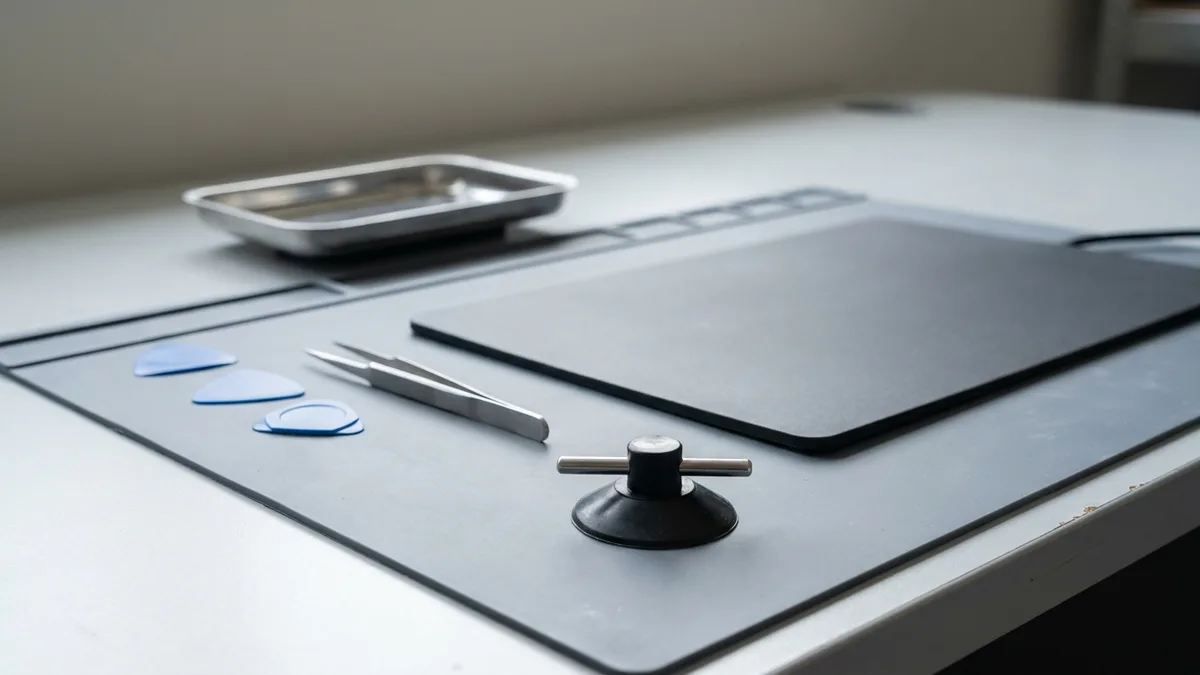
A repair kit unrolled on white: a blue anti-static wrist strap, opening tools and spudgers.

Photo (cropped and edited): PantheraLeo1359531 via Wikimedia Commons, licensed CC BY 4.0

Why Choose Esmond Service Centre?

  • Same-Day Screen & Battery Service
  • Apple-Trained Repair Technicians
  • Transparent, Upfront Pricing
  • Convenient, Central Locations
  • More Than 10,000 Repairs a Year
4.9
2,705+ Google reviews

My laptop had a broken hinge and Ivan at Esmond Service Centre provided a quote and ordered the part. He was very responsive and once the part arrived, I went down to the shop and the laptop was repaired within 2 hours. The amount I paid was exactly as quoted. No surprises and great service.

P.Y. · Alexandra · 3 Nov 2026

Experienced an exceptional service from Nicholas. He presented himself with professionalism, patience and explains to me in a clear and structured manner. Was a breeze for me to communicate and get my issue settled. Thanks.

Tan Ken Jek · Sin Ming · 3 Nov 2026

Walk in at our 2 branches

Mon to Fri : 10:00am - 7:00pm · Sat : 10:00am - 3:00pm · Closed on Sunday and PH

Repair Services

iPad Repair Singapore - Same Day Service From S$65

Last updated:

Esmond Service Centre offers iPad repair in Singapore for every model — the standard iPad, iPad Air, iPad mini and iPad Pro — at Alexandra Retail Centre and Midview City at Sin Ming. We replace cracked screens and batteries, and repair charging ports and logic boards. Repairs start from S$65, the diagnosis is free, screen and battery repairs are done the same day on most models, and hardware repairs carry a 90-day warranty.

4.9★2,705+ reviews
16+ yrsexperience
Freediagnostics
2service centres
A person in a white T-shirt carrying the ESMOND wordmark, facing the camera and holding a plain black tablet upright with its screen dark, against a white background
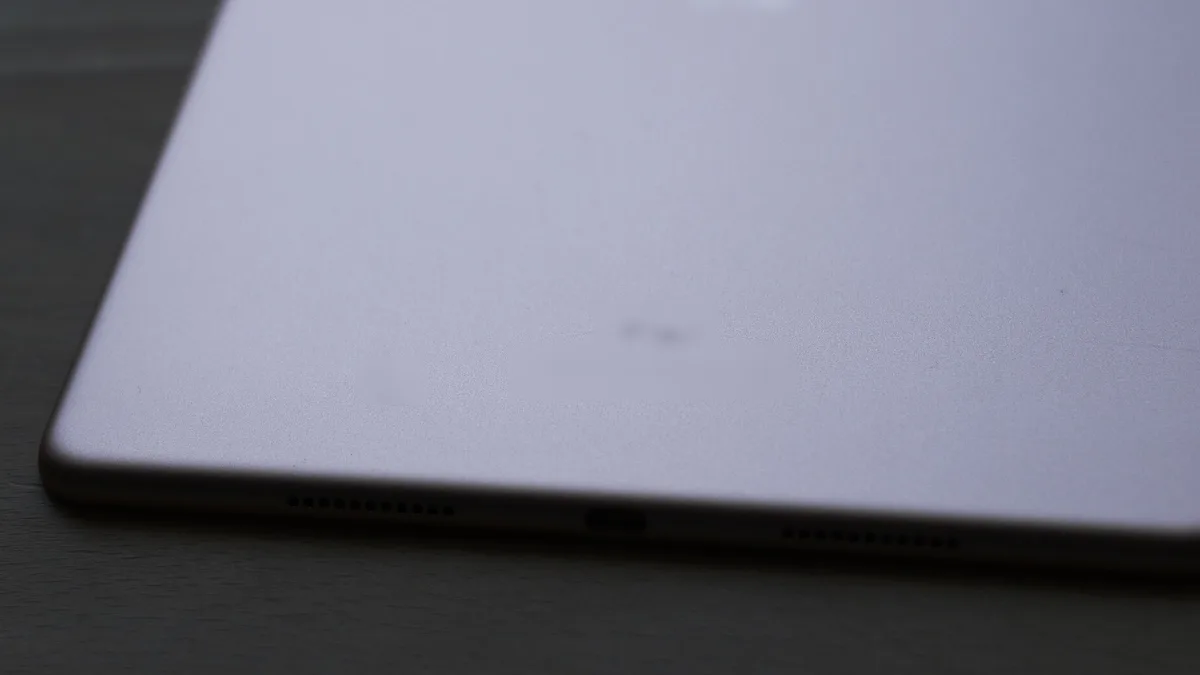
The back of a silver tablet on a dark wooden table, seen low along its bottom edge with two rows of speaker holes and a port.
Photo (cropped and edited): MIKI Yoshihito via Wikimedia Commons, licensed CC BY 2.0

How Much Does iPad Repair Cost in Singapore?

Esmond Service Centre repairs Apple iPads across the standard iPad, iPad Air, iPad mini and iPad Pro series, including the models with Apple's M-series chips, covering screens, batteries, charging ports, logic boards, cameras and water damage. Apple-trained technicians (Apple Independent Repair Provider) run free diagnostics and fit genuine or OEM-grade parts. We warranty hardware repairs for 90 days; note that water-damage cleaning and software/iOS restore are provided without warranty. WhatsApp us your iPad model for an exact quotation.

RepairRepair DurationEstimated Cost ($SGD)
iPad Screen Replacement (LCD + Glass)1 - 2 HoursFrom $133
iPad Touch Screen (Digitizer Only)1 - 2 HoursFrom $86
iPad Battery Replacement2 - 3 HoursFrom $98
Charging Port Repair1 - 2 HoursFrom $85
Motherboard (Logic Board) Repair3 - 5 Working Days*From $138
Camera Lens / Camera Replacement1 - 2 HoursFrom $65
Speaker / Microphone Repair1 - 2 HoursFrom $85
Frame / Housing Replacement3 - 4 HoursFrom $138
Smart Connector Repair (iPad Pro)1 - 2 DaysFrom $126
Face ID Module Replacement1 - 2 DaysFrom $186
Water Damage (Chemical Cleaning)1 Working Day*From $68
iOS Troubleshoot / Restore3 - 4 HoursFrom $65

Prices are before GST (9% is added at payment).

*Note: allow longer if the fault is intermittent and needs extended testing — we do not call a board repair finished until it has run without the fault coming back.

Prices may vary based on the exact iPad model and repair complexity.

The front and back of a tablet side by side: the front filled with a flowing abstract pattern in shades of blue, and behind it the back of a second tablet in pale blue-grey showing a single rear camera lens

Select your issue

Three iPads of different sizes lying face down side by side, from the largest on the left to the smallest on the right, each with its camera at the top corner.
Photo (cropped and edited): KA KIT via Wikimedia Commons, licensed CC BY-SA 4.0
iPad Models We Repair in Singapore

Our skilled technicians repair the full iPad range, from the standard iPad to iPad Air, iPad mini and iPad Pro:

iPad ModelModel Numbers & Screen
iPad (A16, 11th gen, 2025)A3354, A3355, A3356 — 11-inch
iPad (10th gen, 2022)A2696, A2757, A2777, A3162 — 10.9-inch
iPad (9th gen, 2021)A2602, A2604, A2603, A2605 — 10.2-inch
iPad (8th gen, 2020)A2270, A2428, A2429, A2430 — 10.2-inch
iPad (7th gen, 2019)A2197, A2200, A2198 — 10.2-inch
iPad (6th gen, 2018)A1893, A1954 — 9.7-inch
iPad (5th gen, 2017)A1822, A1823 — 9.7-inch
iPad Air 13-inch (M4, 2026)A3461, A3462, A3464 — 13-inch
iPad Air 11-inch (M4, 2026)A3459, A3460, A3463 — 11-inch
iPad Air 13-inch (M3, 2025)A3268, A3269, A3271 — 13-inch
iPad Air 11-inch (M3, 2025)A3266, A3267, A3270 — 11-inch
iPad Air 13-inch (M2, 2024)A2898, A2899, A2900 — 13-inch
iPad Air 11-inch (M2, 2024)A2902, A2903, A2904 — 11-inch
iPad Air (5th gen, M1, 2022)A2588, A2589, A2591 — 10.9-inch
iPad Air (4th gen, 2020)A2316, A2324, A2325, A2072 — 10.9-inch
iPad Air (3rd gen, 2019)A2152, A2123, A2153, A2154 — 10.5-inch
iPad mini (A17 Pro, 7th gen, 2024)A2993, A2995, A2996 — 8.3-inch
iPad mini (6th gen, 2021)A2567, A2568, A2569 — 8.3-inch
iPad mini (5th gen, 2019)A2133, A2124, A2126, A2125 — 7.9-inch
iPad mini 4 (2015)A1538, A1550 — 7.9-inch
iPad Pro 13-inch (M5, 2025)A3360, A3361, A3362 — 13-inch
iPad Pro 11-inch (M5, 2025)A3357, A3358, A3359 — 11-inch
iPad Pro 13-inch (M4, 2024)A2925, A2926, A3007 — 13-inch
iPad Pro 11-inch (M4, 2024)A2836, A2837, A3006 — 11-inch
iPad Pro 12.9-inch (6th gen, M2, 2022)A2436, A2437, A2764, A2766 — 12.9-inch
iPad Pro 11-inch (4th gen, M2, 2022)A2759, A2761, A2435, A2762 — 11-inch
iPad Pro 12.9-inch (5th gen, M1, 2021)A2378, A2461, A2379, A2462 — 12.9-inch
iPad Pro 11-inch (3rd gen, M1, 2021)A2377, A2459, A2301, A2460 — 11-inch
iPad Pro 12.9-inch (4th gen, 2020)A2229, A2069, A2232, A2233 — 12.9-inch
iPad Pro 11-inch (2nd gen, 2020)A2228, A2068, A2230, A2231 — 11-inch
iPad Pro 12.9-inch (3rd gen, 2018)A1876, A2014, A1895, A1983 — 12.9-inch
iPad Pro 11-inch (1st gen, 2018)A1980, A2013, A1934, A1979 — 11-inch
iPad Pro 12.9-inch (2nd gen, 2017)A1670, A1671, A1821 — 12.9-inch
iPad Pro 10.5-inch (2017)A1701, A1709, A1852 — 10.5-inch
iPad Pro 9.7-inch (2016)A1673, A1674, A1675 — 9.7-inch
iPad Pro 12.9-inch (1st gen, 2015)A1584, A1652 — 12.9-inch

Don’t see your model listed? WhatsApp us to enquire — we service every iPad generation, including models too old or too new for the table above.

A close-up of an iPad's front glass with long cracks running across the dark screen from an impact point near the lower right corner.
Photo (cropped): Raimond Spekking via Wikimedia Commons, licensed CC BY-SA 4.0
Common iPad Issues We Regularly Fix

Our certified technicians handle the full range of iPad faults, including:

  • Cracked or damaged screens
  • Rapid battery drain or not charging
  • Motherboard and logic board failures
  • Charging port malfunctions
  • Water and liquid damage
  • Camera or speaker issues
  • Software and iOS troubleshooting

Whatever the fault, we diagnose it precisely before quoting, and the repair is built to last rather than to get the device out of the door.

When to Stop: Signs Your iPad Problem Is Hardware

Stop trying fixes when you see any of the signs below. More restarts or restores will not mend a part, and Apple's own safety guidance is to stop using an iPad you suspect is damaged, as it may cause overheating or injury. Esmond Service Centre repairs every iPad model — the standard iPad, iPad mini, iPad Air and iPad Pro, across all generations — and diagnosis and the quote are free, so you know the cost before you commit.

  • The screen: cracked glass, lines or dark patches in the picture, or touch that still fails in one area after a force restart. Apple's guidance is not to use an iPad with a cracked screen, as it may cause injury. On the price list above, the digitiser is the touch layer that senses your touch and the LCD is the part that shows the picture; Apple Pencil keeps working on the iPad screens we fit, and we check it before you collect. See iPad screen repair.
  • Charging and battery: an iPad that still will not charge, a plug that charges only at an angle, or a battery that runs down fast. On supported models, Settings > Battery > Battery Health shows the battery's capacity and cycle count. For the battery see iPad battery replacement.
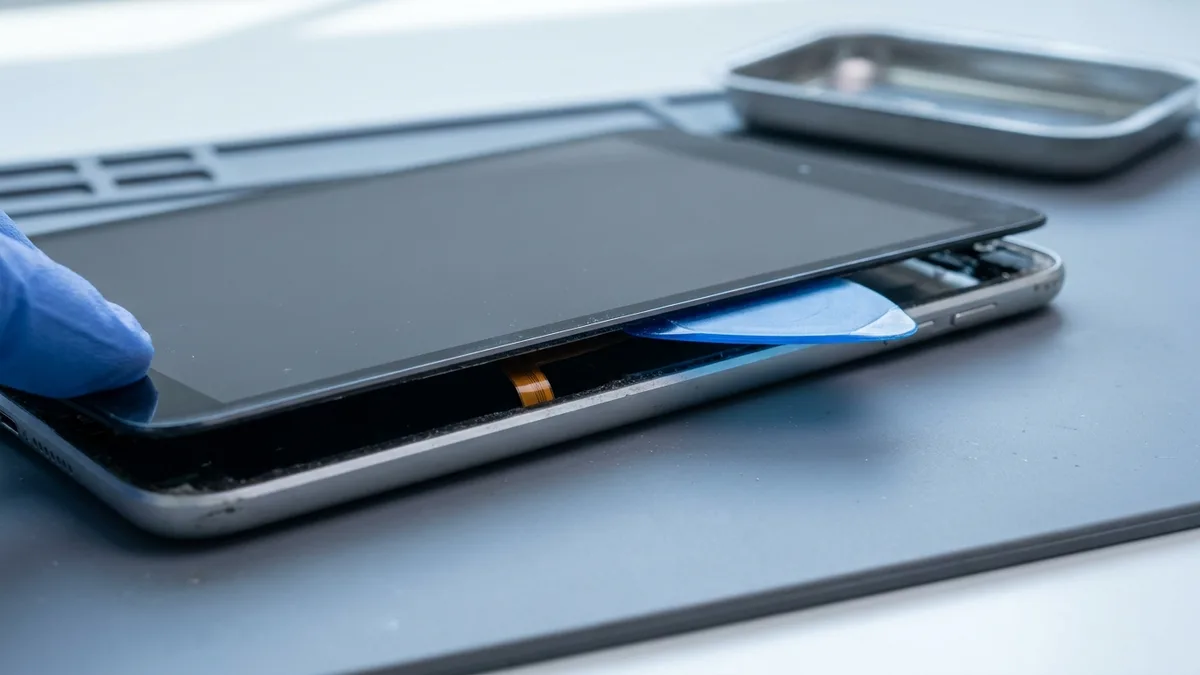
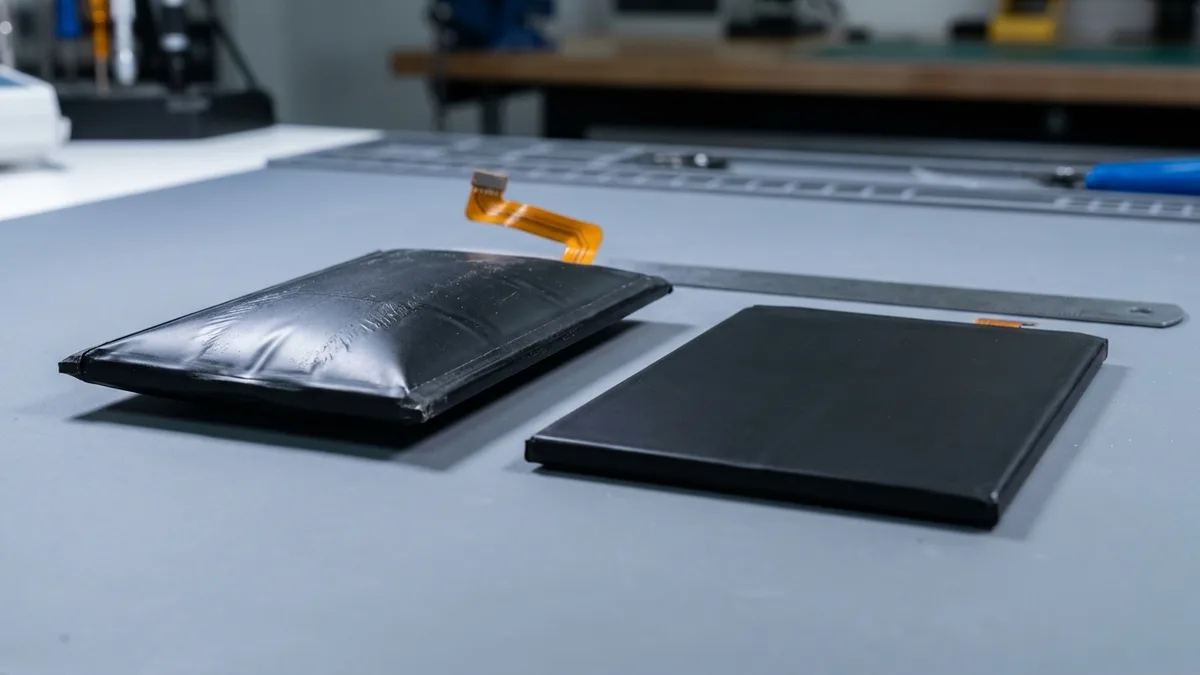
  • A swelling battery: a screen lifting from its frame or a bulging casing. Unplug its charger and stop using it; do not press on the bulge or open the iPad yourself. Singapore's Consumer Product Safety Office advises against charging a device whose battery is bloated or swollen, and Apple says an iPad battery should only be repaired by a trained technician, as battery damage could cause overheating, fire or injury.
  • Liquid, or no response at all: after a spill, do not charge the iPad — Apple warns that charging when moisture is present can cause fire, electric shock or injury. An iPad that recovery mode cannot update or restore, or that still shows nothing after an hour on charge, needs a technician. Liquid damage with several failures at once is one case where we may advise you not to repair. See iPad motherboard repair.

Before You Repair Your iPad: Three Steps, in Order

None of these steps repairs anything, but skipping one can cost you money, data or a wasted trip.

  • Check your cover. On the iPad, open Settings, tap General, then AppleCare & Warranty, and tap your iPad to see its cover and when it ends. Apple prices a repair on the fault and on that status. What this step cannot tell you is whether your fault qualifies: the warranty excludes accidental damage, and Apple sets the final fee after inspecting the iPad.
  • Back it up. Apple warns that a device may come back from service erased, and its Genius Bar page notes that some fixes require a factory reset. A backup fixes nothing, but it is the only step that protects your files, and an iPad that no longer powers on cannot be backed up at the counter.
  • Prepare it for the visit. In iPadOS 26 or earlier, turn off Find My (Settings, your name, Find My), because Apple might not be able to service the iPad otherwise; in iPadOS 27 or later, turn on Ready for Repair or Trade-In in the Find My app. Never give anyone your Apple Account password or device passcode: Apple says neither it nor its authorised providers will ask for them.
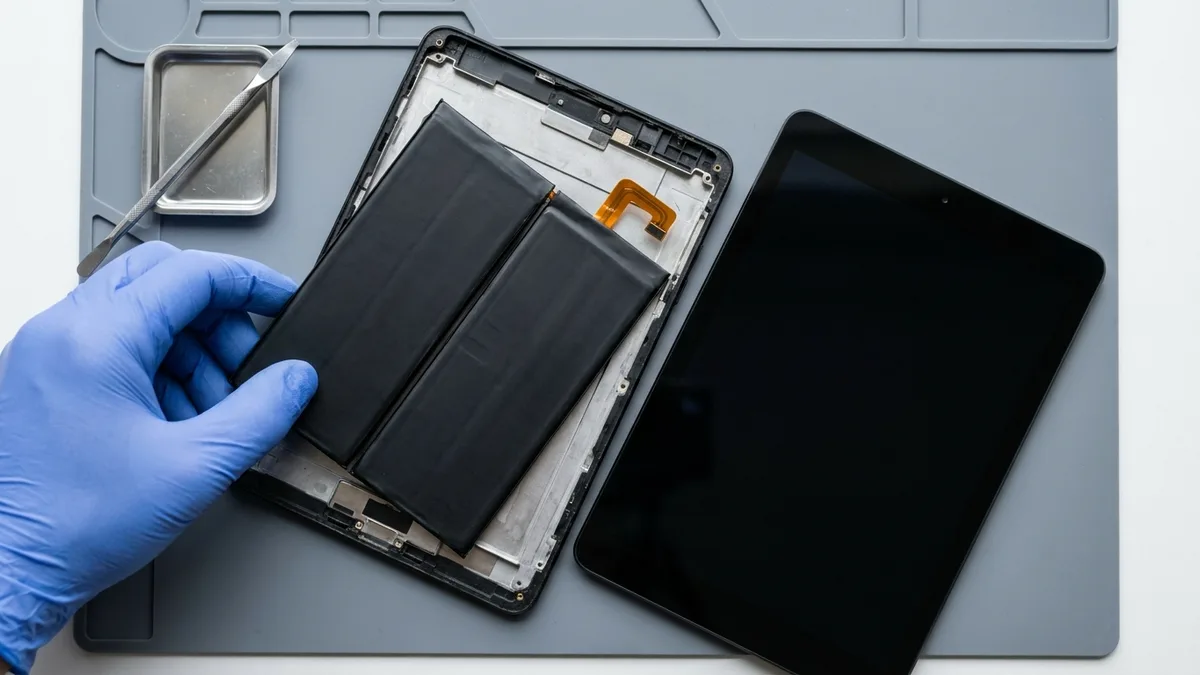
An opened iPad lying on white with its screen removed: two large black battery cells across the middle and the logic board down the right side.
Photo (edited): Raimond Spekking via Wikimedia Commons, licensed CC BY-SA 4.0
How Your iPad Repair Works, Step by Step

You always know what is happening to your device and what it will cost:

  • Walk-In or WhatsApp Booking:
    Book on WhatsApp, or walk in to either branch with your iPad.
  • Free Diagnostic & Upfront Quote:
    Receive a detailed inspection and obligation-free quotation before repair.
  • Approval & Same-Day Repairs:
    Repairs begin immediately upon your approval—no hidden charges.
  • Rigorous Testing & Warranty Coverage:
    Comprehensive post-repair testing with a warranty for peace of mind. After a screen replacement, that includes your Apple Pencil: it keeps working on the screens we fit.
An iPad with its display removed, photographed at an angle: the battery cells and circuit boards visible under a clear protective film inside its silver frame.
Photo (edited): Raimond Spekking via Wikimedia Commons, licensed CC BY-SA 4.0
Warranty & Trusted Technicians on Every iPad Repair

  • Apple-Trained Technicians (Apple Independent Repair Provider) – Specialists experienced with all iPad models, including the models with Apple's M-series chips.
  • 90-Day Warranty on Repairs – Extendable warranty options available with our Esmond Care Plan.
  • Same-Day Repairs – Quick turnaround for common issues like screen and battery replacements.
  • Transparent Pricing – Upfront, no hidden charges, ever.
  • Free Diagnostics – Accurate fault identification before any repair.
An iPad's logic board removed and photographed on white: its processor, memory chips and tiny components with gold connectors along the edge.
Photo (edited): Raimond Spekking via Wikimedia Commons, licensed CC BY-SA 4.0

What Sets Our iPad Repair Apart?

Five things you get here that you will not get everywhere:

  • Rapid Same-Day Repairs: Fast fixes for common issues.
  • Advanced Micro-Soldering: Professional logic board repairs.
  • Quality Parts: OEM-grade and original components.
  • Friendly WhatsApp Support: Easy communication before and after repairs.
  • Convenient Locations: Sin Ming Lane (Midview City) and Alexandra Retail Centre (ARC).
A gold tablet lying on a silver one on a green cutting mat, their charging ports and speaker holes facing the camera.
Photo (cropped and edited): Maurizio Pesce from Milan, Italia via Wikimedia Commons, licensed CC BY 2.0

Esmond Care – Optional Extended Warranty

Enjoy additional protection with Esmond Care:

  • Up to 5-Year Warranty: 90 days as standard, extendable up to 5 years with Esmond Care.
  • Priority Service: Faster handling of your repair.
  • Dedicated Customer Support: Superior service and peace of mind.

📩 Ask about Esmond Care when you book your repair.

A repair kit unrolled on white: a blue anti-static wrist strap, opening tools and spudgers.
Photo (cropped and edited): PantheraLeo1359531 via Wikimedia Commons, licensed CC BY 4.0

Why Choose Esmond Service Centre for iPad Repair in Singapore?

Customers across Singapore bring their iPads to Esmond Service Centre because:

  • ✅ Same-Day Screen & Battery Service (most models)
  • ✅ Apple-Trained Repair Technicians (Apple Independent Repair Provider), and our founder's 16 years and counting of hands-on repair experience
  • ✅ Transparent, Upfront Pricing
  • ✅ Convenient, Central Locations
  • ✅ More Than 10,000 Repairs a Year – across all the devices we service (as at August 2026).

Apple or an Independent Repairer: Which Fits Your iPad

The first step decides it. Apple's warranty does not apply to damage caused by service performed by anyone who is not Apple or an Apple Authorised Service Provider, so while Apple still covers the iPad, damage caused by a repair elsewhere falls outside that cover.

Your iPad's faultWhere to take it, and why
A fault Apple's warranty covers, or damage AppleCare+ coversApple or an Apple Authorised Service Provider. Apple says a service covered by an AppleCare plan costs the same at Apple and at every authorised provider, and its Singapore AppleCare page listed the iPad fees on 16 November 2026 as 42 Singapore dollars for a damaged screen and 148 for other accidental damage. Taking that repair elsewhere gives up Apple's cover for any damage the repair causes.
Not covered: out of warranty, or accidental damage with no AppleCare+Your choice, so compare before you commit. Apple's estimate tool lists one out-of-warranty fee per iPad model for battery service and one for other damage, and authorised providers set their own fees. Esmond Service Centre prices each type of repair separately, as in our price table above, and confirms the price for your model. Ask each for the price, the time and the warranty in writing, and if the iPad is still inside its warranty year, weigh that Apple's warranty does not cover damage caused by service outside Apple and its authorised providers.

Repairing it yourself has the least support in Singapore. Apple's Self Service Repair, which gives people experienced in repairing electronic devices access to genuine Apple parts, tools and repair manuals, did not list Singapore among its countries and regions on 16 November 2026. Apple also warns that repairs by untrained individuals or with non-genuine parts may affect a device's functionality, safety, security and privacy.

What AppleCare+ Covers on an iPad

AppleCare+ for iPad is a two-year plan. Apple says AppleCare+ extends the one-year hardware cover and adds accidental damage protection and 24/7 priority support. As Apple's Singapore AppleCare page listed it on 16 November 2026:

  • Accidents, as often as needed: a damaged screen is a 42 Singapore dollar service fee, and other accidental damage, liquid damage included, is 148 Singapore dollars. Apple's estimate tool lists some older iPad models at a single 68 Singapore dollar fee for accidental damage instead.
  • The battery: replaced at no additional fee once it holds less than 80 per cent of its original capacity. Apple's one-year warranty on its own does not cover a battery worn down by normal use.
  • Where it is used: at an Apple Store, at any Apple Authorised Service Provider, by post with a prepaid label from Apple, or through Express Replacement Service. Apple says repairs by Independent Repair Providers are not covered by AppleCare plans.

If your iPad is new, the plan may still be open to you: Apple says that for 60 days after a new Apple purchase, you can get a new plan through the Settings app. Whether AppleCare+ is worth its price for you is a separate question, which our guide on whether AppleCare is worth it answers.

Choosing an iPad Repairer: What to Ask Before You Hand It Over

Ask three things before any work starts: whether the part is a genuine Apple part or an OEM-equivalent one; what the warranty covers and for how long, in writing; and the price and time for your exact model. Apple's own advice for a service appointment: never give anyone your device passcode or Apple Account password (for some software support you may be asked to enter it yourself), and remain present while the technician has access to your device. Esmond Service Centre will also tell you when not to repair: an iPad with liquid damage and several failures at once, or a very old iPad, where a new part works but we cannot promise how long the iPad will last.

The thin silver edge of an iPad lying flat on a green cutting mat, photographed close up at table level.
Photo (cropped): Maurizio Pesce from Milan, Italia via Wikimedia Commons, licensed CC BY 2.0

Book Your iPad Repair Today

WhatsApp us your iPad's model number and the symptom, and we'll come back with what it likely is, what it will cost and how long it will take. Or walk in to Esmond Service Centre at Alexandra Retail Centre or Midview City at Sin Ming.

  • Transparent Pricing (from S$65)
  • Certified Technicians
  • Same-Day Repairs Available

📞 WhatsApp or 📍 Visit either branch to get your repair started.

Tell us what's wrong — free diagnosis, no obligation

Send us the symptom and we'll come back with what it likely is, what it will cost, and how long it will take. The diagnosis is free, and if we can't fix it, you pay nothing. The one exception is liquid damage: the chemical cleaning fee above (from $68) is paid upfront and is non-refundable.

How can we contact you?

When you send this form, OpenAI (which runs ChatGPT Ads) is told that an enquiry was made, so we can see which of our ads bring enquiries. What is shared and how to switch it off

4.9★★★★★EXCELLENT — based on 2,705+ Google reviews across 2 branches
★★★★★
Had a battery alert warning this morning on my HP Spectre laptop. Ran a battery test and the capacity is only left with 23% despite component test shows Passed. HP support ask me to calibrate the battery which is a very lengthy and tedious procedure and it does not solve the original battery issue of degraded capacity. HP Support also need time (the whole day also never get back to me) to check for stocks and price. I just need a faster clean fix to this issue i.e. simply replace the battery. Searched the Internet and found Esmond Service Centre with good reviews. Fast response and helpful advice. They transferred the battery to the branch at MidView in 2 hours and changed my battery within 30 to 40mins when I was on-site. Price was competitive compared to other quotes I got and also purchased the extended warranty for 1 year for $48. They also provided after sales customer service when I asked about my chargers. Not like some shops who will ignore you after the purchase. Great service and will look for them in future if I need to repair my laptop.Read full reviewShow less
KK JacelynSin Ming · 3 months ago
★★★★★
Highly experienced, customer focus, general great at what they're doing which servicing and repairing computer. I went there to change battery for my lap top and was highly impressed by their good technical, reasonal pricing, ease of doing business and friendliness of front desk staffs. They found something else ; ie the cooling system that required attentive alertedmet the issue via WA prompting recommending solutions and cosing. It was easy to make decision with transparent transaction. Job was done very quickly originally supposed to take 30 mins with the addition task it took another 20 mins which iscceptable a we were able to waiting relaxing while having a coffee in the multitude of F&B outlets in this mall. My laptop was very well serviced and repair and within my original estimated budget. Super happy with Esmond for their great capability and professionalism. victor who attended to us was a bit quiet but nonetheless was able to communicate important info clearly to me. Keep it up EsmondRead full reviewShow less
SSam Goh SEAlexandra · 10 months ago
★★★★★
I am extremely thankful for the outstanding service I received from Jay. I called ahead to ask whether I would need to wait to get my laptop repaired, as it had completely stopped turning on and it was an urgent situation for me. I was told to simply walk in, and to my surprise, the issue was diagnosed and fixed in less than 30 minutes. What impressed me most was that the repair was done right in front of me, and Jay remained professional, friendly, and transparent throughout the entire process. To top it all off, he explained that it was only a quick fix and chose not to charge me anything. I truly couldn’t be more grateful for the help and exceptional customer service. Thank you, Jay, for turning a stressful situation into such a positive experience. Highly recommended! Also noticed that they sell other small gadgets which can make good last min gifts too!Read full reviewShow less
JJollene YangAlexandra · 2 months ago
★★★★★
Sent my iMac in for a screen replacement and had a very positive experience with Esmond Service Centre. Customer service was responsive and patient throughout the process, and they kept me updated clearly. Repair was completed quickly and the iMac is working well again. They also showed me photos of the internal dust buildup and explained the recommended servicing transparently, which I appreciated as someone not familiar with repairs. Overall, a smooth and reassuring experience. Thank you for the professional service!Read full reviewShow less
WWendy AngSin Ming · 3 months ago
★★★★★
I messaged Esmond Service Centre to get my MSI screen fixed and was impressed right from the start. They replied quickly, and I was able to head down on the same day itself. I could simply walk in and wait at the store, and the technician took the time to look at my device and give solid, practical advice. They also stuck exactly to the estimated timing of 1–2 hours, which made the whole experience smooth and hassle-free. Everything was handled efficiently and without any fuss. Excellent job and great service overall.Read full reviewShow less
NNiveethaSin Ming · 4 months ago
★★★★★
5/5 experience and service Appreciate the prompt responses! It was easy to book an appointment / timeslot because they are very approachable. It's an introvert-friendly experience. I like how direct and straightforward the process and advices/quotations were. I'm a big fan of that. Was also my first time finding a service to replace my laptop battery, and I'm so glad to have found them. Will definitely come back again for further assistance. 😄Read full reviewShow less
Ffatin nur aqilahAlexandra · 6 months ago

Frequently Asked Questions

How quickly can you fix an iPad screen crack in Singapore? +
Most iPad screen repairs take 1–2 hours, so you can usually wait or come back the same day. That applies whether we replace the whole screen (LCD and glass) or only the touch glass (digitizer). Either way we test the iPad after the repair, and after a screen replacement that includes your Apple Pencil. If the frame is bent as well, a frame or housing replacement takes 3–4 hours. When parts must be ordered, a repair can take 7 to 21 working days.
What does it cost to change an iPad battery in Singapore? +
An iPad battery replacement costs from $98 before GST, depending on the model, and usually takes 2–3 hours; like our other hardware repairs, it carries a 90-day warranty. Before you book, check Settings > Battery > Battery Health: on supported models, iPad shows the battery's capacity, health and cycle count there. WhatsApp us your model for an exact quote, or see our iPad battery replacement page.
Is it necessary to change an iPad battery if it drains quickly? +
Not always. Fast drain can come from apps and settings rather than a worn battery: Settings > Battery lists the percentage of battery each app and system task used, so check there first. Batteries do wear: Apple designs iPad batteries to retain up to 80 per cent of their original capacity at 1,000 complete charge cycles. If the drain continues after those checks, the diagnostic is free and a battery replacement starts from $98.
Does an iPad screen crack repair affect device warranty? +
Our iPad screen repairs carry a 90-day warranty. Apple's one-year limited warranty does not cover damage caused by accident, such as a drop, and it excludes damage caused by service from anyone who is not a representative of Apple or an Apple Authorised Service Provider. Esmond Service Centre is an Apple Independent Repair Provider, not an Apple Authorised Service Provider. If your iPad has AppleCare+, which covers accidental damage for a service fee, check Apple's route first; we'll advise you before we start.
Can you change the iPad battery for older models? +
Yes. We replace batteries in older iPads as well as current ones, including models older than the 2015-onward table above; WhatsApp us the model number to confirm. You will find it on the back of some iPad models, or under Settings > General > About: tap the part number beside Model Number. On a very old iPad we will tell you if a repair is not worth it: the new battery will work, but we cannot promise how long the rest of the iPad will last.
Should I back up my data before fixing an iPad screen crack? +
Yes. Replacing a cracked screen usually does not affect your data, but we always recommend a backup before any repair. Apple gives two ways: iCloud (Settings > [your name] > iCloud > iCloud Backup, then tap Back Up Now) or your computer. If the cracked screen still responds to touch, back up now, while you can still use it.
How much does iPad repair cost in Singapore? +
It depends on the repair: screen replacement (LCD + glass) from $133, the touch glass (digitizer) alone from $86, battery replacement from $98, charging port from $85, logic board repair from $138, water-damage chemical cleaning from $68 and iOS troubleshoot/restore from $65. Prices are before GST (9% is added at payment). WhatsApp your iPad model for an exact quotation; iPad repair starts from S$65.
Which iPad models do you repair in Singapore? +
We repair every iPad — the standard iPad, iPad mini, iPad Air and iPad Pro — across all generations, including the models with Apple's M-series chips. The supported-models table above lists iPad models from 2015 onward with their model numbers. If yours is not in it, whether older or newer, or you want to confirm your model, just WhatsApp us. To find your model number, go to Settings > General > About and tap the part number beside Model Number; some iPads also show the model number on the back.
Is the iPad diagnostic really free? +
Yes. The diagnostic is free and carries no obligation: Apple-trained technicians (Apple Independent Repair Provider) inspect the iPad and give you an upfront quote, and the repair starts only once you approve it, with no hidden charges. If we cannot fix it, you pay nothing. The one exception is liquid damage: the chemical cleaning fee (from $68) is paid upfront and is non-refundable.
Where can I get my iPad repaired near me in Singapore? +
Esmond Service Centre repairs iPads at two branches, Sin Ming Lane (Midview City) and Alexandra Retail Centre (ARC), both rated 4.9 stars. Walk in or WhatsApp your model for same-day service on common screen and battery repairs.
Why won't my iPad charge, even on the charger? +
Rule out the simple causes first: a damaged cable or adapter, a computer port instead of a wall socket, an iPad that is too hot or too cold, or debris in the port. Apple notes that a deeply discharged iPad can need 20 to 30 minutes of charging before it turns on. If it still will not charge with a different cable and adapter, Apple says it may need service. At Esmond Service Centre, a charging port repair is from $85 (1 to 2 hours) and a battery replacement from $98 (2 to 3 hours).
How can I tell if my iPad problem is hardware or software? +
If a force restart, an iPadOS update or a reset clears the fault for good, that points to software; if the fault survives all three, suspect hardware. Physical signs are hardware: cracked glass, lines or dark patches in the picture, touch that fails in one spot, a screen lifting from its frame, a plug that only charges at an angle. A black screen can be either: if a computer still recognises the iPad, Apple's service guide treats it as having power, which points to the display rather than the battery.
Is it safe to keep using an iPad with a cracked screen or a swollen battery? +
No. Apple's safety guidance says not to use an iPad with a cracked screen, as it may cause injury, and to stop using an iPad if you suspect damage to it or its battery, as it may cause overheating or injury. Singapore's Consumer Product Safety Office adds that a device with a bloated or swollen battery should not be charged. Do not press on a bulge or open the iPad yourself; Apple says only a trained technician should repair an iPad battery.
Is it worth repairing an out-of-warranty iPad instead of replacing it? +
For a cracked screen, a worn battery or a failed charging port, compare the repair quote with the price of a new iPad: diagnosis and the quote are free, so the comparison costs you nothing. There are cases where we advise against repairing: liquid damage with several failures at once, and very old iPads, where the replaced part will work but we cannot promise how long the rest of the iPad will last.
Can I repair my iPad myself in Singapore? +
You can, but for most owners it is not advisable. Apple's Self Service Repair, which gives people experienced in repairing electronic devices access to genuine Apple parts, tools and repair manuals, did not list Singapore among its countries and regions on 16 November 2026. Apple's warranty does not cover damage caused by service from anyone other than Apple or an Apple Authorised Service Provider, and Apple warns that repairs by untrained individuals or with non-genuine parts may affect a device's functionality, safety, security and privacy.
Does Esmond Service Centre use original parts for iPad repairs? +
Esmond Service Centre uses either genuine Apple parts or quality OEM-equivalent parts, and the two are not the same, so ask which one your quote is for. You can also check afterwards: for the parts and iPad models Apple lists, Settings, General, About shows a Parts and Service History after a repair, which reads Genuine when the repair used genuine Apple parts and processes, and Unknown in some situations, such as when a non-genuine part was fitted. Apple says an Unknown part might affect the iPad's trade-in value.

Need expert help with your device?

Bring it to Esmond Service Centre at Sin Ming or Alexandra — free diagnostics, repairs from $65, many done in 1–2 hours.


WhatsApp us