
📑 On this page
Buying a laptop, a camera or a phone overseas is often genuinely cheaper — right up until the card you pay with takes a slice of every transaction. This YouTrip card review sets out what the card actually costs in Singapore, what it will not do, and the question worth answering before you hand over the money at all.
We are Esmond Service Centre, a Singapore repair workshop, and we write about a travel card for one narrow reason: the machines people buy overseas are the machines that arrive on our bench when something fails, and by then the payment method matters far less than the warranty. Every fee below was read from YouTrip's own terms and help centre on 29 August 2026, not copied from another review.
Why Singapore Tech Buyers Use a YouTrip Card
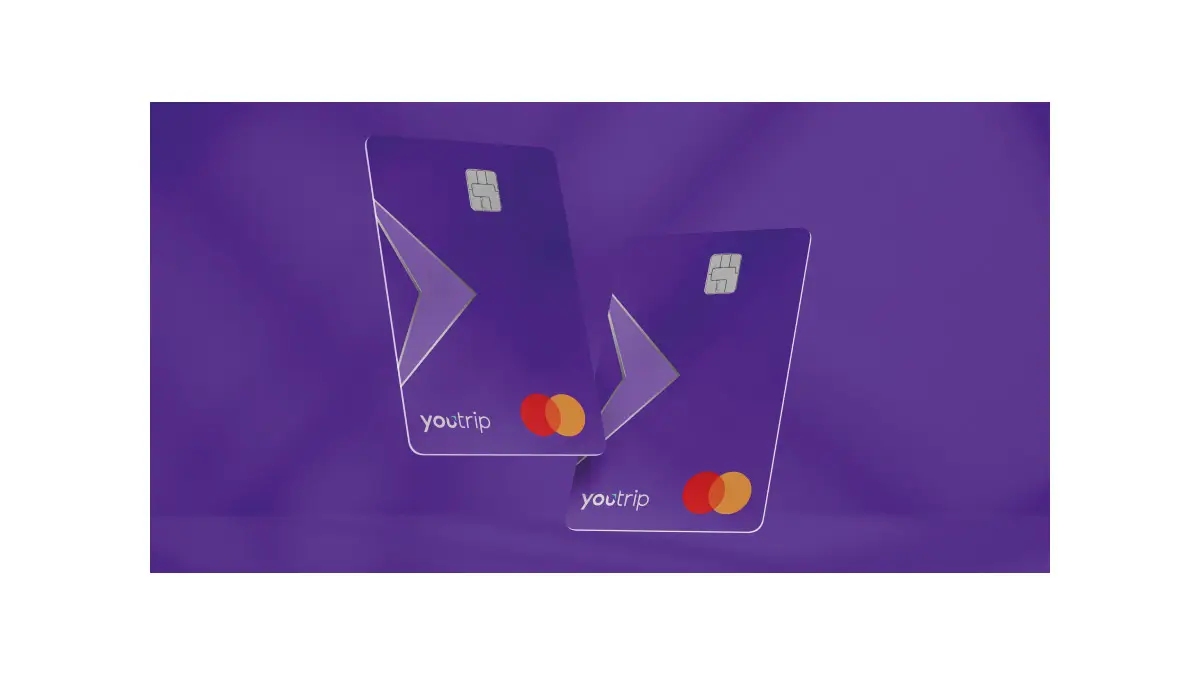
YouTrip is a prepaid Mastercard issued by You Technologies Group (Singapore) Pte Ltd, licensed by the Monetary Authority of Singapore as a major payment institution. You top the card up in Singapore dollars through its app, and it pays in the local currency when you spend abroad.
What the card actually gives you
- No fee on the transaction, and none on the exchange. YouTrip's own published fee table lists overseas payment transactions, currency exchange, card issuance, the annual fee and top-ups all as Free.
- The wholesale rate, with one caveat the vendor states itself. Conversion runs on Mastercard wholesale rates, which YouTrip's help centre describes as “typically with a marginal difference of 0.1%” against the published rate you see on Google or XE. Very close to mid-market — not identical to it.
- 150+ currencies to spend in, twelve to hold. You can pay in more than 150 currencies, but only twelve can be exchanged inside the app and parked in a wallet: SGD, USD, EUR, GBP, JPY, HKD, AUD, NZD, CHF, SEK, MYR and THB.
That last line is the one most reviews leave out, and it changes how you use the card. Buying in Tokyo, New York, Hong Kong, Kuala Lumpur or Bangkok, you can convert at a rate you like days before you travel. Buying in Seoul, Taipei or mainland China, you cannot — the won, the New Taiwan dollar and the yuan are not wallet currencies, so the conversion happens at the moment you tap, at whatever the wholesale rate is that day.
How Much Does YouTrip Save on an Overseas Tech Purchase?
The saving is exactly the fee your bank card would have charged, and in Singapore that number is published. DBS states a total foreign transaction fee of 3.25% — a 1% card-association charge plus a 2.25% bank administrative fee — and OCBC's own fees sheet states the identical 1% plus 2.25%. YouTrip charges neither, so the saving is the whole 3.25%:
- A pair of headphones at around S$500 → roughly S$16 you keep.
- A phone at around S$1,500 → roughly S$49.
- A laptop at around S$3,000 → roughly S$98.
Using it, step by step
- First, check the rate in the app. If your destination uses one of the twelve wallet currencies, you can exchange now and hold it.
- Then, top up in Singapore dollars from your bank and exchange into that wallet. If the currency is not one of the twelve, skip this — there is nothing to pre-buy, and the card converts as you pay.
- Finally, pay in store or online with the card, and check the currency on the terminal before you confirm.
YouTrip vs a Singapore Credit Card: What Each One Is Better At
The honest comparison is narrower than most reviews make it. A Singapore bank card is not short of security features — the apps freeze cards, push instant alerts and issue virtual numbers too. The differences that survive a close look are these:
| YouTrip card | Singapore credit card | |
|---|---|---|
| Foreign transaction fee | None | 3.25% at DBS and OCBC |
| Exchange rate | Mastercard wholesale, about 0.1% off mid-market | Bank-set, and the spread is not published |
| Money at risk | Only what you loaded | Your whole credit line |
| Purchase protection and chargeback | Limited — it is a prepaid card | Stronger, and some cards add extended warranty |
| If it goes wrong overseas | Freeze it in the app, and only the wallet is exposed | Bank dispute process, but you have already been billed |
For a big-ticket gadget that is the real trade. On a S$3,000 laptop the card saves you about S$98 — and a credit card's dispute rights and any purchase protection it carries can be worth considerably more than S$98 if the shop turns out not to honour the sale. Plenty of buyers use both: the credit card for the expensive item, YouTrip for everything else on the trip.
What YouTrip Does Not Do: The Fees and Limits to Check First
The card is close to free to use, but it is not free of rules, and three of these are easy to hit on a shopping trip:
- Cash costs money after S$400. Overseas ATM withdrawals are free up to S$400 of foreign currency per calendar month; after that YouTrip charges 2% of the amount withdrawn, and it says it will not waive that. The machine's own operator may charge you separately on top. The daily withdrawal limit is S$5,000, or S$2,500 in Malaysia.
- No cash at all in Singapore. Local ATM withdrawals are not supported — the card is for overseas spending.
- The wallet is capped. An account holds a maximum of S$20,000 at any time, and can be topped up by at most S$100,000 in any 365 days from your first top-up. Fine for a laptop; not a vehicle for a large equipment purchase.
- Small fixed fees exist. Replacing and delivering a card is S$10, and refunding a closed account's balance is S$10.
- Only twelve currencies can be pre-bought. Everything else converts at the point of sale, so there is no rate to lock in.
- It is not a bank deposit. Your balance is e-money. YouTrip's terms say it is held on trust in segregated customer accounts at DBS, Standard Chartered, UOB and Deutsche Bank, and that in an insolvency you claim against those accounts. That is a real protection, and it is not deposit insurance.
Before You Buy Tech Overseas: Where to Stop
Here is the part a payment review usually never reaches, and it is the reason a repair shop is writing one. The card saves you 3.25%. What can cost you far more is the warranty on the thing you just bought, because a Singapore warranty and an overseas one are frequently not the same warranty:
- On our own MSI warranty claims page: cross-regional purchases through Lazada, Shopee or Amazon fall under the warranty of the country where that retailer processed the transaction — so a monitor or graphics card bought overseas may have no Singapore cover at all.
- On our Nintendo Switch 2 in Singapore guide: Nintendo's warranty here is valid only for officially imported products, and parallel-import sets are not serviced.
- On our Xiaomi service centre page: a Xiaomi laptop bought overseas or through a parallel importer has no local counter to walk into.
- The exception worth knowing, from our AppleCare guide: AppleCare+ is recognised internationally, so a failure abroad can be handled under warranty.
So stop before you pay, not after. A cheaper transaction does not repair a machine, and no card — YouTrip's or your bank's — will fix a warranty that does not reach Singapore. Ask the seller one question — is this covered in Singapore, and by whom? — and if nobody can answer it, the 3.25% is not the number that should decide the purchase. If the machine is an MSI, send us the serial number and we will check its Singapore warranty status before you make the trip. And if you have already bought it and it has failed, do not open it yourself chasing a warranty that may not apply here; bring it in and let a technician look first.

Bought Your Tech Overseas? Get It Serviced in Singapore
We repair the machines that come back from those trips every week — laptops, desktops and phones bought in Tokyo, Shenzhen, Seoul and everywhere else. If yours has stopped working, start with laptop repair, screen replacement or data recovery, or just bring it to us for a free diagnostic and a quote before anything is opened.
On the card itself: YouTrip runs a referral programme worth S$5 each to the referrer and the new user. Its own rules are stricter than most write-ups admit — the new user has to click a personalised referral link, complete sign-up, activate their virtual card and make a top-up of any amount, and a referral link expires after 60 days. Anyone who already holds a card can generate one in the app. Esmond Service Centre has no referral link and earns nothing from this page; if you want the bonus, ask a friend who already uses the card.

Esmond Service Centre's experienced technicians can diagnose and fix it fast — free diagnostics, repairs from $65.