维修服务

新加坡笔记本电脑过热及风扇清洁

最后更新:

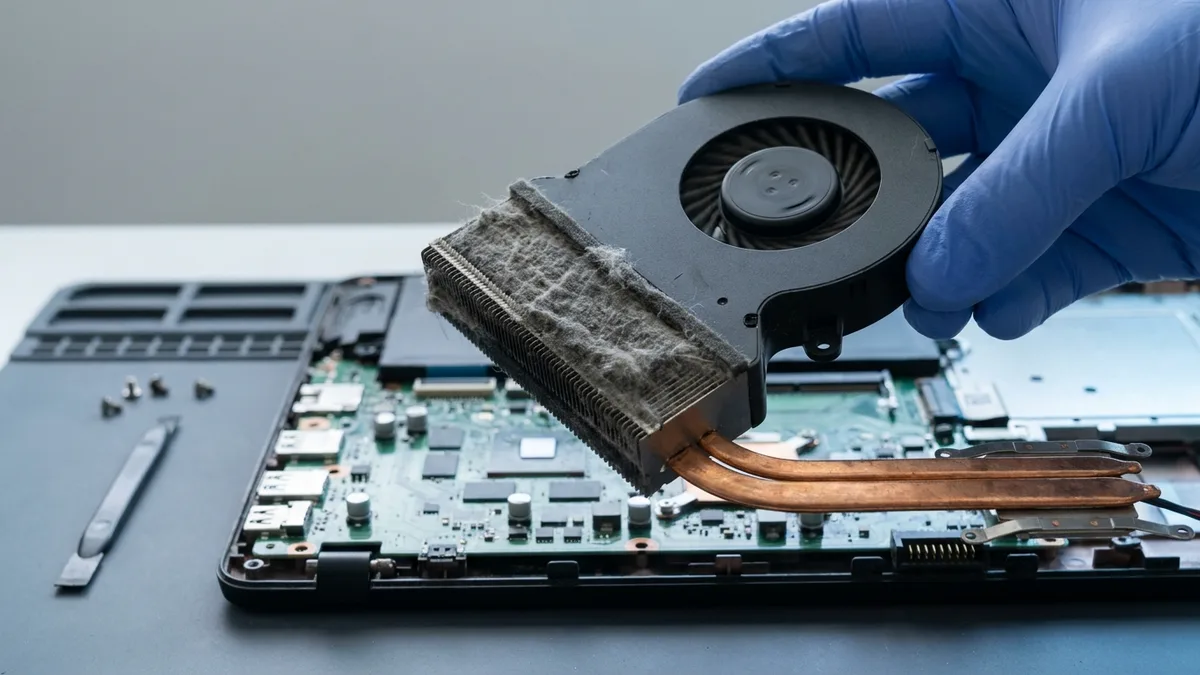
您的笔记本电脑是否出现过热、意外关机或风扇噪音过大等问题? Esmond 服务中心在新加坡提供快速且价格合理的笔记本电脑过热维修和专业风扇清洁服务。我们的技术人员将恢复笔记本电脑的最佳散热性能,保护您的设备免受长期损坏和性能下降的影响。

4.92,668+ 评价
15+ yrs经验
免费检测
2服务中心
Laptop Overheating Repair & Fan Cleaning in Singapore

新加坡笔记本电脑过热及风扇清洁价格

笔记本电脑散热维修,价格实惠透明

服务预计维修时间价格范围(新加坡元)
风扇清洁和导热硅脂重涂30-45分钟$90
风扇更换(如有故障)30-45分钟$95

注:实际维修时间取决于服务队列、故障严重程度和零件供应情况。

支持的笔记本电脑品牌,可进行过热维修和风扇清洁

我们为新加坡各大笔记本电脑品牌提供维修服务,包括消费级和商用笔记本电脑。

品牌我们服务的系列
苹果MacBook Air、MacBook Pro、MacBook Neo、MacBook (12-inch)
戴尔XPS、Inspiron、Latitude、Vostro、Precision、Alienware、G 系列
惠普Pavilion、EliteBook、ProBook、Envy、Spectre、Omen、Victus、OmniBook
联想ThinkPad、IdeaPad、Legion、Yoga、ThinkBook、LOQ
华硕Vivobook、Zenbook、ROG、TUF Gaming、ExpertBook、ProArt
宏碁Aspire、Swift、Predator、Nitro、Spin、TravelMate、Extensa
微软 SurfaceSurface Laptop、Surface Pro、Surface Go、Surface Book、Surface Laptop Studio
MSIPrestige、Modern、Stealth、Raider、Titan、Vector、Katana、Creator
RazerBlade 14、Blade 15、Blade 16、Blade 18、Blade Stealth、Razer Book
三星Galaxy Book、Galaxy Book Pro、Galaxy Book Ultra、Galaxy Book Flex、Notebook 9、Odyssey
LGGram、Gram Pro、Gram Book、UltraPC
华为MateBook X Pro、MateBook X、MateBook D、MateBook 14/16、MateBook E
GigabyteAORUS、AERO、GIGABYTE Gaming、G 系列
富士通LIFEBOOK U / E / A / UH 系列、Stylistic
东芝Dynabook、Satellite、Portégé、Tecra、Qosmio
AftershockForge、Apex、Rift、MX-16、X-16 Pro、Lunar
小米Xiaomi Book Pro、Xiaomi Book、RedmiBook Pro、RedmiBook、Mi Notebook
其他联系我们

我们维修常见的笔记本电脑过热和风扇问题

我们经验丰富的团队可以解决以下问题:

✅ 我们负责处理硬件和冷却系统故障,以确保可靠的散热。

专业笔记本电脑风扇清洁和导热硅脂更换流程

在Esmond服务中心,我们一丝不苟地处理您笔记本电脑的散热修复问题:

  1. 笔记本电脑拆解

    我们会在不造成损坏的情况下安全打开您的笔记本电脑,以便检修内部散热组件。
  2. 清除旧的导热硅脂

    我们使用专业溶液清除干涸的导热硅脂和磨损的导热垫。
  3. 涂抹新的导热硅脂和导热垫

    精准涂抹优质导热硅脂(例如 Arctic MX-4)和品牌兼容的散热垫,可确保最大程度的热传递。
  4. 重新组装和全面测试

    重新组装后,您的笔记本电脑将经过严格的温度基准测试和压力测试,以确保有效散热。

✅ 专业维修通常可将 CPU/GPU 温度降低 10-20°C,从而显著提高稳定性和硬件寿命。

定期清洁笔记本电脑风扇和避免过热的重要性

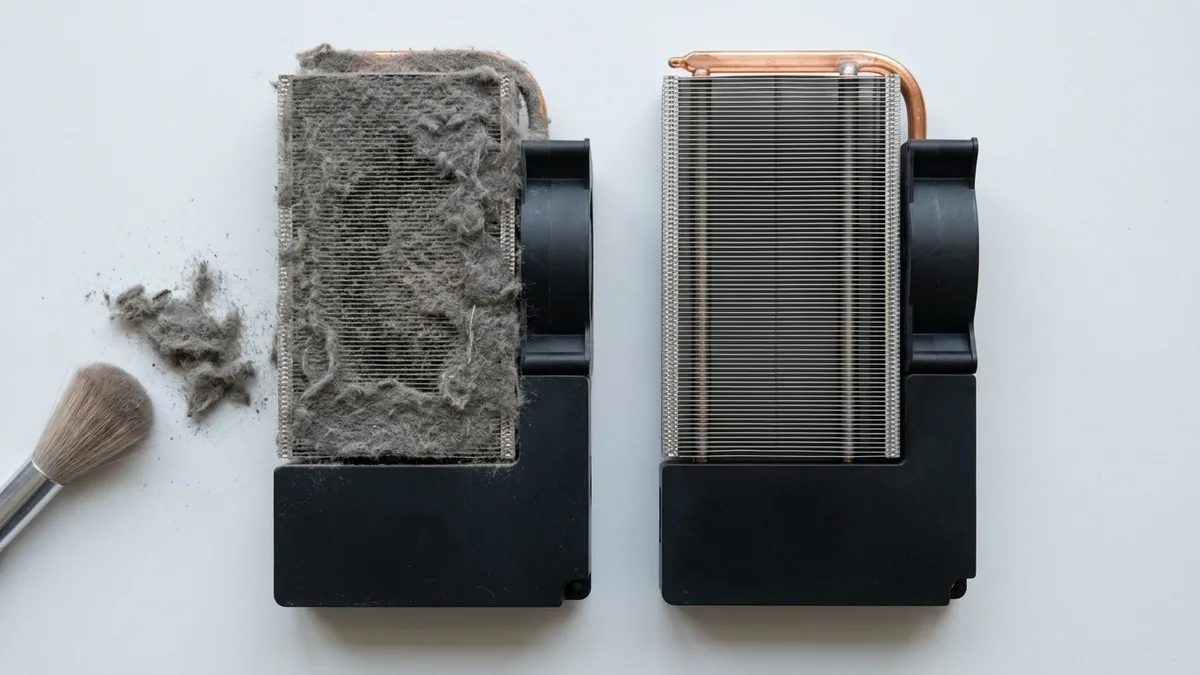
定期清洁笔记本电脑风扇可以防止灰尘和碎屑堆积,从而严重影响散热效率:

用户类型建议保养频率
通用用途(浏览、办公、流媒体)每12个月
高强度使用(游戏、编辑、工程)每6个月

如果没有定期维护,过热问题可能会加剧,造成严重损坏和代价高昂的硬件故障。
✅ 保护您的投资——定期保养可防止重大问题,节省资金,并延长设备寿命。

过热维修的保修和质量保证

在Esmond服务中心,我们确保您的笔记本电脑只使用优质组件:

每个组件都经过严格测试,保证达到最佳性能。

为什么选择Esmond服务中心进行笔记本电脑过热维修

新加坡成千上万的用户信赖 Esmond Service Centre 来解决笔记本电脑过热和风扇清洁问题:

恢复散热,提升性能,延长笔记本电脑的使用寿命,让您安心无忧。

如何立即解决笔记本电脑过热问题

从Esmond服务中心获得专家帮助和快速结果:

📞笔记本电脑过热?立即通过 WhatsApp 联系 Esmond 服务中心,快速解决问题!

4.9★★★★★EXCELLENT — based on 2,668+ Google reviews across 2 branches
★★★★★

Had a battery alert warning this morning on my HP Spectre laptop. Ran a battery test and the capacity is only left with 23% despite component test shows Passed. HP support ask me to calibrate the battery which is a very lengthy and tedious procedure and it does not solve the original battery issue of degraded capacity. HP Support also need time (the whole day also never get back to me) to check for stocks and price. I just need a faster clean fix to this issue i.e. simply replace the battery. Searched the Internet and found Esmond Service Centre with good reviews. Fast response and helpful advice. They transferred the battery to the branch at MidView in 2 hours and changed my battery within 30 to 40mins when I was on-site. Price was competitive compared to other quotes I got and also purchased the extended warranty for 1 year for $48. They also provided after sales customer service when I asked about my chargers. Not like some shops who will ignore you after the purchase. Great service and will look for them in future if I need to repair my laptop.

KK JacelynSin Ming · 4 weeks ago
★★★★★

Highly experienced, customer focus, general great at what they're doing which servicing and repairing computer. I went there to change battery for my lap top and was highly impressed by their good technical, reasonal pricing, ease of doing business and friendliness of front desk staffs. They found something else ; ie the cooling system that required attentive alertedmet the issue via WA prompting recommending solutions and cosing. It was easy to make decision with transparent transaction. Job was done very quickly originally supposed to take 30 mins with the addition task it took another 20 mins which iscceptable a we were able to waiting relaxing while having a coffee in the multitude of F&B outlets in this mall. My laptop was very well serviced and repair and within my original estimated budget. Super happy with Esmond for their great capability and professionalism. victor who attended to us was a bit quiet but nonetheless was able to communicate important info clearly to me. Keep it up Esmond

SSam Goh SEAlexandra · 8 months ago
★★★★★

I recently sent my laptop to Esmond Service Center at Alexandra Retail Centre for a battery replacement, internal cleaning, and full reformatting service, and I am very satisfied with the overall experience. From the start, the staff were professional, patient, and clear in explaining the diagnosis and recommended work. They provided transparent pricing upfront, with no hidden charges. The turnaround time was reasonable, and I was kept informed of the progress throughout. After servicing, my laptop feels almost like new. The battery performance has improved significantly, the system runs much smoother after reformatting, and the internal cleaning has clearly helped with performance and heat management. Overall, the service was efficient, reliable, and professionally handled. I would not hesitate to recommend Esmond Service Center at Alexandra Retail Centre to anyone looking for trustworthy and competent laptop servicing.

CChuen Chye TayAlexandra · 4 months ago
★★★★★

Sent my iMac in for a screen replacement and had a very positive experience with Esmond Service Centre. Customer service was responsive and patient throughout the process, and they kept me updated clearly. Repair was completed quickly and the iMac is working well again. They also showed me photos of the internal dust buildup and explained the recommended servicing transparently, which I appreciated as someone not familiar with repairs. Overall, a smooth and reassuring experience. Thank you for the professional service!

WWendy AngSin Ming · 4 weeks ago
★★★★★

The whole process was smooth and professional. From their website interface, WhatsApp chat, to the repairing time and process, everything was easy and convenient for me. They are very friendly in the chat as well and were very clear with their instructions and quotations. Their warranty duration is amazing as well. Definitely will come back here again if I need anything repaired again. And of course, laptop feels good as new. Edit: Thanks for cleaning my screen! I appreciate the extra servicee

JJames LauSin Ming · 8 months ago
★★★★★

5/5 experience and service Appreciate the prompt responses! It was easy to book an appointment / timeslot because they are very approachable. It's an introvert-friendly experience. I like how direct and straightforward the process and advices/quotations were. I'm a big fan of that. Was also my first time finding a service to replace my laptop battery, and I'm so glad to have found them. Will definitely come back again for further assistance. 😄

Ffatin nur aqilahAlexandra · 3 months ago

常见 问题

为什么我的笔记本电脑即使不玩游戏也会过热? +
笔记本电脑过热可能是由于灰尘堆积、导热硅脂老化、通风口堵塞或散热风扇故障造成的。定期在Esmond服务中心清洁和维护笔记本电脑风扇,可确保即使在执行基本任务时也能保持最佳散热效果。
在新加坡,笔记本电脑风扇清洁服务需要多长时间? +
在Esmond服务中心进行专业的笔记本电脑风扇清洁和导热硅脂更换通常需要 30 到 45 分钟,具体时间取决于笔记本电脑的型号和状况。
笔记本电脑过热会永久性损坏硬件组件吗? +
是的,笔记本电脑长时间过热会对CPU、GPU和主板等关键组件造成永久性损坏。定期清洁笔记本电脑风扇和进行散热维护有助于避免昂贵的维修或更换费用。
如果我每天使用笔记本电脑办公,应该多久清理一次笔记本电脑风扇? +
对于日常办公和浏览网页等用途,我们建议每 12 个月进行一次专业的笔记本电脑风扇清洁。而对于游戏玩家或视频编辑等重度用户,则应考虑每 6 个月进行一次保养。
你们提供笔记本电脑风扇更换服务的保修吗? +
是的,Esmond 服务中心为所有笔记本电脑风扇更换和散热服务提供 3 个月的保修期,并可选择升级到我们独有的 Esmond Care Plan,以提供长达 1 年的延长保修期。
清理笔记本电脑风扇能提高其整体性能吗? +
当然。定期清洁笔记本电脑风扇可以显著降低 CPU 和 GPU 温度,提高系统稳定性,防止性能下降,并延长笔记本电脑的整体使用寿命。

需要专业的设备维修帮助?

请将设备送到新明或亚历山大的 Esmond 服务中心 — 免费检测,维修从 $65 起,许多可在 1–2 小时内完成。

WhatsApp us