Repair Services

Laptop Overheating & Fan Cleaning in Singapore

Last updated:

Experiencing laptop overheating, unexpected shutdowns, or noisy fans? Esmond Service Centre provides fast and affordable laptop overheating repair and professional fan cleaning services in Singapore. Our technicians restore optimal cooling, protecting your device from long-term damage and performance loss.

4.92,668+ reviews
15+ yrsexperience
Freediagnostics
2service centres
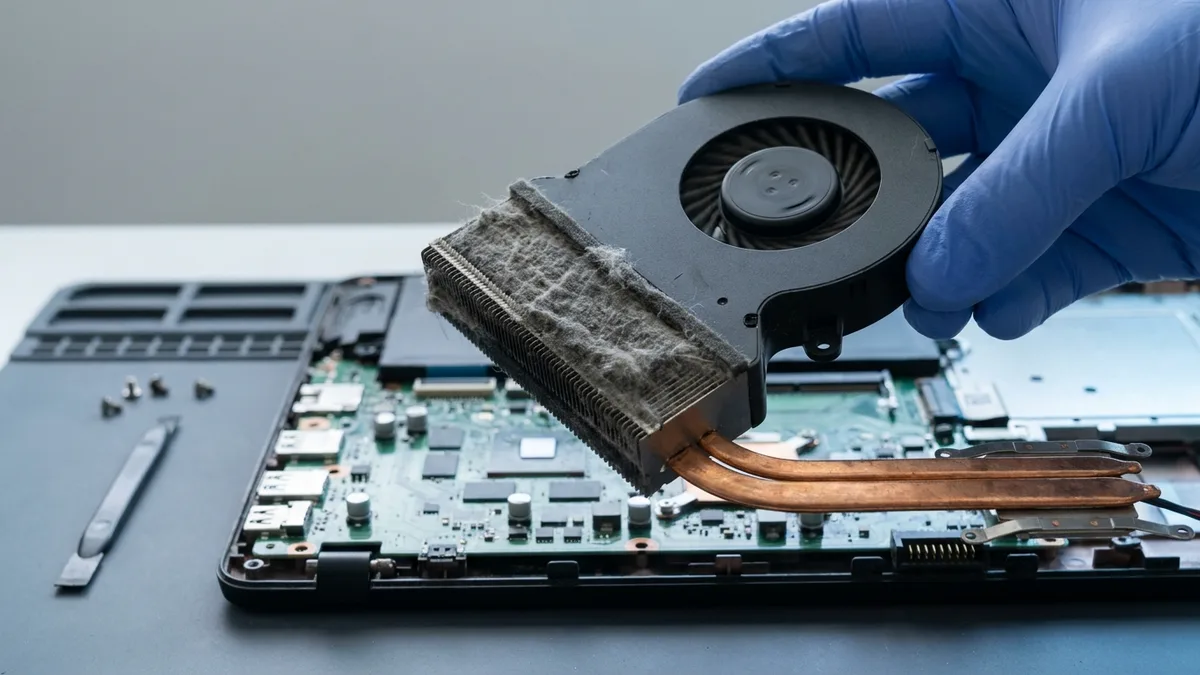
Laptop Overheating Repair & Fan Cleaning Singapore by an Esmond Service Centre specialist

Laptop Overheating & Fan Cleaning Pricing in Singapore

Esmond Service Centre fixes laptop overheating by cleaning clogged fans, replacing faulty fans, and reapplying premium thermal paste, covering MacBook, Dell, HP, Lenovo, Asus, Acer, Microsoft Surface, MSI, and Razer. Experienced technicians run transparent diagnostics and stress-test cooling, with warranty on fan and thermal work. WhatsApp your model for an exact quote.

Not sure of your laptop's model number? See our guide to finding your laptop's brand and model number →

ServiceEstimated Repair TimePrice Range (SGD)
Fan Cleaning and Thermal Repasting30 - 45 MinsFr $90
Fan Replacement (if faulty)30 - 45 MinsFr $95

Note: Actual repair duration depends on service queue, severity, and part availability.

Supported Laptop Brands for Overheating Repair & Fan Cleaning

We Service Major Laptop Brands Across Singapore, both consumer and business laptops.

BrandSeries We Service
AppleMacBook Air, MacBook Pro, MacBook Neo, MacBook (12-inch)
DellXPS, Inspiron, Latitude, Vostro, Precision, Alienware, G Series
HPPavilion, EliteBook, ProBook, Envy, Spectre, Omen, Victus, OmniBook
LenovoThinkPad, IdeaPad, Legion, Yoga, ThinkBook, LOQ
AsusVivobook, Zenbook, ROG, TUF Gaming, ExpertBook, ProArt
AcerAspire, Swift, Predator, Nitro, Spin, TravelMate, Extensa
Microsoft SurfaceSurface Laptop, Surface Pro, Surface Go, Surface Book, Surface Laptop Studio
MSIPrestige, Modern, Stealth, Raider, Titan, Vector, Katana, Creator
RazerBlade 14, Blade 15, Blade 16, Blade 18, Blade Stealth, Razer Book
SamsungGalaxy Book, Galaxy Book Pro, Galaxy Book Ultra, Galaxy Book Flex, Notebook 9, Odyssey
LGGram, Gram Pro, Gram Book, UltraPC
HuaweiMateBook X Pro, MateBook X, MateBook D, MateBook 14/16, MateBook E
GigabyteAORUS, AERO, GIGABYTE Gaming, G Series
FujitsuLIFEBOOK U / E / A / UH Series, Stylistic
ToshibaDynabook, Satellite, Portégé, Tecra, Qosmio
AftershockForge, Apex, Rift, MX-16, X-16 Pro, Lunar
XiaomiXiaomi Book Pro, Xiaomi Book, RedmiBook Pro, RedmiBook, Mi Notebook
OthersContact us

Common Laptop Overheating & Fan Issues We Repair

Our skilled team addresses issues like:

✅ We handle hardware and cooling-system faults to ensure reliable heat dissipation.

Professional Laptop Fan Cleaning & Thermal Paste Replacement Process

At Esmond Service Centre, we meticulously handle your laptop’s cooling restoration:

  1. Laptop Disassembly

    We safely open your laptop to access internal cooling components without causing damage.
  2. Old Thermal Paste Removal

    We professionally remove dried-out thermal paste and worn thermal pads with specialized solutions.
  3. Apply New Thermal Paste & Pads

    Precision application of premium thermal paste (e.g., Arctic MX-4) and brand-compatible cooling pads ensures maximum heat transfer.
  4. Reassembly & Comprehensive Testing

    After reassembly, your laptop undergoes rigorous temperature benchmarking and stress tests, ensuring effective cooling.

✅ Professional servicing typically reduces CPU/GPU temperatures by 10–20°C, significantly boosting stability and hardware longevity.

How Often Should You Service a Laptop to Prevent Overheating?

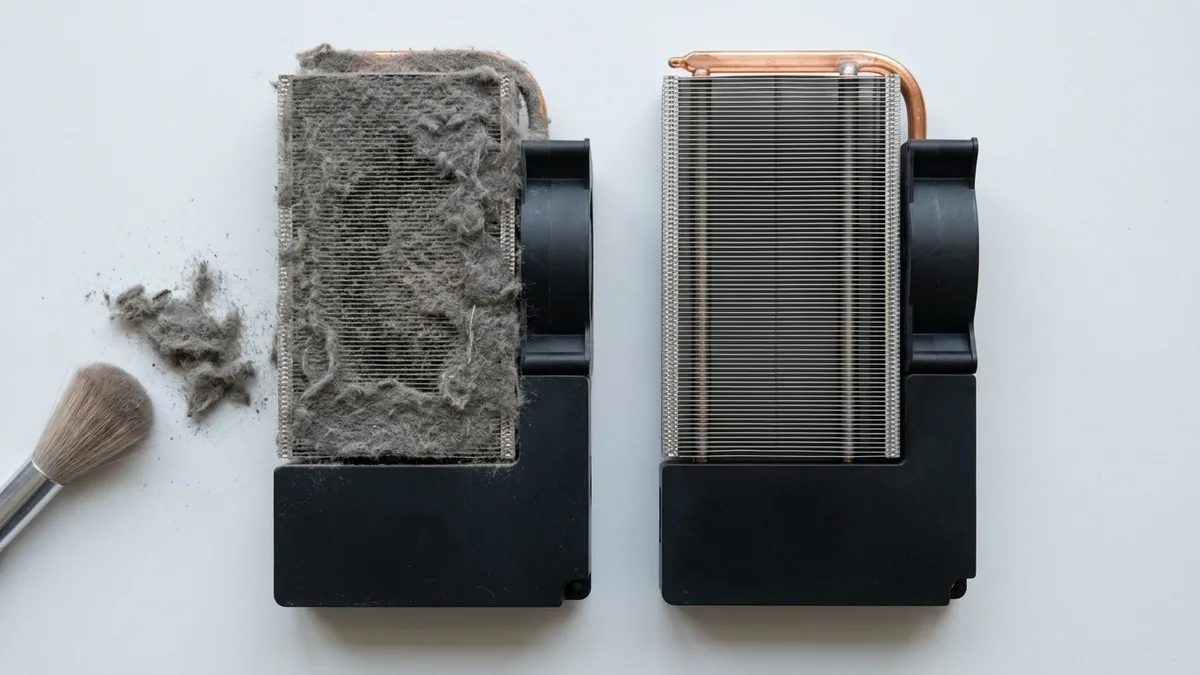
Regular laptop fan cleaning prevents dust and debris accumulation, which severely impacts cooling efficiency:

User TypeRecommended Servicing Frequency
General Use (Browsing, Office, Streaming)Every 12 months
Intensive Use (Gaming, Editing, Engineering)Every 6 months

Without regular maintenance, overheating issues can escalate, causing severe damage and costly hardware failures.
✅ Protect your investment—regular servicing prevents major issues, saves money, and extends device lifespan.

Warranty & Quality Assurance for Overheating Repairs

At Esmond Service Centre, we ensure your laptop receives only premium-quality components:

Each component is rigorously tested and guaranteed for peak performance.

Why Choose Esmond Service Centre for Laptop Overheating Repair?

Thousands in Singapore trust Esmond Service Centre for their laptop overheating and fan cleaning needs:

Restore cooling, improve performance, and extend your laptop’s lifespan with confidence.

How to Get Your Laptop Overheating Issue Fixed Today

Get expert assistance and fast results from Esmond Service Centre:

📞 Laptop overheating? WhatsApp Esmond Service Centre now for a rapid solution!

4.9★★★★★EXCELLENT — based on 2,668+ Google reviews across 2 branches
★★★★★

Had a battery alert warning this morning on my HP Spectre laptop. Ran a battery test and the capacity is only left with 23% despite component test shows Passed. HP support ask me to calibrate the battery which is a very lengthy and tedious procedure and it does not solve the original battery issue of degraded capacity. HP Support also need time (the whole day also never get back to me) to check for stocks and price. I just need a faster clean fix to this issue i.e. simply replace the battery. Searched the Internet and found Esmond Service Centre with good reviews. Fast response and helpful advice. They transferred the battery to the branch at MidView in 2 hours and changed my battery within 30 to 40mins when I was on-site. Price was competitive compared to other quotes I got and also purchased the extended warranty for 1 year for $48. They also provided after sales customer service when I asked about my chargers. Not like some shops who will ignore you after the purchase. Great service and will look for them in future if I need to repair my laptop.

KK JacelynSin Ming · 4 weeks ago
★★★★★

Highly experienced, customer focus, general great at what they're doing which servicing and repairing computer. I went there to change battery for my lap top and was highly impressed by their good technical, reasonal pricing, ease of doing business and friendliness of front desk staffs. They found something else ; ie the cooling system that required attentive alertedmet the issue via WA prompting recommending solutions and cosing. It was easy to make decision with transparent transaction. Job was done very quickly originally supposed to take 30 mins with the addition task it took another 20 mins which iscceptable a we were able to waiting relaxing while having a coffee in the multitude of F&B outlets in this mall. My laptop was very well serviced and repair and within my original estimated budget. Super happy with Esmond for their great capability and professionalism. victor who attended to us was a bit quiet but nonetheless was able to communicate important info clearly to me. Keep it up Esmond

SSam Goh SEAlexandra · 8 months ago
★★★★★

I recently sent my laptop to Esmond Service Center at Alexandra Retail Centre for a battery replacement, internal cleaning, and full reformatting service, and I am very satisfied with the overall experience. From the start, the staff were professional, patient, and clear in explaining the diagnosis and recommended work. They provided transparent pricing upfront, with no hidden charges. The turnaround time was reasonable, and I was kept informed of the progress throughout. After servicing, my laptop feels almost like new. The battery performance has improved significantly, the system runs much smoother after reformatting, and the internal cleaning has clearly helped with performance and heat management. Overall, the service was efficient, reliable, and professionally handled. I would not hesitate to recommend Esmond Service Center at Alexandra Retail Centre to anyone looking for trustworthy and competent laptop servicing.

CChuen Chye TayAlexandra · 4 months ago
★★★★★

Sent my iMac in for a screen replacement and had a very positive experience with Esmond Service Centre. Customer service was responsive and patient throughout the process, and they kept me updated clearly. Repair was completed quickly and the iMac is working well again. They also showed me photos of the internal dust buildup and explained the recommended servicing transparently, which I appreciated as someone not familiar with repairs. Overall, a smooth and reassuring experience. Thank you for the professional service!

WWendy AngSin Ming · 4 weeks ago
★★★★★

The whole process was smooth and professional. From their website interface, WhatsApp chat, to the repairing time and process, everything was easy and convenient for me. They are very friendly in the chat as well and were very clear with their instructions and quotations. Their warranty duration is amazing as well. Definitely will come back here again if I need anything repaired again. And of course, laptop feels good as new. Edit: Thanks for cleaning my screen! I appreciate the extra servicee

JJames LauSin Ming · 8 months ago
★★★★★

5/5 experience and service Appreciate the prompt responses! It was easy to book an appointment / timeslot because they are very approachable. It's an introvert-friendly experience. I like how direct and straightforward the process and advices/quotations were. I'm a big fan of that. Was also my first time finding a service to replace my laptop battery, and I'm so glad to have found them. Will definitely come back again for further assistance. 😄

Ffatin nur aqilahAlexandra · 3 months ago

Frequently Asked Questions

Why is my laptop overheating even when I'm not gaming? +
Laptops can overheat due to dust accumulation, degraded thermal paste, blocked air vents, or faulty cooling fans. Regular laptop fan cleaning and maintenance at Esmond Service Centre ensures optimal cooling, even during basic tasks.
How long does laptop fan cleaning service take in Singapore? +
Professional laptop fan cleaning and thermal repasting at Esmond Service Centre typically takes between 30 to 45 minutes, depending on your laptop’s model and condition.
Can laptop overheating permanently damage hardware components? +
Yes, prolonged laptop overheating can cause permanent damage to vital components like CPUs, GPUs, and motherboards. Regular laptop fan cleaning and thermal servicing help prevent costly repairs or replacements.
How often should I get my laptop fan cleaned if I use it daily for work? +
For daily use involving office tasks and browsing, we recommend professional laptop fan cleaning every 12 months. Intensive users such as gamers or video editors should consider servicing every 6 months.
Do you provide warranty coverage for laptop fan replacement services? +
Yes, Esmond Service Centre provides a 3-month warranty on all laptop fan replacements and thermal services, with an optional upgrade to our exclusive Esmond Care Plan offering extended coverage up to 1 year.
Will cleaning my laptop fan improve its overall performance? +
Absolutely. Regular laptop fan cleaning significantly reduces CPU and GPU temperatures, improving system stability, preventing performance throttling, and extending your laptop's overall lifespan.
How much does laptop overheating repair cost in Singapore? +
Fan cleaning and thermal repasting at Esmond Service Centre starts from $90, and fan replacement (if the fan is faulty) starts from $95. Final pricing depends on your model, severity, and part availability, and the diagnosis is free with transparent, no-hidden-charge quotes.
How much can professional servicing lower my laptop's temperature? +
Professional fan cleaning and thermal repasting typically reduces CPU and GPU temperatures by 10 to 20°C. We apply premium thermal paste such as Arctic MX-4 and stress-test the cooling afterwards to confirm effective heat dissipation.
Is the overheating diagnosis really free? +
Yes. Esmond Service Centre offers transparent diagnostics and quotes with no hidden charges. We inspect the cooling system and advise the most economical solution before you commit to any repair.
Where can I get laptop overheating repair near me in Singapore? +
Esmond Service Centre has two branches in Singapore, at Alexandra and Sin Ming, and is trusted by thousands with a 4.9-star rating. Walk in to either branch, or WhatsApp us your overheating issue for quick advice and an exact quote.

Need expert help with your device?

Bring it to Esmond Service Centre at Sin Ming or Alexandra — free diagnostics, repairs from $65, many done in 1–2 hours.

WhatsApp us