
Last updated:
Experiencing trouble with your laptop microphone during important calls or meetings? Whether your microphone is muted, distorted, or not detected, Esmond Service Centre provides reliable and fast laptop microphone repair in Singapore from just S$95. Our experienced technicians accurately diagnose and restore your microphone for clear audio input, ensuring you never miss important conversations.

Not sure of your laptop's model number? See our guide to finding your laptop's brand and model number →
Esmond Service Centre diagnoses and replaces faulty built-in microphones on laptops, MacBook, iMac, and Microsoft Surface, covering brands like Apple, Dell, HP, Lenovo, Asus, and Acer. Experienced technicians fix both hardware faults and driver issues using OEM-grade compatible parts, with warranty on parts and workmanship. WhatsApp your model for an exact quote.
| Service | Estimated Repair Time | Price Range (SGD) |
|---|---|---|
| Laptop Microphone Replacement | 2 - 4 Hours | From $95 |
| MacBook/iMac Microphone Repair | 2 - 4 Hours | From $148 |
| Surface Microphone Repair | 2 - 4 Hours | From $135 |
Prices are before GST (9% is added at payment).
Final pricing may vary depending on model and part availability.
We offer professional laptop microphone repair services for these brands and more in Singapore:
| Brand | Series We Service |
|---|---|
| Apple | MacBook Air, MacBook Pro, MacBook Neo, iMac |
| Dell | XPS, Inspiron, Latitude, Vostro, Precision, Alienware, G Series |
| HP | Pavilion, EliteBook, ProBook, Envy, Spectre, Omen, Victus, OmniBook |
| Lenovo | ThinkPad, IdeaPad, Legion, Yoga, ThinkBook, LOQ |
| Asus | Vivobook, Zenbook, ROG, TUF Gaming, ExpertBook, ProArt |
| Acer | Aspire, Swift, Predator, Nitro, Spin, TravelMate, Extensa |
| Microsoft Surface | Surface Laptop, Surface Pro, Surface Go, Surface Book, Surface Laptop Studio |
| MSI | Prestige, Modern, Stealth, Raider, Titan, Vector, Katana, Creator |
| Razer | Blade 14, Blade 15, Blade 16, Blade 18, Blade Stealth, Razer Book |
| Samsung | Galaxy Book, Galaxy Book Pro, Galaxy Book Ultra, Galaxy Book Flex, Notebook 9, Odyssey |
| LG | Gram, Gram Pro, Gram Book, UltraPC |
| Huawei | MateBook X Pro, MateBook X, MateBook D, MateBook 14/16, MateBook E |
| Gigabyte | AORUS, AERO, GIGABYTE Gaming, G Series |
| Fujitsu | LIFEBOOK U / E / A / UH Series, Stylistic |
| Toshiba | Dynabook, Satellite, Portégé, Tecra, Qosmio |
| Aftershock | Forge, Apex, Rift, MX-16, X-16 Pro, Lunar |
| Xiaomi | Xiaomi Book Pro, Xiaomi Book, RedmiBook Pro, RedmiBook, Mi Notebook |
| Others | Contact us |
Not listed? WhatsApp us—we repair microphones for nearly every laptop brand!
Our technicians commonly resolve the following laptop microphone repair problems:
| Common Issue | Description |
|---|---|
| Laptop microphone not detected | System cannot recognize internal microphone device. |
| Microphone sounds muffled or unclear | Audio input is distorted, soft, or noisy. |
| MacBook microphone not working after update | Microphone issues triggered by OS upgrades. |
| Microphone input cutting in and out | Voice drops intermittently during calls or recordings. |
| Surface Pro microphone not working | Built-in microphones on Surface devices fail or are missing. |
| No audio input device installed error | Software or hardware issue preventing microphone recognition. |
Laptop microphones typically fail due to:
At Esmond Service Centre, we precisely diagnose the issue—whether hardware or software-related—to ensure effective laptop microphone repair.
⚠️ Try the free checks before you book anything. Make sure your operating system's microphone permission is switched on, that the app you are calling from has been allowed to use the microphone, and that the input device selected is the built-in mic rather than a headset or monitor that is no longer plugged in. If it stopped right after an update, reinstalling the audio driver often brings it back. None of that costs anything — and if it turns out to be one of them, we will tell you, because our diagnosis is free either way.
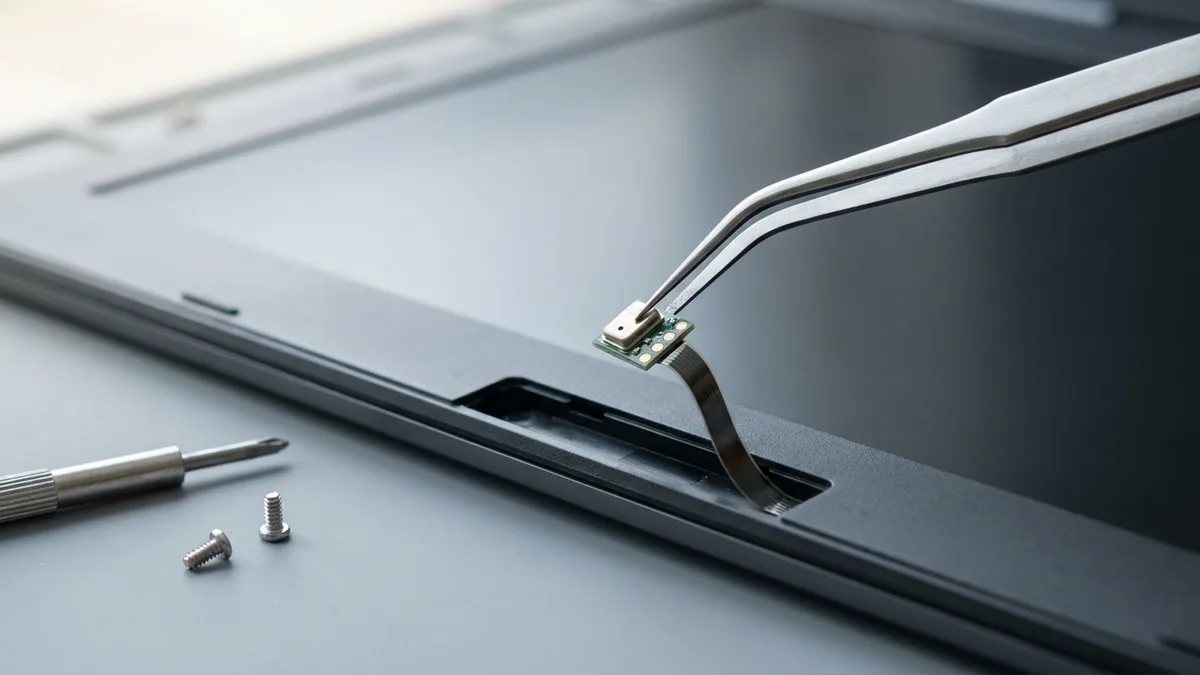
Built-in microphones in laptops are highly compact and intricately integrated, making replacement more practical and reliable. Attempting repairs is often:
At Esmond Service Centre, we replace faulty microphones with high-quality, brand-compatible parts, ensuring lasting clarity and reliability.
Sometimes, especially with older laptops, using an external headset or Bluetooth microphone provides an immediate and more cost-effective solution compared to internal microphone repairs. External microphones offer:
At Esmond Service Centre, we’re committed to honest recommendations based on your needs—if an external microphone solution makes more sense, we’ll advise you upfront.
Each laptop microphone repair service at Esmond Service Centre includes:
We ensure your laptop microphone functions flawlessly for every call or meeting.
Thousands trust Esmond Service Centre in Singapore because we offer:
✅ Experienced Technicians: 16+ years in professional laptop repairs.
✅ Precision Diagnostics: Accurate identification of hardware/software microphone issues.
✅ High-Quality Parts: OEM-grade, brand-compatible replacements.
✅ Fast Turnaround: Most repairs completed within the same day.
✅ Warranty Protection: Comprehensive parts and workmanship warranty.
✅ Transparent Pricing: Honest and clear pricing without hidden fees.
Getting your laptop microphone fixed is easy:
👉 Don’t let microphone issues disrupt your day.
WhatsApp Esmond Service Centre today for fast, professional laptop microphone repair in Singapore!
Send us the symptom and we'll come back with what it likely is, what it will cost, and how long it will take. The diagnosis is free, and if we can't fix it, you pay nothing.
Bring it to Esmond Service Centre at Sin Ming or Alexandra — free diagnostics, repairs from $65, many done in 1–2 hours.