
📑 On this page
The Nintendo Switch 2 is Nintendo's successor to the original Nintendo Switch. This guide is for owners and buyers in Singapore, written from a repair centre's side: the hardware as Nintendo publishes it, how Nintendo says to look after it, the first fixes Nintendo's own support pages give for a console that will not charge, overheats or has a stick moving on its own, how to move your games and saves from an old Switch, and where a Switch 2 goes for repair here. The Nintendo facts come from Nintendo's own pages, and the warranty terms from Convergent Systems, which operates the Authorized Nintendo Service Center in Singapore — all read on 16 November 2026.
Esmond Service Centre is an independent repairer for Nintendo consoles, not Nintendo's authorised service centre, and that sets the order of the advice below. A Switch 2 still inside its 12-month Singapore warranty should go to the Authorized Nintendo Service Center first: if the centre accepts that the console is defective, it repairs or replaces the faulty part without charge, which is always the cheaper route for you. The consoles that warranty leaves out — accident damage, an expired warranty, a parallel import — are where an independent repairer comes in: Esmond Service Centre services Nintendo Switch and Switch 2 consoles, grey imports included.
What Are the Nintendo Switch 2 Specs and Key Features?
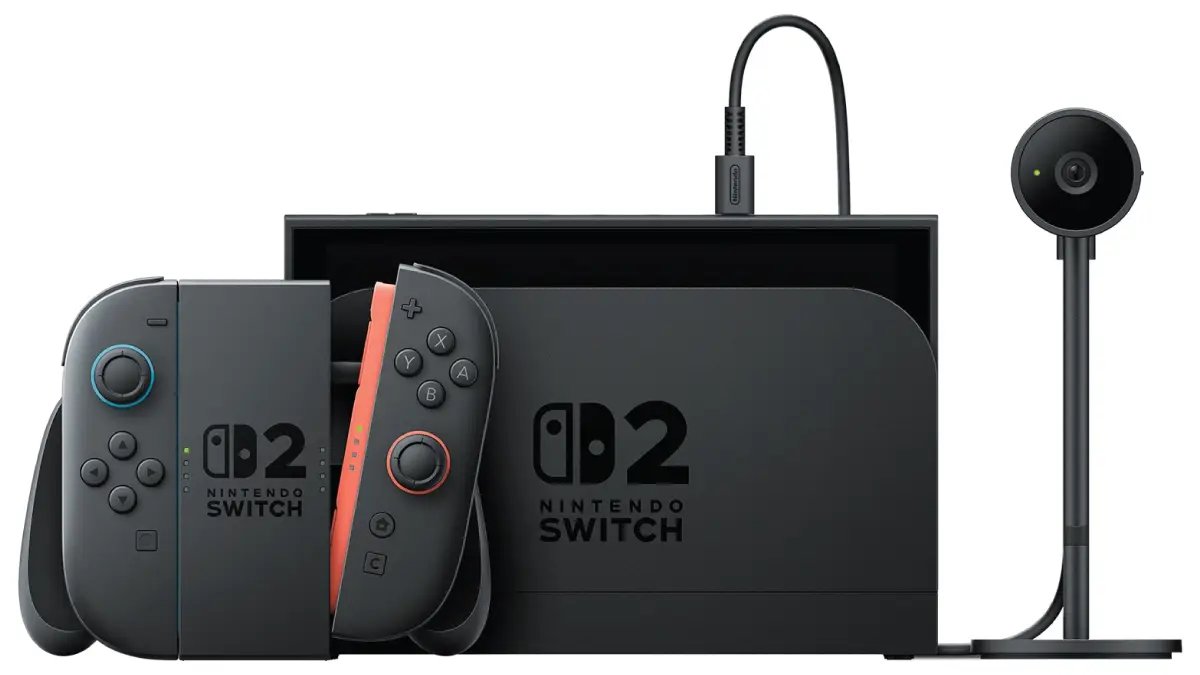
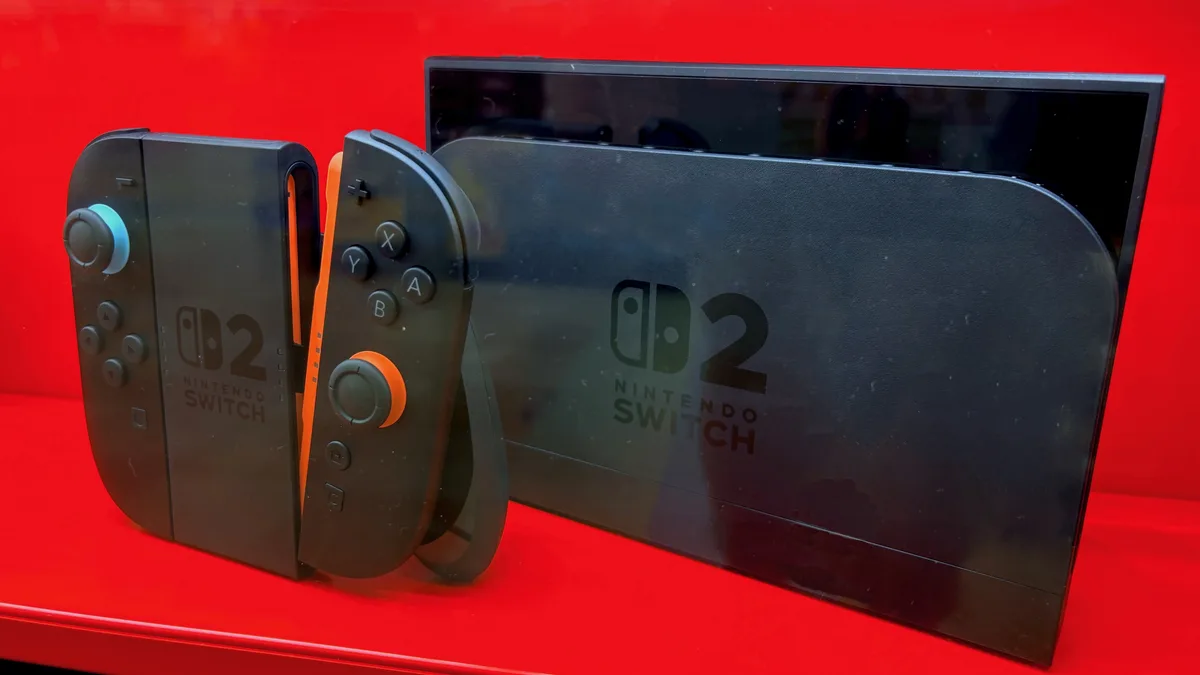
The Nintendo Switch 2 and its Joy-Con 2 controllers. Below is what Nintendo publishes about the hardware, with its own footnotes kept attached — several of them change what you should buy.
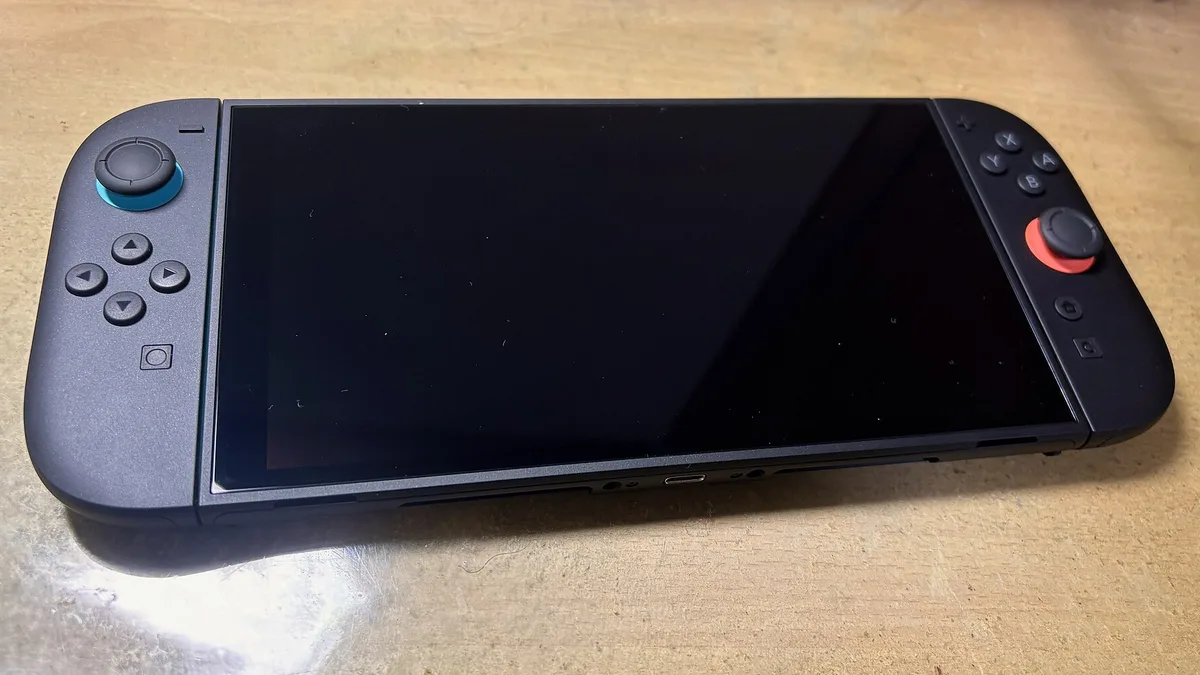
- A 7.9-inch screen, and a real jump in sharpness: Nintendo publishes the screen as 1.6x larger than the original Switch's 6.2-inch panel and "just as slim". It is an LCD capable of Full HD (1080p) in handheld mode with "about double the pixel count" of the original, supports HDR and variable refresh rate (VRR), and reaches a maximum of 120 fps in supported games.
- Up to 4K on a TV: through the included dock, at up to 60 fps — Nintendo caps 4K output at 60 fps, and 4K and HDR need a supported game and a compatible display. ⚠️ The dock also has a built-in fan that Nintendo says keeps the console cool, so do not cover the dock while it is in use.
- Joy-Con 2 that work as a mouse: the new controllers snap on with magnetic connectors, and each can be used as a mouse in compatible games — two at once, one under each hand. ⚠️ Nintendo's own caveats ship with it: "only in compatible games", the mouse function "may not respond well" depending on the surface material, and rubbing the controller on fabric "may cause the fabric's color to fade".
- 256 GB of storage — and your old memory card will not hold games: that is 8x the original Switch's 32 GB, though "a portion of internal storage is reserved for use by the system". ⛔ Expansion uses a new standard, microSD Express: Nintendo states the console "is only compatible with microSD Express cards" and that if your existing cards "do not support microSD Express standards, you cannot use them with Nintendo Switch 2". Budget for a new card, not a transplanted one.
- A battery you cannot swap yourself: the console has a built-in 5220 mAh lithium-ion battery that Nintendo rates at about 2 to 6.5 hours, depending on the games you play and how you use it, and about 3 hours to charge in sleep mode. Nintendo states that "The internal battery cannot be removed" and asks you to contact your local Authorized Nintendo Service Center if replacement is necessary. Each Joy-Con 2 has its own built-in 500 mAh battery, rated at about 20 hours.
Release Date, Price and Warranty
Nintendo released the Switch 2 on 5 June 2025, and its Singapore site lists the release date here as 26 June 2025. For a repair, the date that matters is the one on your own receipt: the Singapore warranty runs 12 months from the date of purchase, and the service centre asks for a copy of proof of purchase showing that date. A console bought when it launched in June 2025 was therefore covered until June 2026.
On price, Nintendo's own Singapore notice of 11 May 2026 is plain: Switch 2 consoles are "offered on an open-price basis in Southeast Asia", retail prices "are subject to change in the future", and Nintendo asks buyers to check with individual retailers. There is no Nintendo list price to quote, so for which retailers carry it, their bundle deals and their trade-ins, see our Singapore buying guide. From a repair centre's side, two things matter more than the price tag: buy a console meant for Singapore, because the local warranty "is only valid for Singapore original authorised product", and keep the receipt.
Before you move anything across from an original Switch, check the three things that do not all carry over in the same way: your games, your memory card and your controllers.
Backwards Compatibility and Game Library Expectations
Most of your existing Switch games will run on it, but not all of them. Nintendo's own compatibility page says the Switch 2's hardware is different and that "some Nintendo Switch games may not be fully compatible with Nintendo Switch 2", and it asks you to check a game's compatibility status before buying it for the new console. If a particular title matters to you, check that title rather than assuming your whole library moves across.
Your old controllers carry over, with limits. Nintendo says Switch controllers such as the Nintendo Switch Pro Controller and Joy-Con can be used with the Switch 2 wirelessly, but not in games that need features unique to Joy-Con 2, such as mouse controls. Switch Joy-Con cannot be attached to the Switch 2, so they cannot charge on it either: you need the old console or an accessory such as a Joy-Con charging grip or charging stand. A few games still need them — Ring Fit Adventure, for one, is played on the Switch 2 by attaching Switch Joy-Con to the Ring-Con — so if you sell the old console, keep a way to charge the old Joy-Con. Separately, Nintendo offers free updates for selected Switch games that improve resolution or frame rate on the Switch 2.
Comparing Nintendo Switch 2 with Original Switch
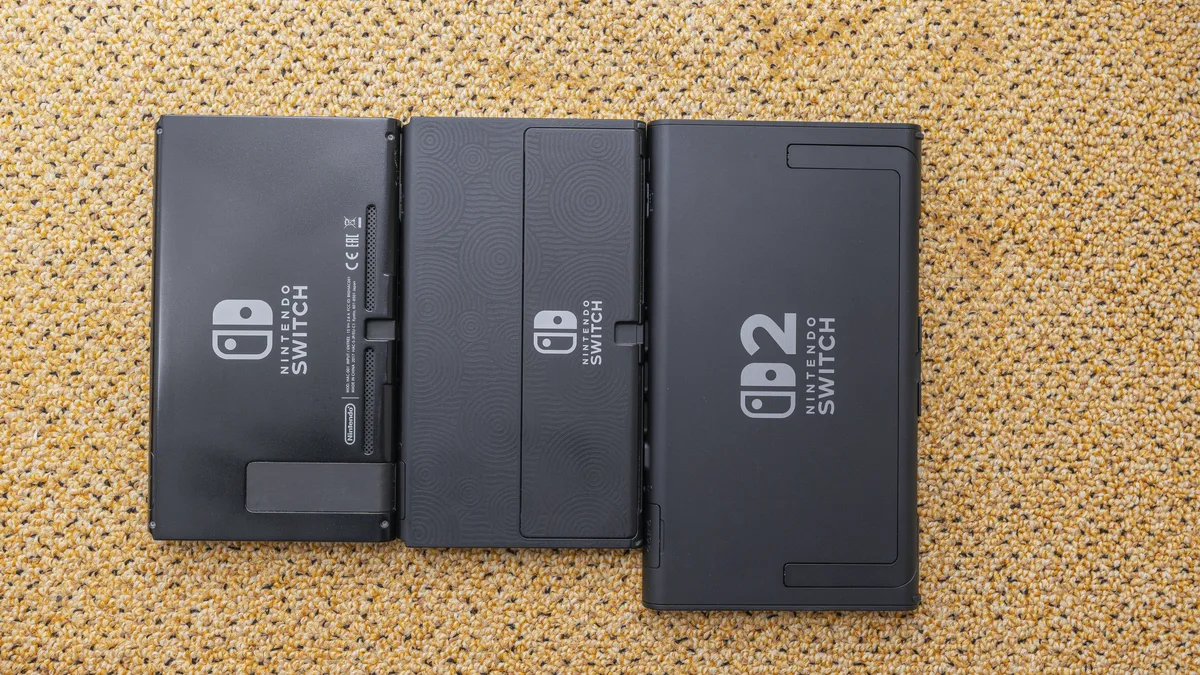
The Switch 2 is a bigger, sharper, faster machine than the original, and the differences that matter are the ones Nintendo actually publishes rather than the ones the internet estimates. Here is the comparison held to what is on the record:
- Display: 7.9 inches against the original's 6.2, which Nintendo publishes as 1.6x larger with about double the pixel count — Full HD (1080p) rather than 720p, up to 120 fps in supported games, plus HDR and VRR. This is the upgrade you notice first and the one Nintendo documents most precisely.
- Storage: 256 GB against 32 GB, which Nintendo calls 8x the capacity, with a portion reserved for the system. ⛔ Expansion needs a microSD Express card: a card that is not microSD Express can only be used to copy screenshots and videos from a Switch.
- Controllers: the Joy-Con 2 attach by magnets rather than sliding on, and each can act as a mouse in compatible games; the new built-in microphone is on the console itself. Nintendo describes the new sticks as larger and moving "more smoothly than before, with reduced noise". ⚠️ That is not a promise about drift: Nintendo's Switch 2 support pages already give steps for when characters and screens "move on their own without me touching the stick", which Nintendo says "could be a temporary problem or an issue with the controller's stick or other parts".
How to Look After a Nintendo Switch 2
Battery and charging. Charge with the Nintendo Switch 2 AC adapter, through the dock or plugged straight into the console. Nintendo says a commercially available adapter with "54W or higher" output can be used in any play mode, but that it has not tested such adapters and "cannot guarantee stable operation or safety" with them. To slow battery wear, turn on System Settings → System → "Stop Charging Around 90%". Save your game before you leave the console asleep for long: the battery keeps draining slowly in sleep mode, and Nintendo warns that "If the battery runs out, unsaved data will be lost." ⚠️ Some wear is normal, and the Singapore warranty terms say a gradual decrease in battery capacity is not a defect, so replacing a worn battery is chargeable even within the 12 months.
Heat, dust and cleaning. If the console shows "The system is overheating. Entering sleep mode now.", Nintendo says this may happen when the exhaust or intake vents are blocked or the console is used "in a place where heat can build up": vacuum any dust out of the vents and let the console cool down before you wake it. Nintendo's operating range is 5 to 35°C at 20 to 80% humidity. To clean it, turn it off and disconnect every cable, then wipe it with a soft cloth wetted with water and wrung out firmly — never thinner or benzine. To disinfect, put 70% alcohol on the cloth, never on the console, and let it dry completely: Nintendo warns that moisture from the disinfectant may get inside and cause hardware failure, and that a failure caused by ignoring these precautions may be repaired "at an additional cost".
Joy-Con 2 and the magnets. The Joy-Con 2 hold on by magnets, and small pieces of metal can lodge in the recesses on the sides of the console. Nintendo's fix is to slide them towards the edge with a soft, dry cloth or a cotton swab and lift them out — not with your fingers — and never to use a swab on any other part of the console, which "may cause damage or result in hardware failure". Clean dirt off the sides of the console and the Joy-Con 2 before you attach them, and replace a Joy-Con 2 strap that comes off with a light touch. For mouse controls, use a table: Nintendo says they may not respond on glass or a highly reflective surface.
How to Move Your Games and Saves from a Switch to a Switch 2
Nintendo's System Transfer moves your users, save data and settings from an original Switch in one go, and Nintendo says it is "only available during the Initial Setup of the Nintendo Switch 2 console". ⛔ If you skip it, the other routes Nintendo describes each have a cost: "Transfer Your Save Data", which moves save data only and which Nintendo says "can be used even after the Initial Setup is complete"; Save Data Cloud, which needs a paid Nintendo Switch Online membership and does not support every game; or initializing the Switch 2 so that System Transfer is offered when you set it up again — which deletes all the data already on the Switch 2. Do it in this order:
- Step 1 — prepare both consoles. Connect both to the internet, because Nintendo has to verify your Nintendo Account, and be ready to sign in on the Switch 2 with the same Nintendo Account you used on the old Switch. If the old Switch's system version is not up to date, you will need to update it.
- Step 2 — start the Switch 2 and choose System Transfer. During initial setup, select "Start System Transfer" when it appears; then, on the old Switch, go to System Settings → System → "System Transfer to Nintendo Switch 2". Do not leave it for later: Nintendo offers it only during initial setup.
- Step 3 — keep both on their AC adapters, side by side. Nintendo asks you to connect each console to its AC adapter and bring the two close together. The Switch 2 restarts once during the transfer, and the old Switch may show "Data has been sent" while the Switch 2 is still processing — wait for "System transfer complete!" on the Switch 2.
- Finally, check before you wipe anything. After a transfer over local communication, Nintendo deletes some data from the old Switch — users not linked to a Nintendo Account, their save data, and saves for games that do not support Save Data Cloud, such as Animal Crossing: New Horizons — so the Switch 2 then holds the only copy. Open your games on the Switch 2 and confirm the saves are there before you factory-reset, sell or trade in the old console.
What to Try First, and When to Stop
Before you pay for anything, try Nintendo's own first steps for the problem you have. Frozen, or will not charge: hold the POWER Button for at least 12 seconds to force the console off, then unplug the AC adapter from the console (or dock) and from the wall, wait about 20 seconds and plug it back in, straight into a wall socket rather than an extension cord. A character or the screen moves on its own: update the system, tap the Joy-Con 2's SYNC Button a few times, then run System Settings → Controllers & Accessories → Calibrate Control Sticks. Software misbehaving: turn the console off completely, hold both volume buttons and press POWER to reach Recovery Mode, then choose "Restore Factory Settings Without Deleting Save Data" — it keeps save data, screenshots and users but deletes the software, which you then download again (Nintendo notes that delisted software may not be downloadable again). ⚠️ These steps deal with power, pairing, calibration and software only: none of them fixes a cracked screen, liquid damage, a worn battery or a fault in the stick itself.
Stop and get it looked at if those steps fail, if the console will not power on even on its charger, if a Joy-Con 2 still drifts after calibration, or as soon as either console has been dropped or got wet. ⛔ Do not open an in-warranty console yourself: the Singapore warranty does not apply to a console "damaged by any unauthorized modifications or tampering". Take it first to the Authorized Nintendo Service Center, which Convergent Systems operates at 9 Ubi Crescent, by appointment only, with your proof of purchase — and back up with Save Data Cloud first if you can, because the centre may initialize the console and warns that data in its memory "may be deleted". That warranty does not cover accident damage, and the centre does not accept parallel imports for repair. For those consoles, or once the warranty has run out, Esmond Service Centre services Nintendo Switch and Switch 2 consoles, grey imports included.
Nintendo Switch 2: What to Know Before You Buy
- It went on sale in June 2025: Nintendo released it on 5 June 2025, and its Singapore site lists 26 June 2025 as the release date here.
- The real upgrades are the screen and the storage: a screen Nintendo calls 1.6x larger, at Full HD with up to 120 fps, and 8x the internal storage. Nintendo gives no single speed figure: it says "Performance improvements vary depending on software."
- Two things may not carry over: an old microSD card that is not a microSD Express card can only be used to copy screenshots and videos across, and some Switch games are not fully compatible. Check the specific card and the specific titles you care about.
- Buy a Singapore set and keep the receipt: the local warranty runs 12 months from the date of purchase, needs proof of purchase, and is "only valid for Singapore original authorised product" — the centre does not accept parallel imports for repair.
Out of Warranty or Damaged? Talk to Esmond Service Centre
If your Switch or Switch 2 is out of warranty, damaged by accident or a parallel import, contact Esmond Service Centre and tell us the model and what it is doing. If it is still inside its Singapore warranty, book the Authorized Nintendo Service Center first: the repair costs you nothing when the centre accepts that the console is defective. You can also follow us on Facebook, LinkedIn or Instagram.

Esmond Service Centre's experienced technicians can diagnose and fix it fast — free diagnostics, repairs from $65.