

📑 On this page
If your MacBook won't boot, the screen has cracked, or the battery now dies before lunch, the first real question isn't what's wrong — it's where do I take it. In Singapore you have more choices than the Apple Store, and the gap between the most expensive and the most sensible option can run into hundreds of dollars. This guide lays out every place you can fix a Mac here, what each one does to your parts, your warranty and your data, and how to choose without getting burned.
Most "best repair shop" lists are just directories — a ranked row of names and phone numbers. They rarely tell you the things that actually protect you: whether a shop fits genuine Apple parts or an equivalent, what your legal rights are if a repair goes wrong, and what to do to your Mac before you hand it over. That is the gap this guide fills, using Apple's own service documentation and Singapore's consumer-protection rules.
The four places you can fix a Mac in Singapore
Apple recognises more repair channels than most people realise. On its Singapore support site, Apple lists two formal programmes beyond its own stores — and alongside those sits the wider independent repair trade that many Singaporeans actually use for out-of-warranty work.
- Apple Store — the two Apple Stores (Marina Bay Sands and Orchard Road) handle in-warranty and AppleCare+ repairs directly, using genuine parts. Best when your Mac is still covered.
- Apple Authorised Service Provider (AASP) — independent companies Apple approves to carry out "in-warranty and out-of-warranty repair service for any Apple product" with Apple-trained technicians and genuine parts.
- Independent Repair Provider (IRP) — a formal Apple programme for businesses offering "out-of-warranty repairs for iPhone and Mac" using genuine Apple parts, without being a full AASP.
- General third-party repair shops — the widest group, from board-level specialists to Sim Lim Square counters. Out-of-warranty only in practice, often the cheapest, and the quality varies most here — which is exactly why the rest of this guide matters.
Apple vs third-party: an honest comparison
There is no single "best" answer — it depends on whether your Mac is under warranty, how old it is, and how much you value genuine parts versus a lower bill. Here is how the main options stack up on the things that matter.
| Option | Typical cost | Parts | Effect on warranty | Turnaround |
|---|---|---|---|---|
| Apple Store / AASP (in-warranty) | Covered or highest | Genuine Apple | Preserved | Days to weeks |
| Independent Repair Provider | Mid | Genuine Apple | N/A (out-of-warranty) | Days |
| Trusted third-party shop | Lowest to mid | Genuine or OEM-equivalent | Voids remaining Apple warranty | Hours to days |
| Unknown budget counter | Lowest | Often unbranded | Voids warranty; data at risk | Varies |

Genuine vs OEM-equivalent parts: what actually changes
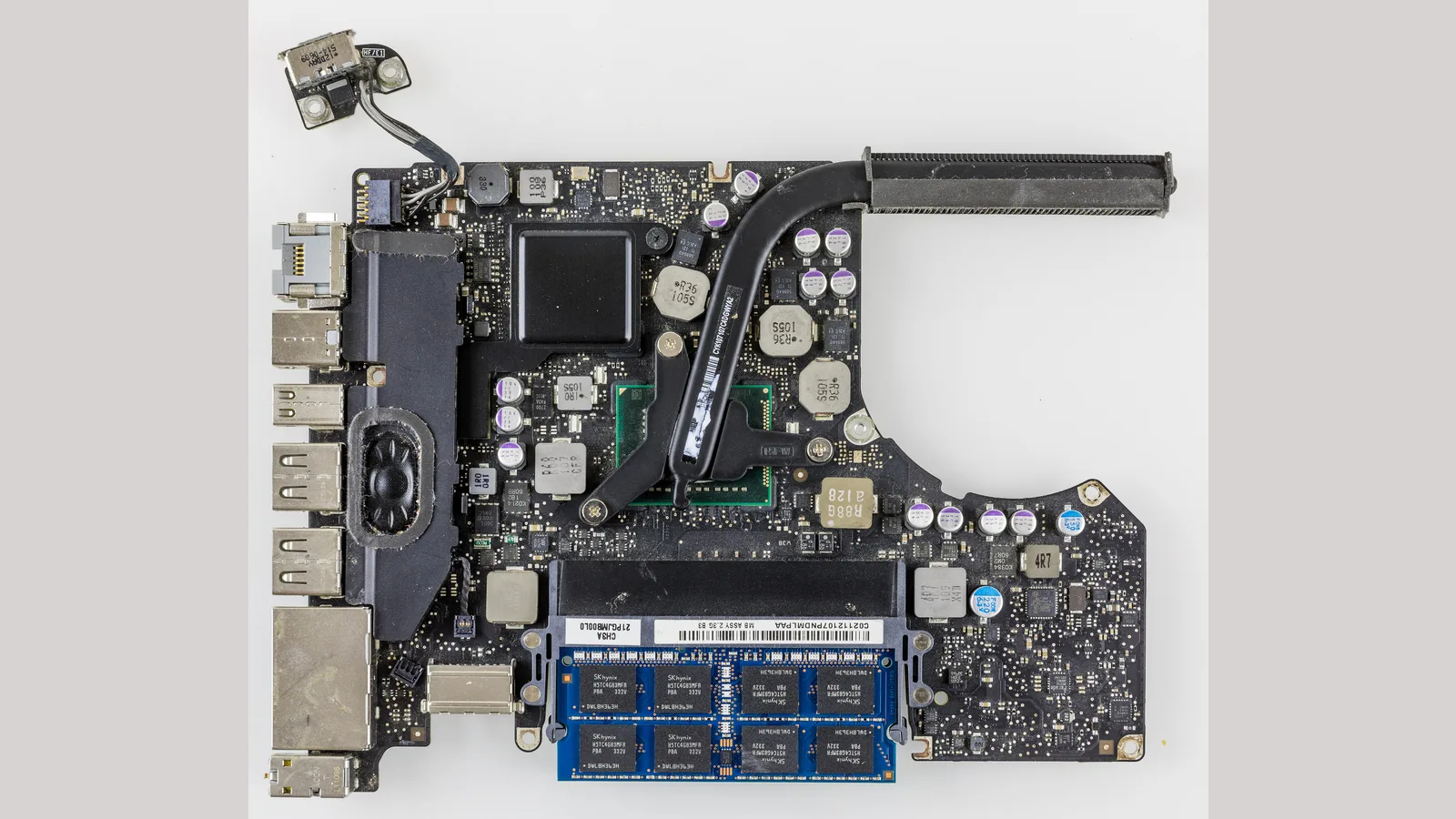
This is the detail the directories skip. Apple's support documentation explains that after a repair, your Mac shows a Parts & Service entry in System Settings: it reads "Genuine" or "Used" for genuine Apple parts, and "Unknown" when a non-genuine part is fitted or a part isn't working as expected. Apple also warns that "repairs performed by untrained individuals or using nongenuine parts might affect the functionality, safety, security, and privacy of the device", and that "an unknown part might affect the trade-in value of your device".
- Genuine parts keep the "Genuine" status and full feature calibration, but cost the most.
- Good OEM-equivalent parts can be excellent value for older Macs where a genuine screen or battery would cost more than the machine is worth — but they may show as "Unknown" and can affect trade-in value.
- The honest move is to ask the shop which they'll use, and get it in writing — a reputable shop will tell you plainly. At Esmond we say up front that we use genuine or high-quality OEM-equivalent parts, so you choose with eyes open.
Your consumer rights: the Lemon Law
If a repaired Mac — or a newly bought one — turns out defective, you are not without recourse. Under Singapore's Lemon Law, which CASE confirms covers electronics, consumers "have the right to request repair, replacement, reduction in price or rescission of contract for goods that do not conform to the contract". One important catch: CASE notes you cannot claim if you "attempted self-repairs" — another reason to use a proper shop rather than a DIY kit, and to keep every receipt and warranty slip.
Before you hand over your Mac: a 5-point checklist
- Back up first. Apple warns that during service "it becomes necessary to erase or replace your computer's startup disk" — so a Time Machine or cloud backup is non-negotiable, wherever you take it.
- Turn off Find My / Activation Lock. On macOS 26 or earlier, turn off Find My Mac; on macOS 27 or later, turn on Ready for Repair. A locked Mac can't be serviced.
- Note your passwords. You'll need your Apple Account password and your Mac login; a shop can't test a repair on a machine it can't wake.
- Remove accessories and personal data. Take off cases and dongles, and if you're leaving the machine, consider signing out of accounts.
- Get the quote and warranty in writing. A free diagnostic, a written price, and a stated warranty period protect you if anything is disputed later.
One more thing, and it matters most for liquid damage: if your Mac took a spill or won't power on at all, stop — don't keep trying to charge it, and bring it in to a technician. Repeated forced restarts risk permanent data loss, and the data on an erased startup disk cannot be recovered once it is gone.

How to choose a repair shop you can trust
- Ask about parts before you commit — genuine or OEM-equivalent, and get the answer in writing.
- Insist on a written warranty. A day-one quote should state the warranty period, not leave it vague.
- Prefer a free diagnostic. You shouldn't pay just to be told what's wrong.
- Be cautious with anonymous counters. On HardwareZone, Singaporeans swap warnings about Sim Lim shops and per-device diagnostic fees; a shop that won't put its name to a warranty is a red flag.
- Check the location and reviews. A real, findable address and consistent reviews beat a phone number and a promise.

Esmond Service Centre's experienced technicians can diagnose and fix it fast — free diagnostics, repairs from $65.