WhatsApp your MacBook model firstWhatsApp us your MacBook model first for an exact, no-obligation quote and to confirm the battery is in stock before you visit.
Back up first, unless it's swollenAs a precaution, back up with Time Machine before you bring the MacBook in. The exception is a swollen battery: do not switch the MacBook on, not even briefly to back up, and bring it in as it is.
A battery health check is includedA full battery health check is included before any work begins.
Most done in 1-2 hoursMost MacBook Air and Pro battery replacements are completed in 1-2 hours, while Retina and older-generation models take around 30-45 minutes.
What Are the Signs You Need a MacBook Battery Replacement?
macOS says "Service Battery"
Battery health below 80%
Sudden shutdowns
Swelling or a bulging case
Always tethered to the charger
High cycle count (near 1,000)
4.9★★★★★
2,705+ Google reviews
★★★★★
My laptop had a broken hinge and Ivan at Esmond Service Centre provided a quote and ordered the part. He was very responsive and once the part arrived, I went down to the shop and the laptop was repaired within 2 hours. The amount I paid was exactly as quoted. No surprises and great service.
P.Y. · Alexandra · 3 Nov 2026
★★★★★
Experienced an exceptional service from Nicholas. He presented himself with professionalism, patience and explains to me in a clear and structured manner. Was a breeze for me to communicate and get my issue settled. Thanks.
Mon to Fri : 10:00am - 7:00pm · Sat : 10:00am - 3:00pm · Closed on Sunday and PH
Repair Services
MacBook Battery Replacement in Singapore
Last updated:
MacBook battery replacement in Singapore at Esmond Service Centre takes 1–2 hours for a MacBook Air or MacBook Pro and 30–45 minutes for Retina and older models, with prices starting from $128 by model (excl. 9% GST). Every replacement includes a battery health check and a 90-day parts and labour warranty. Visit our Alexandra or Sin Ming branch, or WhatsApp us your model for the exact price.
Esmond Service Centre replaces MacBook batteries across the MacBook Air, MacBook Pro, and Retina ranges, covering both Intel and Apple Silicon models. High-quality, brand-compatible batteries are fitted by experienced technicians after a full battery health check, with warranty included. WhatsApp us your MacBook model for an exact, no-obligation quote. If your laptop is not a MacBook, see our general laptop battery replacement service in Singapore.
Prices exclude 9% GST. Want an accurate quote? WhatsApp us your MacBook model and we’ll check stock availability instantly.
Is Your MacBook Battery Still Covered by Apple?
Check this before you pay anyone, because Apple's cover can make the replacement free. On the MacBook, choose Apple menu > System Settings, click General, then About, and click the Details button to see your warranty and coverage. If the MacBook should not be switched on, enter the serial number printed on its underside at checkcoverage.apple.com instead. Then find your situation:
Under Apple's one-year warranty, with a defective battery: Apple's One-Year Limited Warranty includes replacement coverage for a defective battery, but it does not cover a battery that has worn down from normal use. Take it to Apple or an Apple Authorised Service Provider, as only their repairs are covered by Apple's warranty.
On an AppleCare plan, below 80% capacity: Apple replaces the battery at no charge once it holds less than 80% of its original capacity, and a service covered by an AppleCare plan costs the same at Apple and at every Apple Authorised Service Provider.
Out of cover: you pay wherever you go. Apple sets its own fee (its estimates are given just below), Apple Authorised Service Providers set their own fees and give their own estimates, and an Independent Repair Provider quotes its own price — this is where comparing pays off.
Using an independent repairer: Apple says Independent Repair Providers have access to genuine Apple parts, tools, training, service guides, diagnostics and resources, but their repairs are not covered by Apple's warranty or AppleCare plans, and any damage caused by a non-authorised repair provider is not covered either. What protects you is the provider's own repair warranty, so ask what it is before you agree.
An older MacBook: Apple stops all hardware service for products it stopped selling more than 7 years ago, though Mac laptops may get a battery-only repair for up to 10 years from that point, subject to parts availability. Past that, Apple's service providers cannot order parts, so an independent repairer is the remaining route. On a very old MacBook we may advise against the repair: the new battery will work, but we cannot promise how long the rest of the machine will last — see whether a 7-year-old MacBook is worth repairing.
A swollen battery: if the case is lifting or the trackpad is pushed up, stop using the MacBook and unplug its charger, whatever its cover — a swelling lithium battery can press on the logic board (Apple's name for the motherboard) and is a safety hazard. Bring it in as it is; the cover rules above still decide who pays.
Why the order matters: Apple says only repairs performed by Apple or an Apple Authorised Service Provider are covered by its Limited Warranty and AppleCare plans. If your battery is covered as described above, a replacement through them costs you nothing, which no paid quote — ours included — can beat. Out of cover, the choice comes down to price, the battery fitted, the warranty and how long you are without the MacBook.
On 17 November 2026, the estimator on Apple's Singapore repair page listed an out-of-warranty battery service at 235 to 289 Singapore dollars for the MacBook Air models it priced and 334.60 to 365 Singapore dollars for the MacBook Pro models. Apple sets the final fee after inspecting the Mac, says these estimates "will be subject to VAT", may add a delivery fee if the Mac has to be sent away, and lets Apple Authorised Service Providers set their own fees. Esmond Service Centre publishes one starting price for every MacBook, in the table above; the exact figure depends on your model, and we confirm it after the free diagnostic, before any work begins.
Note: Not sure which MacBook you have? Just send us the serial number or a photo — we’ll identify the model and battery type for you.
What Are the Signs You Need a MacBook Battery Replacement?
Apple designs a MacBook battery to keep up to 80% of its original charge capacity at its maximum cycle count, which is 1,000 cycles on most models. Any of these signs means it is time to have yours checked:
macOS says "Service Battery"
Your Mac shows "Service Recommended" or "Replace Soon" under battery status — macOS’s own warning that the cell is worn out.
Battery health below 80%
System Report shows your maximum capacity has dropped under 80% — the point Apple considers a battery consumed.
Sudden shutdowns
Your MacBook switches off without warning at 30–40% because the worn battery can no longer hold its voltage.
Swelling or a bulging case
A swollen battery lifts the trackpad or bulges the bottom panel. Stop using it and bring it in straight away — this is a safety issue.
Always tethered to the charger
The battery drains so quickly that you have to stay plugged in just to keep working.
High cycle count (near 1,000)
Apple rates most modern MacBook batteries for about 1,000 charge cycles, and its own advice is to replace the battery once it reaches that maximum — so a count climbing towards 1,000 in System Report is the point to plan for.
Swelling is the one sign not to wait on: stop using the MacBook and bring it in, because Apple warns that battery damage could cause overheating, fire, or injury. For the other signs, our MacBook battery replacement guide shows you how to read your cycle count and battery health before you decide.
Why Should You Choose Professional MacBook Battery Replacement in Singapore?
Apple's own guidance sets the bar: Mac laptops with built-in batteries should have them replaced only by an Apple Authorised Service Provider or Apple Store, or by an Independent Repair Provider that uses genuine Apple parts. Apple adds that repairs by untrained individuals or with non-genuine Apple parts could damage your equipment, and that such damage is not covered by warranty. Out of Apple's cover, compare providers on these five points:
Who the provider is: Apple Authorised Service Providers offer in-warranty and out-of-warranty repairs that Apple backs. Independent Repair Providers offer out-of-warranty repairs, with access to Apple genuine parts, tools, training, diagnostics and resources, and may give their own warranties. Esmond Service Centre is an Apple Independent Repair Provider, not an Apple Authorised Service Provider; Apple's Repair Provider Verification page on its support site lets you check any provider before you hand over your MacBook.
Which battery goes in: we fit either a genuine Apple battery or a high-quality compatible battery that matches your MacBook's specifications. Laptop brands do not make their own batteries; for a compatible battery we order direct from the manufacturers that make them, so it is original-equivalent and usually arrives without the Apple logo, while a genuine Apple battery carries it. Ask which of the two your quote is for, and see who makes MacBook batteries.
The warranty, in writing: Apple guarantees its own service and replacement parts for 90 days or the remaining term of your Apple warranty, whichever is longer. Repairs by an Independent Repair Provider are not covered by Apple's warranty or AppleCare plans but may be covered by the provider's own warranty — ours is a 90-day parts and labour warranty by default, with options for extended coverage.
How long you are without it: Apple offers in-person service at the Genius Bar or an Apple Authorised Service Provider, or a mail-in service with a pre-paid postage box, so ask each provider how long your MacBook will be away. Our MacBook battery replacement is often done within 1–2 hours for most models at our Alexandra and Sin Ming branches.
What a new battery will not fix: a MacBook that will not power on even on its charger almost always has a board fault, which a battery cannot cure, and on a machine that will not power on, the disk and other parts can only be tested once the board is repaired. Choose a provider that tests before quoting and again after fitting; our technicians run diagnostics after installing the new battery to catch other faults, such as a failing charging circuit.
Bottom line: if Apple's cover applies, the best MacBook battery replacement in Singapore is the one Apple pays for, at Apple or an Apple Authorised Service Provider. If it does not, set Apple's estimate beside an independent provider's quote and compare the battery each will fit, the warranty each gives and how long the MacBook will be away — then check the result yourself with the steps below.
Step-by-Step: What to Expect During a MacBook Battery Replacement
Here is how a battery replacement typically runs at our branches, step by step:
Initial Diagnostic and Safety Check
The technician checks the battery's condition and the rest of the MacBook first: Battery Health and the cycle count in macOS if the Mac will start, and the case for swelling or leaks. Laptop diagnosis is free, and the price is confirmed before any work begins. Back up beforehand if you can — Apple's own checklist before a service starts with a backup — but if the battery is swollen, do not switch the MacBook on, not even briefly to back up. (Our technicians also ground themselves to avoid static damage to sensitive parts.)
Careful Disassembly
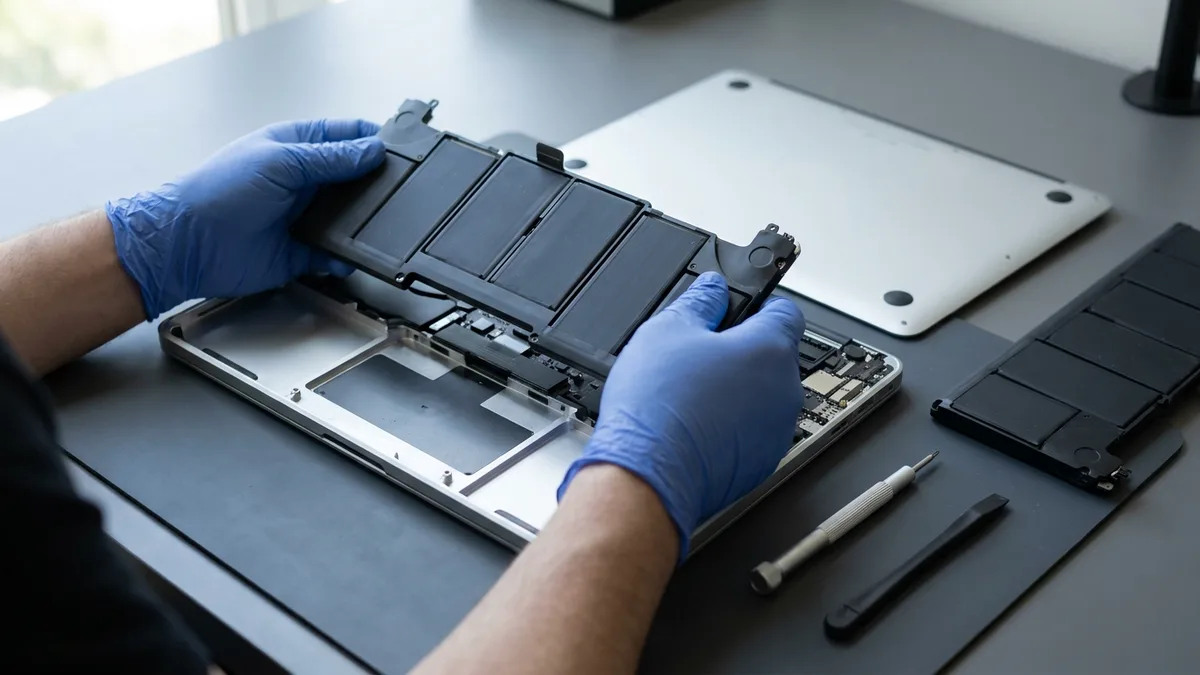
The technician opens the bottom case and disconnects the battery from the logic board before anything else, to cut power. Where the battery is glued in, it is released with methods made for battery removal, such as adhesive solvents or pull-tabs designed for battery replacement, so that no cable or board is torn.
Removing the Old Battery
The old pack is lifted out without puncturing or bending it, because a damaged lithium battery is dangerous, and dust inside the case is cleaned out while it is open. If the battery was swollen, the technician also checks what it pressed on, such as a trackpad pushed out of place, and re-seats it or advises you on it.
Installing the New Battery
The new battery, a genuine Apple battery or a high-quality compatible one matched to your model, is seated, connected to the logic board and secured with screws or adhesive as the model requires. Only high-quality replacement batteries are used, so the new battery fits properly and has the correct rating for your Mac model.
Reassembly and Testing
The bottom case goes back on and the MacBook is powered up to confirm that macOS recognises the new battery, that it charges and that no warning or error message appears. Our technicians then run diagnostics to catch any other fault, such as a charging circuit problem, before the MacBook is handed back.
Final Checks and Handover
Before handover, the ports, keyboard and trackpad are checked to confirm nothing was disturbed, and the old lithium battery is set aside for safe disposal. You get the MacBook back, typically with documentation of the repair and warranty details; run the checks in the next section before you leave.
Throughout, a good technician keeps you informed. At Esmond Service Centre we might show you the old battery we removed or explain what we find during the repair, such as dust blocking the fan or damage from a swollen battery.
After the Swap: How to Check Your New Battery
Run these checks before you leave the counter and again at home. They use macOS's own tools, so they work whoever replaced the battery, and if one fails, take the MacBook back to that provider while its warranty runs:
Battery Health: choose Apple menu > System Settings, click Battery and look at Battery Health. Apple's Normal means the battery is functioning normally; Service Recommended means its ability to hold charge is less than when it was new, or it isn't functioning normally. A new battery that shows Service Recommended should go straight back.
On an older Mac or macOS: if Battery settings show no Battery Health, hold the Option key and click the battery status menu in the menu bar. Apple's older labels there are Replace Soon, Replace Now and Service Battery; a new battery that shows any of them should go back too.
The cycle count: hold the Option key, choose Apple menu > System Information, select Power and find the cycle count in the Battery Information section (Apple's steps). Apple counts a cycle each time the battery's full capacity has been used, even across several charges, so a battery that has just been fitted should show very few; if the count is high straight after a swap, ask the provider why.
Charging On Hold is not a fault: if charging stops at 80% and the battery status menu shows Charging On Hold, that is Optimised Battery Charging, which delays charging past 80% when your Mac expects to stay on power for a long time; Apple calls this behaviour normal. Choose Charge to Full Now from that menu if you need 100% sooner.
The right adapter: Apple says an adapter that isn't rated for at least the wattage your Mac requires may charge it slowly or unreliably, so test charging with the adapter you use every day.
Trust macOS over apps: Apple says third-party apps that report battery health may not be accurate and that it is best to rely on the battery-health information macOS reports. Apple Diagnostics can also test for battery issues.
On 17 November 2026, Apple listed the logic board, Touch ID board, lid angle sensor and display as the parts that Parts & Service (System Settings > General > About, on a Mac with Apple silicon and macOS Tahoe 26 or later) reports on, and the battery was not among them, so ask the provider to note the battery type on your invoice. For keeping the new battery healthy over the years, see the care tips in our MacBook battery replacement guide.
Apple's own advice for making the new battery last:
❌ Don't leave your MacBook in the heat: Apple says a MacBook works best at 10° to 35° C, and that ambient temperatures above 35° C can permanently damage battery capacity. ✅ Keep Optimised Battery Charging on (System Settings > Battery, then the info button next to Charging or Battery Health): it learns your daily charging routine and delays charging past 80% when it predicts your Mac will stay connected to power for a long time.
Our technicians will provide further customized care advice during your visit.
Why Choose Esmond Service Centre for MacBook Battery Replacement in Singapore?
What you can expect at Esmond Service Centre:
MacBook battery replacements done in 1–2 hours
Intel and Apple Silicon MacBooks, as listed in the model table above
Careful full disassembly without damaging display or logic board (the main board — Apple's name for the motherboard)
Transparent pricing and no surprise upsells
Our founder's 16 years and counting of hands-on repair experience
Still covered by Apple's One-Year Limited Warranty or AppleCare+? Check with Apple first: the warranty includes replacement of a defective battery, and AppleCare+ covers a Mac battery that holds less than 80 per cent of its original capacity at no additional fee.
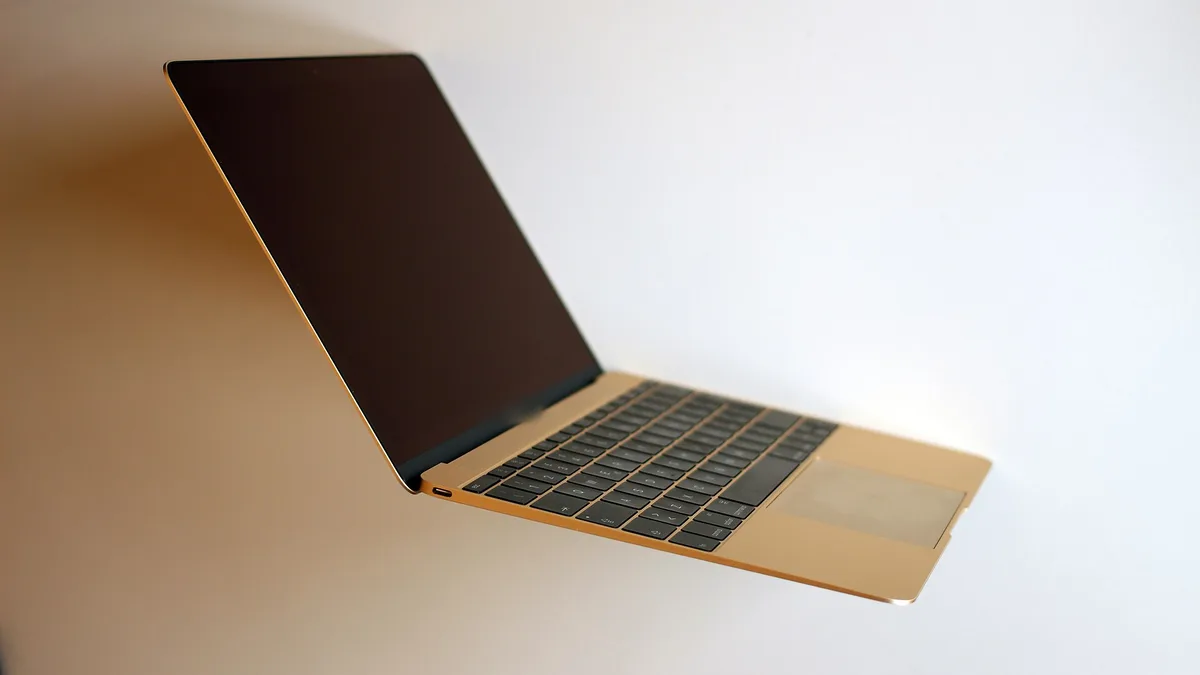
Photo (cropped and edited): 茅野ふたば via Wikimedia Commons, licensed CC BY-SA 4.0
Ready for Your MacBook Battery Replacement?
Simply WhatsApp us with your:
Model number (e.g., A2338, A1466) or
Serial number (can be found under your MacBook or in “About This Mac”)
We’ll reply with current stock, battery compatibility, and a no-obligation estimate.
Tell us what's wrong — free diagnosis, no obligation
Send us the symptom and we'll come back with what it likely is, what it will cost, and how long it will take. The diagnosis is free, and if we can't fix it, you pay nothing.
Free diagnosis
No fix, no fee
Same-day reply
4.9★★★★★EXCELLENT — based on 2,705+ Google reviews across 2 branches
★★★★★
Had a battery alert warning this morning on my HP Spectre laptop. Ran a battery test and the capacity is only left with 23% despite component test shows Passed. HP support ask me to calibrate the battery which is a very lengthy and tedious procedure and it does not solve the original battery issue of degraded capacity. HP Support also need time (the whole day also never get back to me) to check for stocks and price. I just need a faster clean fix to this issue i.e. simply replace the battery. Searched the Internet and found Esmond Service Centre with good reviews. Fast response and helpful advice. They transferred the battery to the branch at MidView in 2 hours and changed my battery within 30 to 40mins when I was on-site. Price was competitive compared to other quotes I got and also purchased the extended warranty for 1 year for $48. They also provided after sales customer service when I asked about my chargers. Not like some shops who will ignore you after the purchase. Great service and will look for them in future if I need to repair my laptop.Read full reviewShow less
KK JacelynSin Ming · 3 months ago
★★★★★
Highly experienced, customer focus, general great at what they're doing which servicing and repairing computer. I went there to change battery for my lap top and was highly impressed by their good technical, reasonal pricing, ease of doing business and friendliness of front desk staffs. They found something else ; ie the cooling system that required attentive alertedmet the issue via WA prompting recommending solutions and cosing. It was easy to make decision with transparent transaction. Job was done very quickly originally supposed to take 30 mins with the addition task it took another 20 mins which iscceptable a we were able to waiting relaxing while having a coffee in the multitude of F&B outlets in this mall. My laptop was very well serviced and repair and within my original estimated budget. Super happy with Esmond for their great capability and professionalism. victor who attended to us was a bit quiet but nonetheless was able to communicate important info clearly to me. Keep it up EsmondRead full reviewShow less
SSam Goh SEAlexandra · 10 months ago
★★★★★
I am extremely thankful for the outstanding service I received from Jay.
I called ahead to ask whether I would need to wait to get my laptop repaired, as it had completely stopped turning on and it was an urgent situation for me. I was told to simply walk in, and to my surprise, the issue was diagnosed and fixed in less than 30 minutes.
What impressed me most was that the repair was done right in front of me, and Jay remained professional, friendly, and transparent throughout the entire process. To top it all off, he explained that it was only a quick fix and chose not to charge me anything.
I truly couldn’t be more grateful for the help and exceptional customer service. Thank you, Jay, for turning a stressful situation into such a positive experience. Highly recommended!
Also noticed that they sell other small gadgets which can make good last min gifts too!Read full reviewShow less
JJollene YangAlexandra · 2 months ago
★★★★★
Sent my iMac in for a screen replacement and had a very positive experience with Esmond Service Centre.
Customer service was responsive and patient throughout the process, and they kept me updated clearly. Repair was completed quickly and the iMac is working well again. They also showed me photos of the internal dust buildup and explained the recommended servicing transparently, which I appreciated as someone not familiar with repairs.
Overall, a smooth and reassuring experience. Thank you for the professional service!Read full reviewShow less
WWendy AngSin Ming · 3 months ago
★★★★★
I messaged Esmond Service Centre to get my MSI screen fixed and was impressed right from the start. They replied quickly, and I was able to head down on the same day itself.
I could simply walk in and wait at the store, and the technician took the time to look at my device and give solid, practical advice. They also stuck exactly to the estimated timing of 1–2 hours, which made the whole experience smooth and hassle-free.
Everything was handled efficiently and without any fuss. Excellent job and great service overall.Read full reviewShow less
NNiveethaSin Ming · 4 months ago
★★★★★
5/5 experience and service
Appreciate the prompt responses! It was easy to book an appointment / timeslot because they are very approachable. It's an introvert-friendly experience.
I like how direct and straightforward the process and advices/quotations were. I'm a big fan of that.
Was also my first time finding a service to replace my laptop battery, and I'm so glad to have found them. Will definitely come back again for further assistance. 😄Read full reviewShow less
Ffatin nur aqilahAlexandra · 6 months ago
Frequently Asked Questions
How much does it cost to change a MacBook Pro battery in Singapore? +
At Esmond Service Centre in Singapore, a MacBook Pro battery replacement starts from S$128 before 9% GST, depending on the model and year. Most MacBook Pro replacements take 1–2 hours and include a battery health check and a 90-day parts and labour warranty. WhatsApp us your model number, such as A2338, for the exact price and stock.
Can I replace my MacBook battery without losing data? +
Yes. Replacing the battery does not affect your data, apps or settings. As a precaution, back up with Time Machine before you bring the MacBook in. The exception is a swollen battery: do not switch the MacBook on, not even briefly to back up, and bring it in as it is.
Is a swollen MacBook battery dangerous, and should I stop using it? +
Yes. A swollen battery is a damaged battery: it can make the case bulge and damage parts inside the MacBook, and Apple warns that battery damage could cause overheating, fire, or injury. Stop using the MacBook now: unplug the charger, shut it down and do not charge it again. Do not press on the bulge or try to remove the battery yourself. Bring it to either branch so we can inspect it and replace the battery.
How do I check MacBook battery cycle count and condition? +
Open System Settings from the Apple menu and click Battery: Battery Health shows Normal or Service Recommended. For the cycle count, hold the Option key, choose System Information from the Apple menu, select Power in the sidebar and find the cycle count in the Battery Information section. Apple designs the battery to keep up to 80% of its original capacity at its maximum cycle count, which is 1,000 cycles on most MacBooks.
Do you replace MacBook batteries for older models like A1278 or A1502? +
Yes. We support legacy MacBooks including A1278, A1502, and even A1181. As long as we can source the compatible battery, we can replace it professionally. WhatsApp us your model number before you visit, and we will check whether a compatible battery is in stock.
Can you replace the battery on M1 or M2 MacBooks? +
Absolutely. We replace batteries on all Apple Silicon MacBooks, including M1 and M2 Air and Pro models. These require specialized tools and training, which our technicians are equipped for. Send us the model number (such as A2337 for the M1 MacBook Air or A2338 for the 13-inch M1 or M2 MacBook Pro) or the serial number, and we will confirm the right battery and stock.
How long does a MacBook battery replacement take? +
Most MacBook Air and Pro battery replacements are completed in 1-2 hours, while Retina and older-generation models take around 30-45 minutes. WhatsApp your model and we'll confirm same-day availability before you visit. Those times are for the battery alone: if the MacBook will not power on even on its charger, it is almost always a board fault, which a new battery will not fix. When parts must be ordered, a repair can take 7 to 21 working days.
How much is MacBook Air battery replacement in Singapore? +
MacBook Air battery replacement (Intel and M1/M2) starts from $128, the same as our MacBook Pro and Retina/older models. All prices exclude 9% GST, and a full battery health check is included before any work begins.
Do you offer a warranty on MacBook battery replacement? +
Yes. Every battery replacement includes a 90-day parts and labour warranty, with an optional Esmond Care upgrade for up to 5 years of coverage. We only fit high-quality, brand-compatible batteries.
Where can I replace my MacBook battery in Singapore? +
Esmond Service Centre replaces MacBook batteries at both of its branches, Alexandra Retail Centre and Midview City at Sin Ming, and most MacBook Air and Pro jobs take 1–2 hours. WhatsApp us your MacBook model first for an exact, no-obligation quote and to confirm the battery is in stock before you visit.
Will Apple replace my MacBook battery for free? +
Sometimes. Apple's One-Year Limited Warranty includes replacement coverage for a defective battery, but it does not cover a battery that has worn down from normal use. With an AppleCare plan, Apple replaces a battery that holds less than 80% of its original capacity at no charge. Only repairs by Apple or an Apple Authorised Service Provider are covered, so check your coverage in System Settings, under General, then About, before you pay anyone else.
Why should I avoid DIY MacBook battery replacement? +
Apple says Mac laptops with built-in batteries should have them replaced only by an Apple Store, an Apple Authorised Service Provider or an Independent Repair Provider using genuine Apple parts, and that repairs by untrained individuals could damage your equipment, with that damage not covered by warranty. Apple's Self Service Repair, which gives experienced repairers genuine parts, tools and manuals, did not list Singapore among its countries and regions on 17 November 2026.
Is Esmond Service Centre an Apple Authorised Service Provider? +
No. Esmond Service Centre is an Apple Independent Repair Provider, not an Apple Authorised Service Provider. Apple describes Independent Repair Providers as companies that offer out-of-warranty repairs for iPhone and Mac, with access to Apple genuine parts, tools, training, diagnostics and resources. Their repairs are not covered by Apple's warranty or AppleCare plans, so a battery still under Apple's cover should go to Apple first; our repairs carry our own 90-day parts and labour warranty.
How much does Apple charge to replace a MacBook battery in Singapore? +
On 17 November 2026, Apple's Singapore repair estimator listed an out-of-warranty battery service at 219 Singapore dollars for the MacBook Neo, 235 to 289 for the MacBook Air models it priced and 334.60 to 365 for MacBook Pro models. Apple sets the final fee after inspecting the Mac, and Apple Authorised Service Providers set their own. A defective battery under Apple's warranty, or one below 80% capacity on an AppleCare plan, costs you nothing.
How do I check my MacBook battery after it is replaced? +
In System Settings, click Battery and look at Battery Health, which should read Normal. For the cycle count, hold Option, choose System Information from the Apple menu, select Power and look in the Battery Information section; a newly fitted battery should show very few cycles. If charging pauses at 80% with Charging On Hold, that is Optimised Battery Charging, not a fault. Apple advises relying on macOS rather than third-party battery apps.
Do you use genuine or aftermarket batteries for MacBook replacement? +
We fit either a genuine Apple battery or a high-quality compatible battery that matches your MacBook's specifications. Laptop brands do not make their own batteries, so a compatible battery is ordered direct from the manufacturers that make them; it is original-equivalent and usually arrives without the Apple logo, while a genuine Apple battery carries it. Our MacBook battery replacements carry a 90-day parts and labour warranty, and you can ask which battery your quote is for.