📑 On this page
This guide is for Galaxy Watch Ultra owners in Singapore: the 2024 and 2025 models, which share one model number, and the Galaxy Watch Ultra2, which Samsung began taking orders for in Singapore on 22 July 2026. It takes the usual problems in the order to check them — which model you have, charging, the battery, water, the glass and strap — then who repairs the watch and what to weigh before you pay. Every figure is Samsung’s own, read from Samsung Singapore’s pages on 14 November 2026.
The Galaxy Watch Ultra Models: Repair Facts at a Glance
Samsung publishes every figure below on its Singapore product and specification pages. The 2024 and 2025 Ultra are one watch inside: the same model number, battery, glass and water rating, with more storage on the 2025 model. The Ultra2 is a different watch, and its larger battery and higher water rating do not carry over to the earlier two.
| Galaxy Watch Ultra (2024 and 2025) | Galaxy Watch Ultra2 (2026) |
|---|---|
| Model number: SM-L705F (Singapore codes such as SM-L705FZWAXSP for 2024 and SM-L705FZB1XSP for 2025) | Model number: SM-L715F (Singapore code SM-L715FZSAXSP) |
| Battery: 590 mAh (typical), not removable | Battery: 800 mAh (typical), not removable |
| Battery life (Samsung): Up to 60 hours with Always On Display, up to 80 hours without | Battery life (Samsung): Up to 60 hours with Always On Display, up to 80 hours without — the same figures as the Ultra |
| Fast charging: Not supported | Fast charging: Up to 40% in about 30 minutes, a first for the Galaxy Watch series |
| Samsung charger: EP-OL300 wireless charger | Samsung charger: EP-OL715 wireless charger |
| Charging from a phone (Wireless Power Sharing): Not supported | Charging from a phone (Wireless Power Sharing): Not supported on the Ultra2 either |
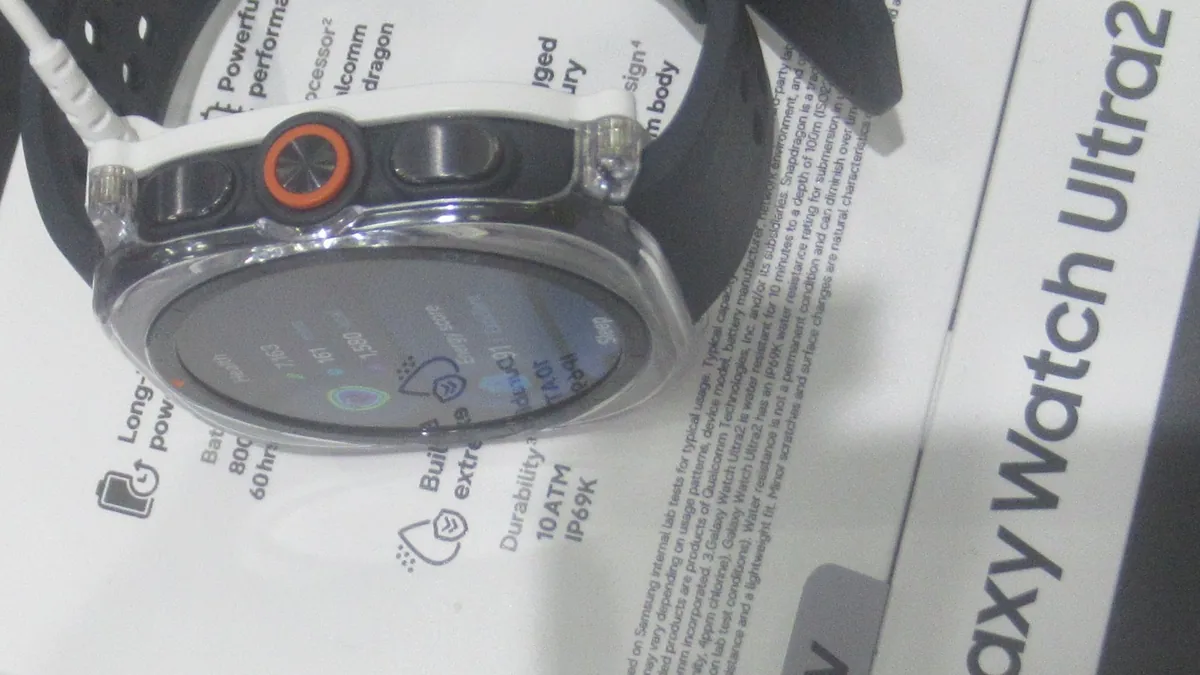
| Water and dust: 10ATM and IP68 (1.5 metres in fresh water for up to 30 minutes) | Water and dust: 10ATM and IP69K |
| Diving: Not suitable for diving or high-pressure water activities (Samsung’s footnote) | Diving: EN13319 diving-instrument certification, to 40 metres |
| Display: 1.5-inch (37.3 mm) under sapphire crystal glass, up to 3,000 nits | Display: 1.52-inch (38.5 mm), up to 5,000 nits |
| Samsung warranty in Singapore: 12 months, labour and parts, carry-in | Samsung warranty in Singapore: 12 months, parts and labour, including the original battery |
| Samsung’s online repair price: None published: its estimator lists no Galaxy Watch | Samsung’s online repair price: None published for the Ultra2 either |
Which Galaxy Watch Ultra Do You Have?
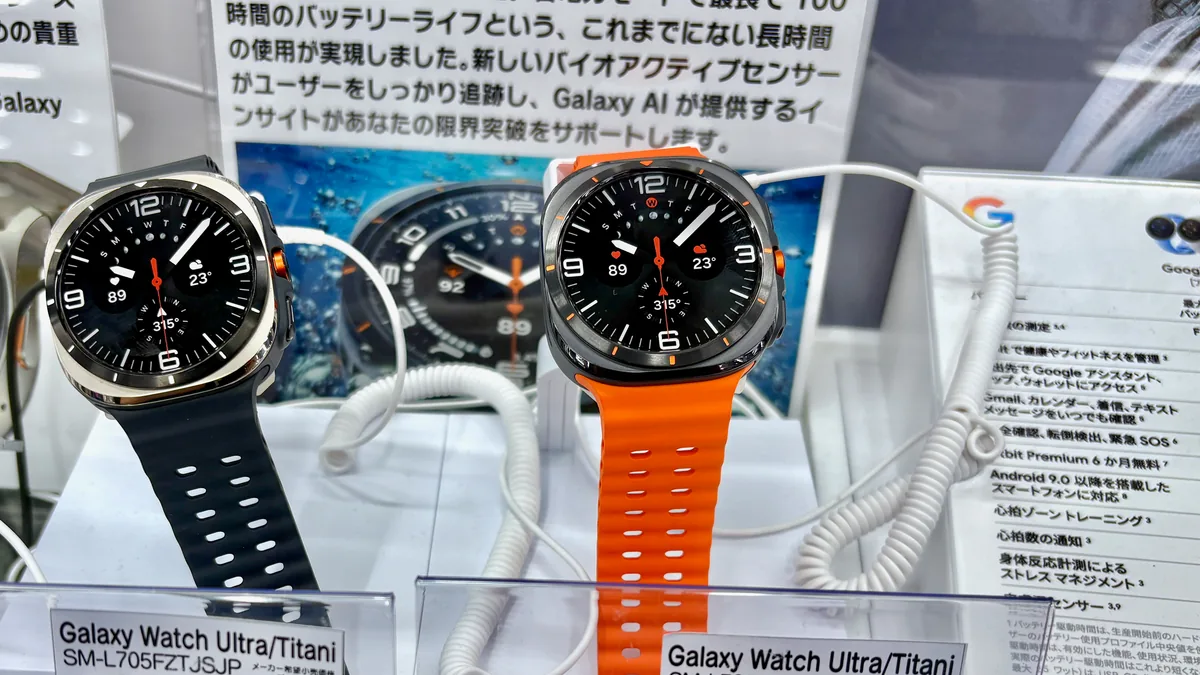
The model number tells you which watch you have. The 2024 and 2025 Galaxy Watch Ultra both carry SM-L705F — Samsung Singapore sells them under codes such as SM-L705FZWAXSP and SM-L705FZB1XSP — while the Ultra2 carries SM-L715F. Because the first two are the same watch inside, they take the same charger (Samsung’s EP-OL300), carry the same 590 mAh battery and the same 10ATM and IP68 rating, so everything below that applies to one applies to the other.
What differs is storage — Samsung lists 32 GB on the 2024 model and 64 GB on the 2025 — and the date on your receipt. Samsung’s warranty for wearables runs 12 months, so check that date before you book: inside the 12 months, a fault that is not caused by damage is Samsung’s to fix under warranty.
Bought overseas? Samsung Singapore’s warranty page says it may still repair a wearable bought abroad under warranty, for one year from the date of purchase, on conditions: a repair may cost money where an exclusion applies, may take longer while parts are sourced, is at Samsung’s discretion, and does not cover returns, refunds or accessories.
Charging Problems: What to Check First
Before you book a repair for a watch that will not charge, run Samsung Singapore’s own checklist. Start with the charger: use the dedicated Samsung wireless charger — the EP-OL300 for the 2024 and 2025 Ultra, the EP-OL715 for the Ultra2 — because third-party chargers may cause compatibility issues. Take off thick cases, metallic straps or unofficial covers, which can block the wireless signal, and make sure the back of the watch and the charging pad are clean and dry: sweat, dust or liquid interferes with the connection, and the pad itself is not waterproof.
Then the power source. Samsung asks for an adaptor that supports USB Power Delivery at 5V/2A or more; older quick chargers, power banks, computer USB ports and multi-port hubs may charge the watch slowly or not at all. And do not try to top it up from your phone: Samsung says the Galaxy Watch Ultra and the Ultra2 do not support Wireless Power Sharing.
The Samsung Members app on your phone can test the watch’s charging hardware: open it, tap Support, choose your watch under Connected device diagnostics, then tap Wireless charging. If the watch still charges slowly with the dedicated charger and a genuine adaptor, Samsung’s advice is to take it to a Samsung service centre with both the charger and the adaptor.
The Battery: What Wears, and What to Try First
The battery is sealed in: Samsung’s specification lists the Ultra’s 590 mAh battery, and the Ultra2’s 800 mAh one, as not removable. Samsung also warns that very cold or very hot conditions can shorten a watch’s battery life and could lead to damage — worth remembering before you leave the watch on a car dashboard in the Singapore sun.
Before you blame the battery, try Samsung’s own settings. Update the watch’s software first (Settings > Software update), turn off Always On Display, cover the screen with your palm to put it to sleep, close apps you are not using, switch off Bluetooth, Wi-Fi and, on the LTE model, mobile networks when you do not need them, and trim the notifications that wake the screen in the Galaxy Wearable app. Power saving mode (Settings > Battery > Power saving) goes further: it turns off Always On Display and Wi-Fi, limits the processor and background activity, and pauses software updates while it is on.
If the battery still runs down within a day after all of that, or the watch shuts down with charge showing, it is a job for Samsung’s service centre. Inside the 12-month warranty, Samsung covers labour and parts; outside it, the cost is a quote, because Samsung’s online repair-cost estimator for Singapore lists Galaxy Buds and the Galaxy Ring under wearables, but no Galaxy Watch.
Water: What the Rating Covers, and What It Does Not
Samsung rates the 2024 and 2025 Ultra 10ATM and IP68: water resistance for 10 minutes at 100 metres under ISO 22810, and 1.5 metres in fresh water for up to 30 minutes. Its own footnote then adds the line that matters: the watch is not suitable for diving or high-pressure water activities, and it should be rinsed in fresh water after use in salt water.
Samsung Singapore’s care list for Galaxy Watches spells out the rest: keep the watch away from water moving with force; do not wear it to dive in, snorkel or play water sports in fast-flowing water; dry it with a clean, soft cloth after fresh water, and rinse salt or pool water off with water before drying it; never dry it with a hair dryer or take it into a sauna; avoid sudden changes in air or water temperature; and do not take it apart, because that can damage its water and dust resistance.
The Ultra2 is a different case. Samsung rates it IP69K and 10ATM and certifies it to EN13319 as a diving instrument, to 40 metres. None of that applies to the earlier Ultra: if you dive, the 2024 and 2025 models are not rated for it.
Water is also where the warranty ends. Samsung’s warranty is void when a product shows liquid damage, along with sand, impact or exposure to conditions beyond its specifications. A watch that fogs up or stops working after a swim is therefore usually an out-of-warranty repair — or a Samsung Care+ claim, if you bought that plan.
In Singapore that comes down to two habits: rinse the watch under the tap after the sea or a swimming pool, as Samsung asks, and take it off before the sauna at the gym.
Cracked Glass, Stuck Buttons and Straps
The Ultra’s display sits under sapphire crystal glass, according to Samsung’s specification: hard to scratch, but not unbreakable. Impact and accident damage fall outside Samsung’s warranty, so a cracked Ultra is a paid repair or a Care+ claim; ask Samsung’s service centre for the quote.
After the beach, rinse first. Samsung asks owners to rinse salt water off and dry the watch with a soft cloth, and a button stiff with sand or salt may free up once it is clean. If it stays stuck, take the watch to Samsung’s service centre rather than levering at it: the buttons are part of the sealed case.
The strap is the one part you can change yourself. The Ultra uses Samsung’s Dynamic Lug System, which releases the band from the case when you press its release button, so a worn or broken band is a replacement you fit at home, not a repair.
For accidents, Samsung Care+ is Samsung’s own plan. On its Singapore page for the Ultra2, Samsung describes it as extending protection against accidental damage, including drops and liquid damage, for up to two years, subject to the applicable plan and terms. Read those terms for your model before you rely on them.
Back up before any repair. Samsung asks for your data to be backed up before you bring a device in, and its warranty does not cover data recovery: anything kept only on the watch, such as music you downloaded to it, can be lost in a repair or a replacement.
Who Repairs a Galaxy Watch Ultra in Singapore
Samsung does. Its Singapore service-centre page lists watches among the mobile products its authorised service centres repair, and lets you book an appointment or check the waiting time online before you go.
Esmond Service Centre does not repair Galaxy Watches, and we would rather say so than take one in: for a Galaxy Watch Ultra, Samsung’s own service centre is the right place. What we do repair is the rest of what you carry — laptops, MacBooks, iMacs, tablets and mobile phones — at our Alexandra and Sin Ming branches, with a free same-day repair quote.
Whoever repairs it, do not open it yourself first. The Ultra is sealed against water and dust: Samsung warns that taking the watch apart can damage that protection, and its warranty is void after an unauthorised repair or if the warranty seal has been removed or tampered with.
Repair or Replace: Where the Ultra2 Comes In
- Check the receipt. Inside 12 months, a fault that is not caused by damage is Samsung’s to fix under warranty.
- Run the charging and battery checks above. They cost nothing and rule out the simple causes.
- Get Samsung’s quote. Samsung publishes no online repair price for its watches, so the service centre’s quote is the number to weigh.
- Compare it with a new watch. Samsung Singapore sells the Ultra2 at S$988, and its trade-in accepts eligible smartwatches; a large quote on an older Ultra is worth setting against that.
- Back up before you hand it over. Samsung’s warranty does not cover your data.
What a software update will and will not change. An update can fix a fault in the software that drains the battery or interrupts charging, which is why Samsung puts it first in its own checklist. It cannot fix cracked glass, a worn battery or water inside the case: those are hardware, and hardware is the service centre’s job.
When to stop. If the watch has been in water and now fogs, flickers or will not switch on, stop charging it and take it to Samsung’s service centre; do not try to dry it with heat, which Samsung warns against. The same goes for a swollen or lifting back, cracked glass, or a strap lug that no longer holds: each is a job for the service centre, not a home tool kit.
The honest cost of getting this wrong. Opening a sealed watch at home ends its water resistance and Samsung’s warranty in one move, and a third-party charger can leave you chasing a fault that was never in the watch. Both are avoidable, which is why the order above starts with the receipt and Samsung’s own checks.
Is a Galaxy Watch Ultra Worth Repairing?
Inside its warranty, yes: a fault that is not caused by damage is Samsung’s to fix. Outside it, the answer depends on Samsung’s quote, because there is no published price to judge it against in advance.
For an older Ultra with a worn battery or cracked glass, set the quote against the S$988 Samsung asks for the Ultra2, less anything Samsung’s trade-in offers for your old watch. The newer watch brings the larger 800 mAh battery, fast charging and dive certification; the older one, repaired, keeps everything it had the day you bought it.
Whichever you choose, the checks in this guide come first. The dedicated charger, a clean back, a rinse after the pool and up-to-date software solve the problems that are not repairs, and leave Samsung’s service centre with the ones that are.
More Repair Guides From Esmond Service Centre
For more practical repair advice, follow our Facebook page, LinkedIn profile or Instagram account. If your laptop, tablet or phone needs attention, contact Esmond Service Centre at our Alexandra or Sin Ming branch.