Esmond Service Centre, Singapore — laptop repair

Repair Services

Samsung laptop repair in Singapore

From S$65before GST
Freediagnosis
90 dayswarranty
4.9★2,705+ Google reviews

How it works

  1. WhatsApp your model number and the symptomWhatsApp us your Samsung model number and the symptom first, and we will tell you the likely fault, the cost and the time before you travel.
  2. Back up firstBack up first: Samsung Device Care has a Backup and restore tool, and we can back up your data for you on request.
  3. Bring its charger, the diagnosis is freeBring the laptop with its charger; the laptop diagnosis is free.
  4. Screen 1–2 hours, battery 30–45 minutesMost common Samsung repairs are same-day: an LCD screen takes 1–2 hours on the bench, a battery 30–45 minutes and a keyboard 2–3 hours, so you can usually drop the laptop off and collect it the same day.

Quick answer

Esmond Service Centre is an independent repairer for Samsung laptops, not a Samsung-authorised service centre. If your Galaxy Book is still under Samsung's warranty, go to Samsung first: a fault the warranty covers costs you less there. Out of warranty, we fit OEM-equivalent parts, quote a fixed price after a free diagnosis, and back every repair with a 90-day warranty, extendable up to 5 years with Esmond Care.

Price by repair

Prices are before GST.

* Board-level work can run longer if the fault is intermittent and needs more time on test.

A laptop screen with a crack across it: a large black patch with thin lines running down from itSamsung laptop screen replacement (LCD)1–2 hoursFr $186
A laptop's slim built-in battery pack on its own, out of the laptop, with its connector cable and mounting tabsSamsung laptop battery replacement30–45 minutesFr $86
Close-up of the keys of a laptop keyboardSamsung laptop keyboard replacement2–3 hoursFr $186
Close-up of the hinge of an aluminium laptop, where the lid meets the baseHinge repair or replacementDepends on partsFr $90
Close-up of a laptop's green circuit board around its processor chipMotherboard repair3–5 working days*Fr $186
A computer screen showing an operating-system installation under the Esmond logo: a laptop with a circular arrow, a progress bar and four finished stepsOS reinstallation / reformattingSame dayFrom $65

Photos, cropped, via Wikimedia Commons: screen by GALAXY 2018 A7 (CC0) · laptop battery pack by PantheraLeo1359531 (CC BY 4.0) · keyboard by Florine W. Dekker (CC0) · metal laptop hinge by Eugene Ter-Avakyan from Moscow, Russia (CC BY 2.0) · circuit board by Corsario CL (CC BY-SA 4.0)

Select your issue

A laptop's blue motherboard out of the machine, its sockets and chips around the edges.

Photo (cropped and edited): Raimond Spekking via Wikimedia Commons, licensed CC BY-SA 4.0

Comprehensive Samsung Laptop Repair Services

  • Samsung Laptop Screen Replacement
  • Battery Replacement
  • Samsung Keyboard & Trackpad Repair
  • Samsung Laptop Charging Port Repair
  • Samsung Laptop Overheating Solutions
  • Motherboard Repair
A Samsung laptop with its rear cover off: the hard disk, memory, cooling fan and board inside, the labels blurred.

Photo (cropped and edited): Raimond Spekking via Wikimedia Commons, licensed CC BY-SA 4.0

Common Samsung Laptop Issues We Fix Regularly

  • Laptop not powering on
  • Cracked or flickering screens
  • Battery draining quickly
  • Keyboard and trackpad malfunctions
  • USB-C ports or charging port issues
  • Overheating and excessive fan noise
  • Software errors and OS instability

Why Choose Esmond Service Centre?

  • Specialised in Samsung laptops
  • Fast Repair Service
  • 90-Day Warranty
  • Transparent Pricing
  • Convenient Pickup & Delivery
4.9
2,705+ Google reviews

My laptop had a broken hinge and Ivan at Esmond Service Centre provided a quote and ordered the part. He was very responsive and once the part arrived, I went down to the shop and the laptop was repaired within 2 hours. The amount I paid was exactly as quoted. No surprises and great service.

P.Y. · Alexandra · 3 Nov 2026

Easy and professional service. They kept me updated via WhatsApp and my CPU/motherboard (i9 13th gen) was fixed a lil more than a week later for $414 (aft GST). They informed me of the diagnosis, the risks of the fix and how not to fry my CPU again. Laptop returned looking like new too.

Matthew Chee · Alexandra · 13 Oct 2026

Walk in at our 2 branches

Mon to Fri : 10:00am - 7:00pm · Sat : 10:00am - 3:00pm · Closed on Sunday and PH

Repair Services

Samsung Laptop Repair Singapore –
Reliable, Expert Technicians

Last updated:

Samsung laptop repair in Singapore at Esmond Service Centre covers all Samsung laptop models, including the Galaxy Book range, the Galaxy Chromebooks and the older Notebook 9 and ATIV Book 9 lines, at our Alexandra and Sin Ming branches. An LCD screen starts from $186 (1–2 hours), a battery from $86 (30–45 minutes) and a keyboard from $186 (2–3 hours), before GST, after a free diagnosis.

4.9★2,705+ reviews
16+ yrsexperience
Freediagnostics
2service centres
A smiling woman with long dark hair in a white T-shirt printed with the ESMOND wordmark holds an open dark grey laptop in both hands, the back of its blank lid turned to the camera, against a plain white background.

Select your issue

Pick the fault below for its starting price and time. Two Samsung settings can look like faults, so check them first: when Battery protection is on in the Samsung Settings app (under Battery and performance), it stops charging short of full on purpose (Samsung's US support page gives 85%, its India page 90%); and Fn+F5 locks and unlocks the touchpad.

Upgrades Available:

A silver Samsung Series 7 Ultra laptop open on white, a blue bubble picture on its screen, its logos blurred.
Photo (cropped and edited): Samsung Belgium via Wikimedia Commons, licensed CC BY 2.0

Samsung Laptop Models We Service in Singapore

Samsung's lines differ in the parts a repair touches. The Pro and Pro 360 models of the Galaxy Book4 and Book5, and the Galaxy Book4 Ultra, have 2880×1800 touch AMOLED screens; the Galaxy Book5 360 has a 1920×1080 touch AMOLED, and the base Galaxy Book4 (NP750XGK) an IPS FHD panel. Samsung lists a 54 Wh battery for the base Galaxy Book4, 63.1 Wh for the Galaxy Book5 Pro 14-inch and 76.1 Wh for the 16-inch. We service all major Samsung laptop series, including these lines and model codes:

Samsung Laptop SeriesModels
Galaxy Book6Ultra (NP960UJG), Pro (NP940XJG, NP960XJG), base (NP740VJG, NP760VJG, NP760XJG)
Galaxy Book5Pro 360 (NP960QHA), Pro (NP964XHA), 360 (NP750QHA), base (NP750XHD)
Galaxy Book4Ultra (NP960XGL), Pro (NP940XGK), Pro 360 (NP960QGK), 360 (NP750QGK), Edge (NP940XMA), base (NP750XGK)
Galaxy Book3Ultra (NP960XFH), Pro (NP940XFG), Pro 360 (NP960QFG), 360 (NP750QFG)
Galaxy Book2Pro (NP930XED, NP950XED), Pro 360 (NP930QED, NP950QED), 360 (NP730QED), base (NP750XED), Business (NP641BEF)
Galaxy Book (1st gen)Galaxy Book (NP750XDA), Pro (NP950XDB), Pro 360 (NP950QDB), Go (NP340XLA)
Galaxy Book Flex / IonFlex (NP930QCG, NP950QCG), Flex Alpha (NP730QCJ), Flex2 (NP930QCA), Flex2 Alpha (NP730QDA), Ion (NP930XCJ, NP950XCJ)
Galaxy Book OdysseyOdyssey (NP762XDA)
Notebook 9base (NP900X3L/X5L, NP900X3N/X5N, NP900X3T/X5T), Pro (NP940X3N/X5N, NP930MBE), Pen (NP930QAA, NP930SBE/NP950SBE)
Notebook 7Notebook 7 (NP730XBE, NP750XBE), Force (NP760XBE)
ATIV Book 9 / Series 9Series 9 (NP900X3A), ATIV Book 9 (NP900X3E), 9 Plus (NP940X3G), 9 Lite (NP905S3G), 9 Style (NP910S5J), 2015 Edition (NP930X2K)
Galaxy ChromebookGalaxy Chromebook (XE930QCA), Chromebook 2 (XE530QDA), Chromebook Go (XE340XDA), Chromebook 2 360 (XE520QEA)

Not sure of your Samsung model number? Every model number in our table starts with NP, or XE on a Galaxy Chromebook. On a Galaxy Book5 Pro, Samsung laser-carves the model name and serial number into the bottom case. See our quick guide: how to find your Samsung model number →

A laptop's blue motherboard out of the machine, its sockets and chips around the edges.
Photo (cropped and edited): Raimond Spekking via Wikimedia Commons, licensed CC BY-SA 4.0

Comprehensive Samsung Laptop Repair Services

What each repair involves on a Samsung laptop, from Samsung's own specifications and its repair guide for the Galaxy Book5 Pro 14:

  • Samsung Laptop Screen Replacement – for cracked, dark or flickering screens. On the Galaxy Book5 Pro 14, Samsung's repair guide takes out the battery, SSD, fans and both boards first, then unscrews the left and right hinges and lifts the display off the case with its hinges, warning never to force it open past 130°.
  • Battery Replacement for Samsung Laptops – for charging problems or fast drain. On the Galaxy Book5 Pro 14 the battery is held by one connector and four screws, and Samsung advises a new battery once it holds a charge for half as long as it did when new.
  • Samsung Keyboard & Trackpad Repair – for broken or unresponsive keyboards and trackpads. Samsung's parts list for the Galaxy Book5 Pro 14 has no separate keyboard, only the Case Front that the battery, fans and boards are fitted to, and its touchpad comes out last, bonded with adhesive tape.
  • Samsung Laptop Charging Port Repair – for loose or dead USB-C and DC charging ports. Samsung supplies a 45W USB-C adapter with the base Galaxy Book4, 65W with the Galaxy Book4 Pro and the Galaxy Book5 Pro and 360 models, and 140W with the Galaxy Book4 Ultra, and recommends only Samsung-approved chargers.
  • Samsung Laptop Overheating Solutions – cooling fan maintenance, thermal paste replacement and overheating diagnosis. The Galaxy Book5 Pro 14 runs two fans, left and right, and the Galaxy Book4 Ultra, which carries NVIDIA GeForce RTX graphics, a dual fan with a vapour chamber.
  • Motherboard Repair for Samsung Laptops – for boot problems, power faults and board failures. Samsung lists the base Galaxy Book4's memory as on board, and the Galaxy Book5 Pro 14 parts list has no memory module, so on those models a memory fault is a board repair.

These are the rates Esmond Service Centre already publishes on our laptop repair Singapore page, and a Galaxy Book is charged the same as any other Windows laptop. The screen row is for an LCD panel; on a model with a touch AMOLED screen, the price depends on that panel, so send us the model number first. Every job starts with a free diagnosis and a fixed quote you approve before any work begins.

What we repair or replaceStarts at (SGD, excl. GST)Typical time on the bench
Samsung laptop screen replacement (LCD)Fr $1861–2 hours
Samsung laptop battery replacementFr $8630–45 minutes
Samsung laptop keyboard replacementFr $1862–3 hours
Hinge repair or replacementFr $90Depends on parts
Motherboard repairFr $1863–5 working days*
OS reinstallation / reformatting$65Same day

* Board-level work can run longer if the fault is intermittent and needs more time on test. If we do not have the parts, a motherboard repair takes up to 14 working days or longer. Prices are before GST.

A Samsung laptop with its rear cover off: the hard disk, memory, cooling fan and board inside, the labels blurred.
Photo (cropped and edited): Raimond Spekking via Wikimedia Commons, licensed CC BY-SA 4.0
Common Samsung Laptop Issues We Fix Regularly

We fix these Samsung laptop faults regularly. Each comes with a check from Samsung's own support pages or user guide, worth trying before you book:

  • Laptop not powering on or sudden shutdowns – Samsung counts any light or spinning fan as powered on, and its first check is the wall socket. If neither shows on a charger in a working socket, it is almost always a board fault; a light with a black screen is often the screen.
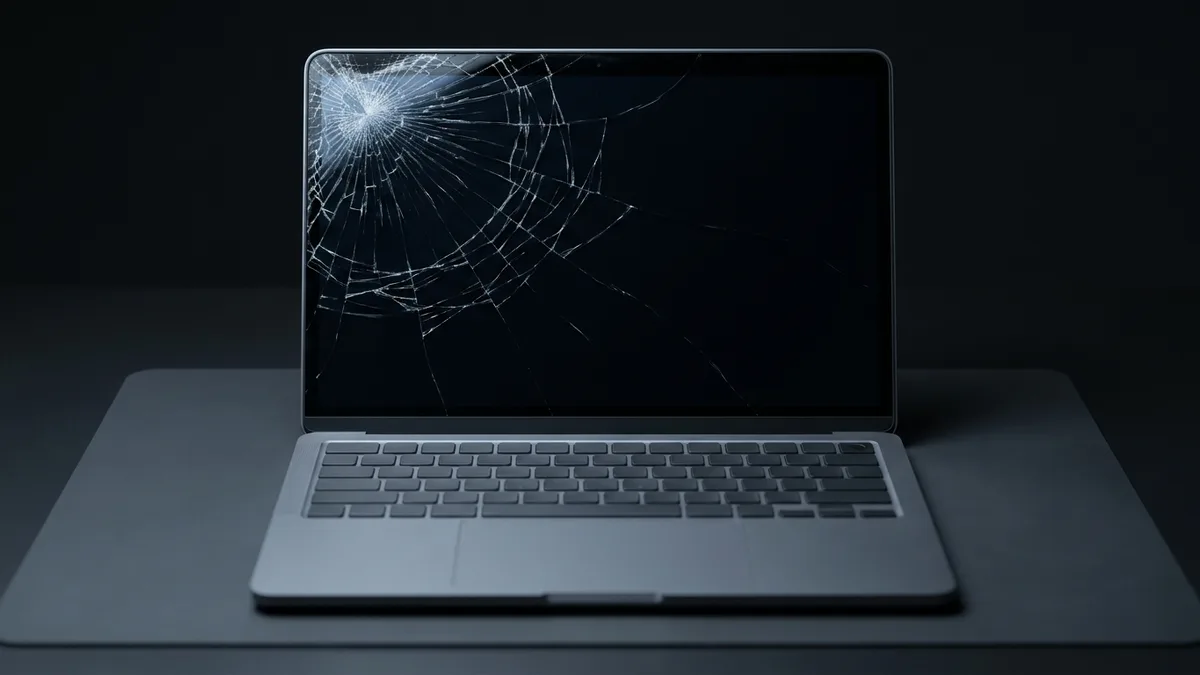
  • Cracked or flickering screens – a crack needs a new panel, but if the Samsung logo shows at start-up and the screen goes blank after it, Samsung's support points to Windows or the video driver, not the panel.
  • Battery draining quickly or not charging – Samsung's guide says charging can stop when the battery runs too hot, or fail through a crowded multiport adapter; plug the adapter straight into the laptop before blaming the battery.
  • Keyboard and trackpad malfunctions – if the Fn keys do nothing, Samsung's first fix is installing the Samsung Settings app; a keycap that will not snap back onto its scissor assembly, or keeps coming off, needs a repair.
  • USB-C ports or charging port issues – on a Galaxy Book5 Pro the status light glows red while charging and green when full; if, with the laptop off, a Samsung-approved adapter plugged straight in lights neither, bring the laptop in with its adapter.
  • Overheating and excessive fan noise – Samsung's steps: use it on a hard, flat surface with the vents clear, unplug the charger, and on models that have it, turn on Silent Mode in Samsung Settings (a restart turns it off again).
  • Software errors and OS instability – Samsung Device Care updates Samsung's drivers and BIOS and can factory-reset the laptop; a reset removes your files and apps, so back up first.

When to stop and bring it in: a battery that swells, leaks or smells (Samsung says to stop using the laptop at once), liquid inside (Samsung says to disconnect the power), or no light at all on the charger. With liquid damage and several failures at once, we may advise you not to repair.
A slim laptop closed on a white table, red bookshelves behind it, the logo on its lid blurred.
Photo (cropped and edited): Maurizio Pesce from Milan, Italia via Wikimedia Commons, licensed CC BY 2.0

Why Choose Esmond Service Centre for Samsung Laptop Repair in Singapore?

What you get from Esmond Service Centre on a Samsung laptop repair:
  • 🛠️ Specialised in Samsung laptops – every line in the model table above, from the Galaxy Book series and the Galaxy Chromebooks back to the Series 9.
  • 📅 Fast Repair Service – a battery in 30–45 minutes and an LCD screen in 1–2 hours on the bench; board-level work takes 3–5 working days.
  • 🛡️ 90-Day Warranty – on the work and the parts we fit, extendable up to 5 years with Esmond Care.
  • 💬 Transparent Pricing – a free diagnosis and a fixed quote you approve before work starts; if we cannot fix it, you pay nothing.
  • 🚚 Convenient Pickup & Delivery – doorstep pickup and delivery, or walk in at Alexandra Retail Centre or Midview City in Sin Ming.
A silver laptop open on a window sill, its screen dark, the logo and stickers blurred.
Photo (cropped and edited): Batorry via Wikimedia Commons, released under CC0

Get Your Samsung Laptop Repair Quote Today!

To start a Samsung laptop repair, WhatsApp us the model number and what the laptop is doing, and we will come back with the likely fault, the cost and the time. Or bring it, with its charger, to Alexandra Retail Centre or Midview City in Sin Ming.
A laptop's display part opened: the dark panel in its white frame, with the camera board and wireless antennas along the top, the markings blurred.
Photo (cropped and edited): Raimond Spekking via Wikimedia Commons, licensed CC BY-SA 4.0

Looking for a specific fix? Explore laptop screen replacement, battery replacement, keyboard repair, charging problems, overheating and fan repair and data recovery, or browse all laptop repair services.

Tell us what's wrong — free diagnosis, no obligation

Send us the symptom and we'll come back with what it likely is, what it will cost, and how long it will take. The diagnosis is free, and if we can't fix it, you pay nothing.

How can we contact you?

When you send this form, OpenAI (which runs ChatGPT Ads) is told that an enquiry was made, so we can see which of our ads bring enquiries. What is shared and how to switch it off

4.9★★★★★EXCELLENT — based on 2,705+ Google reviews across 2 branches
★★★★★
Had a battery alert warning this morning on my HP Spectre laptop. Ran a battery test and the capacity is only left with 23% despite component test shows Passed. HP support ask me to calibrate the battery which is a very lengthy and tedious procedure and it does not solve the original battery issue of degraded capacity. HP Support also need time (the whole day also never get back to me) to check for stocks and price. I just need a faster clean fix to this issue i.e. simply replace the battery. Searched the Internet and found Esmond Service Centre with good reviews. Fast response and helpful advice. They transferred the battery to the branch at MidView in 2 hours and changed my battery within 30 to 40mins when I was on-site. Price was competitive compared to other quotes I got and also purchased the extended warranty for 1 year for $48. They also provided after sales customer service when I asked about my chargers. Not like some shops who will ignore you after the purchase. Great service and will look for them in future if I need to repair my laptop.Read full reviewShow less
KK JacelynSin Ming · 3 months ago
★★★★★
Highly experienced, customer focus, general great at what they're doing which servicing and repairing computer. I went there to change battery for my lap top and was highly impressed by their good technical, reasonal pricing, ease of doing business and friendliness of front desk staffs. They found something else ; ie the cooling system that required attentive alertedmet the issue via WA prompting recommending solutions and cosing. It was easy to make decision with transparent transaction. Job was done very quickly originally supposed to take 30 mins with the addition task it took another 20 mins which iscceptable a we were able to waiting relaxing while having a coffee in the multitude of F&B outlets in this mall. My laptop was very well serviced and repair and within my original estimated budget. Super happy with Esmond for their great capability and professionalism. victor who attended to us was a bit quiet but nonetheless was able to communicate important info clearly to me. Keep it up EsmondRead full reviewShow less
SSam Goh SEAlexandra · 10 months ago
★★★★★
I am extremely thankful for the outstanding service I received from Jay. I called ahead to ask whether I would need to wait to get my laptop repaired, as it had completely stopped turning on and it was an urgent situation for me. I was told to simply walk in, and to my surprise, the issue was diagnosed and fixed in less than 30 minutes. What impressed me most was that the repair was done right in front of me, and Jay remained professional, friendly, and transparent throughout the entire process. To top it all off, he explained that it was only a quick fix and chose not to charge me anything. I truly couldn’t be more grateful for the help and exceptional customer service. Thank you, Jay, for turning a stressful situation into such a positive experience. Highly recommended! Also noticed that they sell other small gadgets which can make good last min gifts too!Read full reviewShow less
JJollene YangAlexandra · 2 months ago
★★★★★
Sent my iMac in for a screen replacement and had a very positive experience with Esmond Service Centre. Customer service was responsive and patient throughout the process, and they kept me updated clearly. Repair was completed quickly and the iMac is working well again. They also showed me photos of the internal dust buildup and explained the recommended servicing transparently, which I appreciated as someone not familiar with repairs. Overall, a smooth and reassuring experience. Thank you for the professional service!Read full reviewShow less
WWendy AngSin Ming · 3 months ago
★★★★★
I messaged Esmond Service Centre to get my MSI screen fixed and was impressed right from the start. They replied quickly, and I was able to head down on the same day itself. I could simply walk in and wait at the store, and the technician took the time to look at my device and give solid, practical advice. They also stuck exactly to the estimated timing of 1–2 hours, which made the whole experience smooth and hassle-free. Everything was handled efficiently and without any fuss. Excellent job and great service overall.Read full reviewShow less
NNiveethaSin Ming · 4 months ago
★★★★★
5/5 experience and service Appreciate the prompt responses! It was easy to book an appointment / timeslot because they are very approachable. It's an introvert-friendly experience. I like how direct and straightforward the process and advices/quotations were. I'm a big fan of that. Was also my first time finding a service to replace my laptop battery, and I'm so glad to have found them. Will definitely come back again for further assistance. 😄Read full reviewShow less
Ffatin nur aqilahAlexandra · 6 months ago

Frequently Asked Questions

Is Esmond Service Centre an authorised Samsung service centre in Singapore? +
No. Esmond Service Centre is an independent repairer for Samsung laptops and is not part of Samsung's service network. Samsung Singapore's service page offers in-home servicing for computing products, booked through a callback request from its technical advisor (its hotline is 1800-SAMSUNG), and lists its service centres for phones, tablets, watches, earbuds, rings and accessories. While your Galaxy Book is under Samsung's warranty, contact Samsung first: a covered fault costs you less there. Out of warranty, we repair it with a 90-day warranty.
What warranty do I get on a Samsung laptop repair? +
Every repair carries our 90-day warranty on the work and the parts we fitted, and Esmond Care can extend that cover up to 5 years. It is our warranty, not Samsung's. Samsung's repair guide for the Galaxy Book5 Pro 14 says damage caused by a repair attempt outside Samsung's own network is not covered by Samsung's warranty, and Samsung Singapore's warranty page, read on 16 November 2026, lists no laptop category, so check your warranty card and proof of purchase first.
What parts do you use in a Samsung laptop? +
OEM, original-equivalent parts, ordered direct from the manufacturers that make them; they usually arrive without the Samsung logo, so we do not call them genuine. Samsung's own user guide asks for Samsung-approved batteries and adapters, so if you want only parts supplied by Samsung, Samsung's own service is the place for that. Every part we fit carries our 90-day warranty, and if a fault is beyond what an independent can properly do, we tell you instead of taking the job.
Can you service Samsung laptops that are out of warranty? +
Yes, older Samsung laptops included: every line in our model table, from the Galaxy Book series and the Galaxy Chromebooks back to the Notebook 9, ATIV Book 9 and Series 9 lines. On a very old machine we say so plainly: a new part may work, but we cannot promise how long the rest of the laptop will last, and sometimes we will advise you not to repair it.
How long does a Samsung laptop repair take? +
Most common Samsung repairs are same-day: an LCD screen takes 1–2 hours on the bench, a battery 30–45 minutes and a keyboard 2–3 hours, so you can usually drop the laptop off and collect it the same day. Board-level repair is the exception at 3–5 working days, and longer if the fault comes and goes. We tell you which applies at the free diagnosis, before you approve anything.
How do I protect my data before a Samsung laptop repair? +
Back up first: Samsung Device Care has a Backup and restore tool, and we can back up your data for you on request. On Galaxy Books whose Device Care app has it, Maintenance mode locks your storage behind a 6-digit PIN while the laptop is repaired; Samsung lists memory, fan, power, battery, keyboard and screen repairs as allowed in it. Keep the PIN safe: Samsung warns that if you forget it, the storage has to be replaced.
Which Samsung laptop models do you repair? +
We service all major Samsung laptop series, including every line in our model table: the Galaxy Book series with its Pro, Pro 360, 360, Ultra, Edge, Go, Business, Flex, Ion and Odyssey models, plus the older Notebook 9, Notebook 7, ATIV Book 9 and Series 9 lines and the Galaxy Chromebooks. Each is listed by model code (NP… or XE…). If yours is not in the table, WhatsApp us its model code for a quote.
What are the most common Samsung laptop problems you fix? +
Cracked or flickering screens, batteries that drain fast or will not charge, keyboard and trackpad faults, USB-C charging problems, overheating with loud fans, and laptops that will not power on. Two Samsung tools can narrow a fault down before you bring it in: Samsung PC Diagnostics, the hardware test app in Samsung's repair guide for the Galaxy Book5 Pro 14 (it needs the Windows Samsung installed), and the warnings Samsung Settings gives when a battery is near the end of its life.
How much does Samsung laptop repair cost in Singapore? +
An LCD screen starts from $186 and takes 1–2 hours, a battery from $86 in 30–45 minutes and a keyboard from $186 in 2–3 hours, before GST, the same rates as our laptop repair page. With a touch AMOLED screen, the screen price depends on that panel. Board-level repair starts from $186 and runs 3–5 working days: on a laptop that will not power on, the SSD and other parts can only be tested once the board is repaired, which is what moves that price.
Where can I get my Samsung laptop repaired near me? +
At either Esmond Service Centre branch in Singapore, Alexandra Retail Centre or Midview City in Sin Ming, or through our doorstep pickup and delivery. Island-wide collection and delivery is $21.80 one way or $43.60 both ways, GST included. WhatsApp us your Samsung model number and the symptom first, and we will tell you the likely fault, the cost and the time before you travel. Bring the laptop with its charger; the laptop diagnosis is free.

Need expert help with your device?

Bring it to Esmond Service Centre at Sin Ming or Alexandra — free diagnostics, repairs from $65, many done in 1–2 hours.

WhatsApp us