

📑 On this page
iPhone overheating: what is actually happening
Walk-in and WhatsApp customers across Singapore ask us the same thing in different words: why is my iPhone overheating, and is it dangerous? It is a fault worth understanding calmly, because an iPhone is built to get warm under load and to cool itself down — so a lot of 'overheating' is the phone working exactly as designed. This guide is written from the repairs we actually see on the bench: how to tell normal warmth from a real iPhone overheating issue, the free steps that fix most cases, what the temperature warning means, and the smaller number of phones where the heat is a battery, charging or board fault that needs a workshop.
First: is it normal warmth or a real fault?
Apple designs iPhone for an ambient temperature between 0° and 35°C (32° to 95°F), and says it performs best in an ideal range of 16° to 22°C (62° to 72°F); storage can go from −20° to 45°C. In Singapore's heat and humidity, an iPhone in direct sun, in a car, or fast-charging in a warm room will sit near the top of that band — and feeling warm there is expected, not a fault. The phone also has built-in protection: when its internal temperature climbs too high, it will slow or stop charging, dim the screen, weaken the cellular signal and reduce performance to cool itself. So the real question is not 'is it warm?' but 'is it warm when it has no reason to be?'
- Usually normal: warmth during gaming, video, GPS navigation, AR, camera use, a big iOS update or restore, or the first day after setting up a new phone.
- Usually normal: getting warm while charging, especially fast or wireless charging — a battery heats as it fills, and iPhone deliberately slows the current near full to limit that heat.
- Worth a closer look: hot to hold while idle, in your pocket or on standby, with no heavy app running.
- Likely a fault: the temperature warning keeps appearing indoors and out of the sun, the battery drains unusually fast, or the phone is hot and will not charge.
Why iPhones overheat
Heat is energy the phone could not turn into work. Anything that pushes the processor, the modem or the battery hard — or traps the heat they make — can raise the temperature. Most causes are environmental or software and clear on their own; a few are hardware. Here are the ones we see most often in Singapore.
- Heat and sun: a hot car, direct sunlight or a warm day pushes the phone past its comfort range — Apple warns above 35°C can permanently reduce battery lifespan.
- Demanding apps: graphics-heavy games, long camera or video sessions, GPS navigation and AR keep the processor busy and warm.
- Charging in the heat or with a poor charger: charging warms the battery; doing it in a hot spot, under a pillow, or with a cheap, uncertified charger or cable traps or adds heat.
- A thick case: a heavy case, especially during charging or gaming, holds heat against the phone instead of letting it escape.
- Software working hard in the background: after an iOS update, a restore or a new setup, the phone re-indexes photos and files for a while and runs warm; a single misbehaving app can do the same.
- A hardware fault: an ageing or swollen battery, a charging-IC (a chip on the board) or power fault on the logic board (the main board — Apple's name for the motherboard), or liquid corrosion can make a phone run hot even at rest — these need a repair, not a setting.
How to fix an overheating iPhone: free steps first
Work through these in order — this is the iPhone overheating fix that settles most cases. None can harm the phone, and together they clear the great majority of iPhone overheating issues that turn out to be heat, charging or software. Give the phone a few minutes to cool between steps rather than forcing it.
- Take it off charge and stop what you are doing. Unplug it, quit the game, camera or navigation app, and let it rest. Most warmth falls away within minutes.
- Take off the case and move out of the heat. Remove a thick case, get the phone out of direct sun or a hot car, and move it to a cooler, shaded spot — never a fridge or freezer.
- Find a runaway app. Open Settings > Battery and look at the usage list. An app using a lot of power in the background is a common cause; update it, or delete and reinstall it.
- Update iOS. Open Settings > General > Software Update and install the latest version — updates fix bugs that cause background overheating.
- Ease the load. Lower the screen brightness, turn off Bluetooth, Wi-Fi or Location Services you are not using, and switch on Low Power Mode in Settings > Battery while the phone cools.
- If it just updated or was restored, wait. Leave it idle on Wi-Fi for an hour or two; background indexing settles and the warmth usually goes with it.
- Force restart if it is hot and frozen. Quickly press Volume Up, then Volume Down, then press and hold the Side button until the Apple logo appears.
This will not fix a hardware fault. If this does not work — the phone still runs hot while idle after it has cooled, you have removed the case, closed apps and updated iOS, and it is not sitting in the heat — the cause is very likely a worn battery, a charging or power fault on the board, or liquid damage. Those are repairs, and the sections below help you judge when you have reached that point.
The iPhone overheating warning screen
If the phone gets too hot, iOS shows a temperature warning — 'iPhone needs to cool down' — and may show only an emergency-call slider until it cools. This is protection, not damage. Around the same point, Apple says charging slows or stops, the display dims or goes dark, the cellular signal may weaken as the radios enter a low-power state, the camera flash can be disabled, and performance is reduced with lower frame rates. Let it cool in the shade; do not put it in a fridge. The warning clearing on its own is normal. A warning that keeps returning indoors, away from heat, is the sign to look harder — that is an iPhone overheating warning worth diagnosing.
Normal warmth vs an overheating fault: quick reference
Use this table to place your own iPhone. Match what you notice to the most likely cause, whether it is safe to try yourself, and the usual next step. It is a starting point, not a diagnosis — a hands-on check confirms the real fault.
| What you notice | Most likely cause | Safe to try yourself? | Typical next step |
|---|---|---|---|
| Warm while gaming, navigating or fast-charging | Normal protective behaviour | Yes — ease load, cool down | None — expected |
| Warning screen in the sun or a hot car | Environmental overheating | Yes — move to shade | None — change of place |
| Hot while idle, nothing running | App or iOS bug, or early hardware | Partly — close apps, update iOS | Diagnosis if it persists |
| Hot, drains fast, Battery Health low | Degraded battery | Partly — check Battery Health | Battery replacement |
| Hot and will not charge, or charges then stops | Charging IC / power fault on the board | No | Board-level diagnosis |
| Hot after a spill or getting wet | Liquid corrosion | No | Liquid-damage service |
| Hot with the back or screen bulging | Swollen battery — stop now | No — power down | Urgent battery replacement |

When overheating is a hardware fault
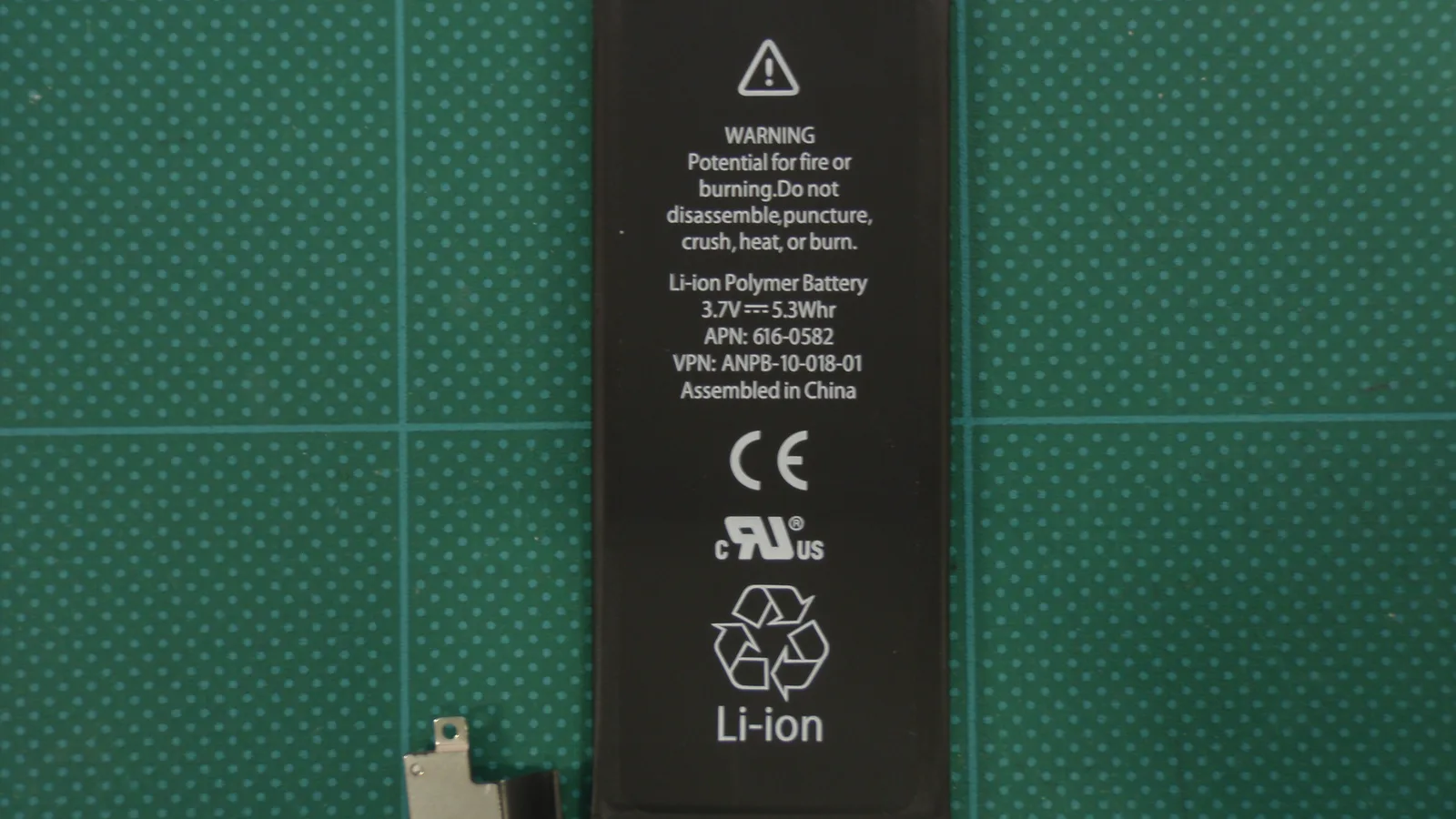
When the free steps do not help and the phone is hot with no load, the cause is usually inside. The photo above is a phone's lithium-polymer battery — its own printed label warns against heat, and a worn or swollen battery is the most common hardware reason a phone runs hot. Three hardware faults cause most of the overheating we repair.
- A worn or swollen battery: as a battery ages it holds less charge and runs hotter; a swollen battery is a safety risk that can bulge the screen or back. Stop using and charging it — pressing on a swollen cell risks permanent damage or worse.
- A charging-IC or power fault on the logic board: when the chip that manages charging fails, the phone can run hot, refuse to charge, or charge and stop. This is board-level work, not a part you swap at home.
- Liquid corrosion: a past spill or rain can leave corrosion that slowly shorts the board and generates heat. Trying to dry or open it yourself risks data loss and can void the warranty — let a workshop clean and assess it.
When to stop and bring it in
Know the limit before you spend. These checks cannot repair a worn battery, a charging-IC fault or liquid corrosion — those are hardware. If the phone is still overheating while idle after everything above, or you see any red flag below, stop and seek professional help rather than keep charging a phone that may be unsafe.
- The back or screen is bulging, or the phone rocks on a flat table — a swollen battery. Power it down and bring it in.
- It is too hot to hold comfortably while idle, or heats up again within minutes of cooling.
- It is hot and will not charge, or charges only in a certain cable position.
- It has been wet, and now runs warm or behaves oddly.

What we do in the workshop
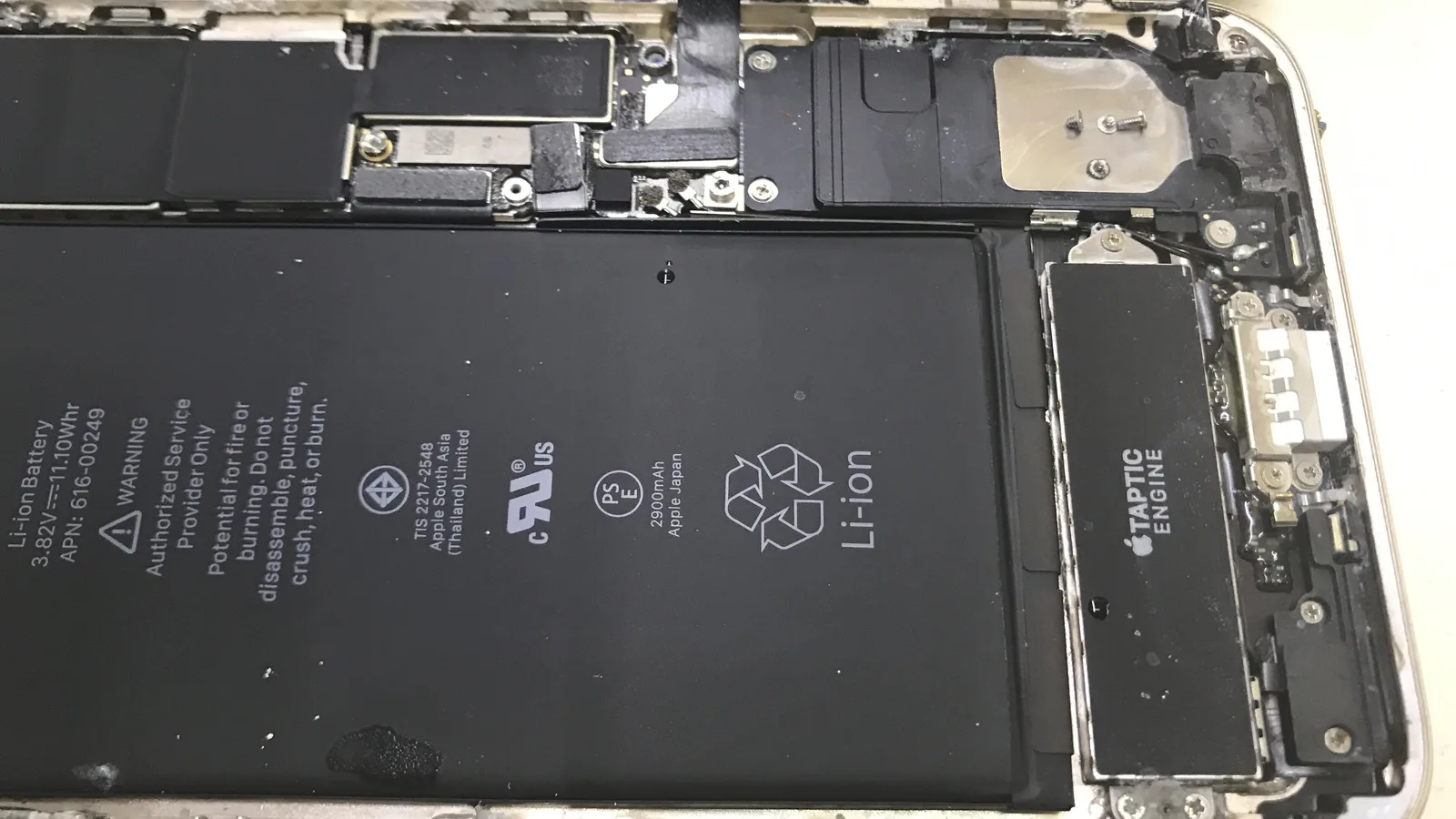
When an overheating iPhone reaches our bench in Singapore, we do not guess. We read the battery's health and cycle count, measure how it behaves while charging, and check the charging circuit and connector. Where there is a history of liquid, we open and inspect the board under magnification for corrosion. We deliberately do not quote a fixed price here — the cost depends on whether it is a battery, a charging-circuit repair or liquid work, and we would rather diagnose first than guess.
- Battery health first: we read Battery Health, cycle count and voltage to see whether a worn cell is the cause before anything else.
- Charging and power test: we watch current draw and temperature while charging to find a charging-IC or power fault.
- Liquid and corrosion check: where a spill is likely, we open and inspect the board, because corrosion left in place keeps generating heat.
- Honest scoping: if a setting or a battery solves it, that is all we do — we never take on board work a simpler fix would have settled.
Keeping an iPhone cool in Singapore
A few habits head off most overheating in our climate. The goal is simple: keep the phone out of trapped heat and let it breathe, especially while charging.
- Keep the phone out of direct sun and never leave it in a parked car.
- Charge on a hard, open surface — not under a pillow or on a bed — and take a thick case off if it gets warm.
- Use a good-quality, certified charger and cable; avoid cheap uncertified ones.
- Keep iOS and your apps updated, and check Settings > Battery now and then for an app using too much power.
- Watch the battery over time: when Battery Health drops and the phone runs warm, a battery replacement restores both runtime and temperature.

Esmond Service Centre's experienced technicians can diagnose and fix it fast — free diagnostics, repairs from $65.