
📑 On this page
Noticing your laptop casing bulging or your device feeling unusually warm can be alarming signs of a bloated battery. This issue isn't just an aesthetic problem—it poses serious risks to your device’s performance, personal safety, and even property. Understanding the root causes behind a bloated battery can help you prevent damage, extend your device’s lifespan, and ensure your safety.
At Esmond Service Centre, we've spent over a decade diagnosing and resolving complex battery and hardware issues for thousands of laptop users in Singapore. Our professional expertise ensures we deliver practical, trustworthy advice. This comprehensive article clearly explains the common causes of battery bloating, practical prevention methods, and steps to handle a bloated battery effectively.
What Exactly is a Bloated Battery?
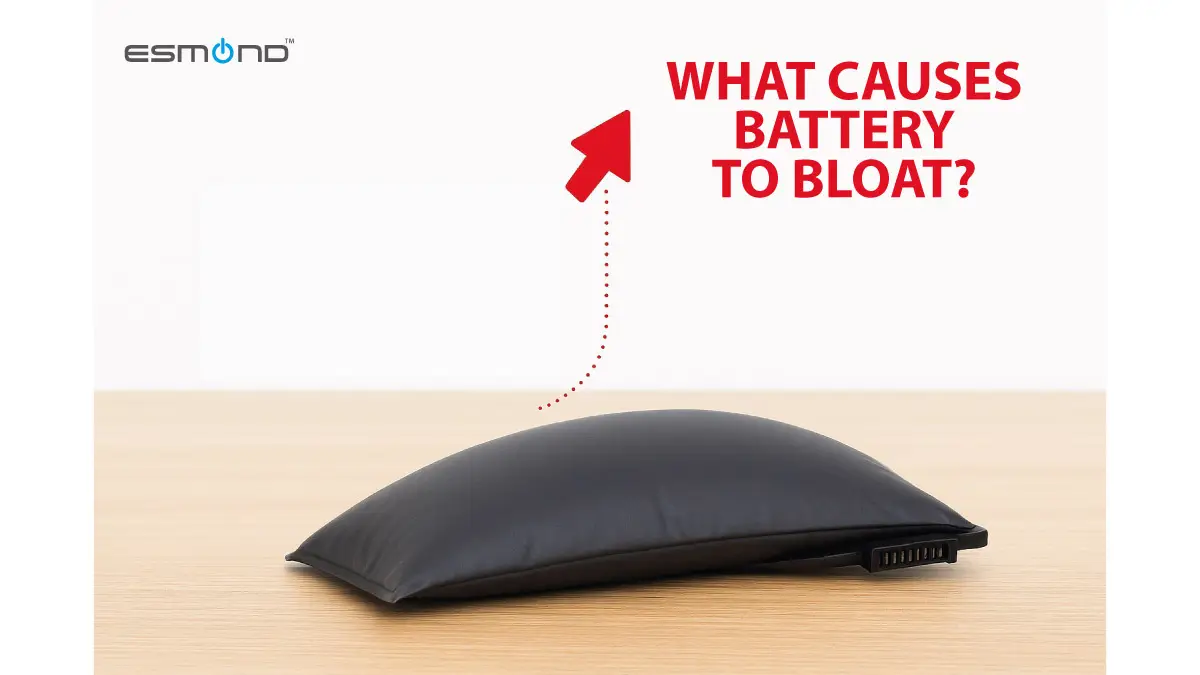
A bloated battery refers to a swollen or puffed-up lithium-ion battery found commonly in laptops, smartphones, and tablets. The swelling occurs due to the accumulation of gases within the battery cells, caused by chemical reactions. These gases exert pressure on the battery casing, causing visible deformation of your laptop’s frame or keyboard area.
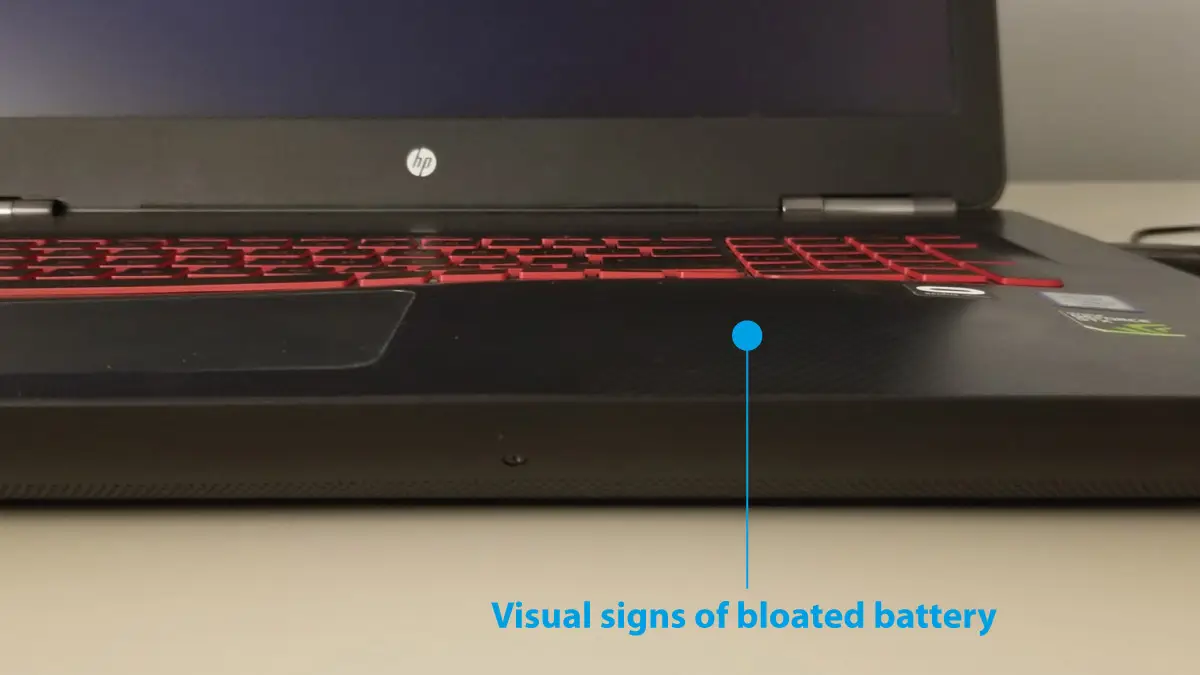
How to Identify a Bloated Battery:
- Uneven keyboard or trackpad surfaces
- Visible gaps between laptop seams
- Device overheating excessively
Common Causes of Laptop Battery Swelling
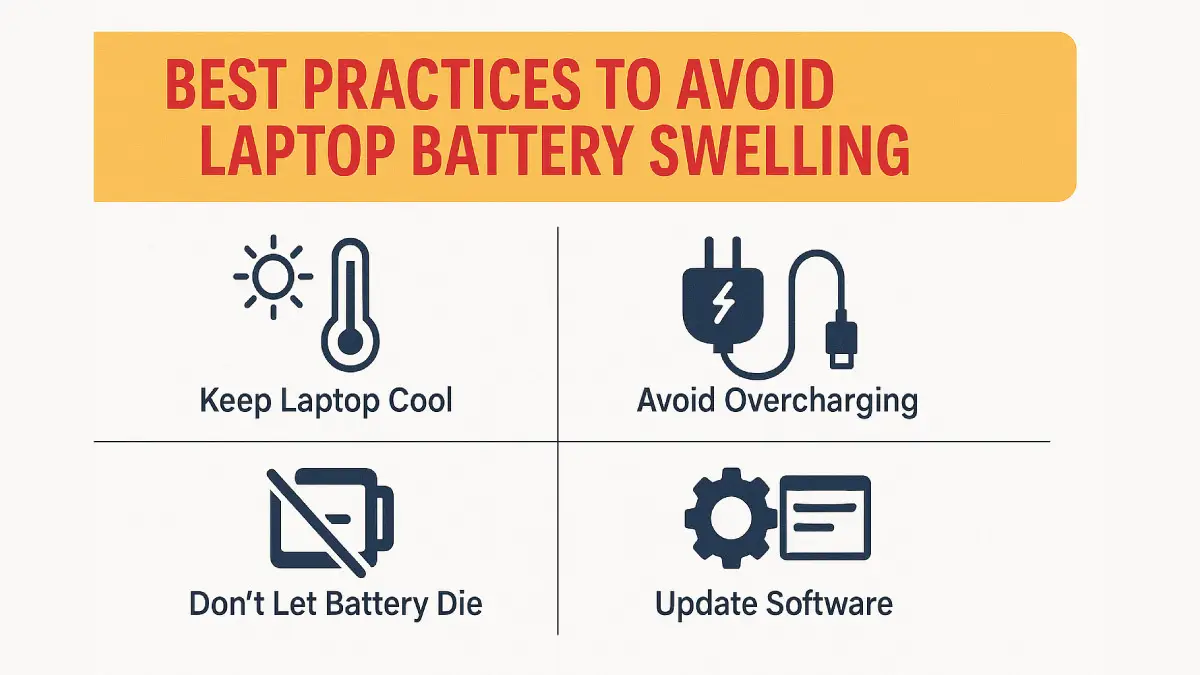
Laptop batteries swell mainly from overheating, overcharging and poor charging habits, natural aging (most last 2–4 years), and low-quality replacement cells. Each builds up gas through internal chemical reactions inside the lithium-ion battery. Esmond Service Centre in Singapore recommends good airflow, proper charging and genuine batteries to prevent swelling.
A. Overheating
Heat is the primary culprit behind battery swelling. Extended exposure to high temperatures accelerates battery degradation and increases internal chemical reactions, generating gases within the battery cells.
Practical solutions:
- Use your laptop on hard surfaces allowing proper airflow.
- Regularly clean your laptop’s vents and cooling fans.
- Invest in a laptop cooling pad.
Better airflow prevents overheating, significantly reducing stress on the battery and avoiding harmful chemical reactions that lead to swelling.
B. Overcharging and Poor Charging Habits
Leaving your laptop constantly plugged in after it reaches full capacity puts unnecessary strain on the battery, leading to chemical breakdowns.
Practical solutions:
- Disconnect your charger when the battery reaches 100%.
- Use battery management tools or apps available in your operating system to optimize charging routines.
- Avoid continuous overnight charging.
These methods help maintain optimal battery health by preventing stress caused by prolonged charging, thus minimizing chemical reactions that cause swelling.
C. Battery Aging and Natural Wear
All lithium-ion batteries naturally degrade over time. Typically, batteries last between 2-4 years before significantly deteriorating.
Practical solutions:
- Regularly check your battery’s health status through built-in diagnostics.
- Plan periodic battery replacements every 2-3 years for heavy users.
- Store unused batteries in cool, dry environments to prolong lifespan.
Proactively replacing batteries prevents swelling that naturally occurs as the battery ages and ensures continued optimal device performance.
How Battery Design and Manufacturing Quality Influence Bloating
The quality of your laptop’s battery significantly affects its susceptibility to bloating. Low-quality batteries, often found as cheap replacements, use inferior materials and inadequate safety standards, greatly increasing swelling risks.
Practical solutions:
- Always purchase batteries from reputable brands or authorized service centers.
- Check for genuine certifications or manufacturer warranties.
Genuine, quality-tested batteries meet rigorous safety and durability standards, substantially lowering the likelihood of battery swelling.
Potential Risks of Ignoring a Bloated Battery
Ignoring a bloated battery can lead to severe problems, including:
- Damage to internal laptop components.
- Fire hazards or explosions due to extreme gas build-up.
- Personal injury or property damage.
Practical solutions:
- Immediately stop using your laptop if bloating is visible.
- Seek professional assistance promptly to replace the battery.
- Never puncture or attempt to fix a swollen battery yourself.
Prompt action and professional assistance prevent further damage, ensuring personal safety and protecting your valuable data.
Practical Steps to Prevent Laptop Battery Bloating
Maintaining good laptop usage habits significantly reduces battery swelling occurrences:
- Regular Device Inspections:
Periodically check your laptop for early signs of battery swelling. - Optimal Charging Practices:
Use smart charging techniques (e.g., 20%-80% charging rule). - Temperature Management:
Keep your laptop away from direct sunlight or hot environments.
Protect Your Laptop: Why Understanding Bloated Battery Causes Matters
Understanding what causes a bloated battery is crucial for every laptop user. By identifying early symptoms, practicing good charging habits, managing device temperatures, and using high-quality batteries, you significantly minimize your risk. Ignoring battery swelling can result in irreversible damage or serious safety hazards.
We strongly encourage readers to share their experiences below—have you faced battery swelling? How did you manage it? Comment or reach out through our social channels for further discussions and practical advice.
Experiencing a Bloated Battery? Contact Esmond Service Centre Today!
Enjoyed this comprehensive bloated battery guide? Follow our FaceBook page, Linkedin profile or Instagram account for more expert insights and practical tips on cutting-edge technology.
If your laptop battery is swollen or you're noticing early signs, don't delay! Contact Esmond Service Centre for prompt professional consultation and safe battery replacements.

Esmond Service Centre's certified technicians can diagnose and fix it fast — free diagnostics, repairs from $65.