

📑 On this page
Which branch? Both branches take walk-ins for a wide range of laptop, MacBook and desktop repairs, so go to the one you can reach faster: Alexandra if the Circle Line suits you, Sin Ming if you are nearer the Thomson–East Coast Line or Bishan. The exception is an MSI warranty claim: Esmond Service Centre is the only MSI authorised service centre in Singapore, and it handles MSI claims at the Sin Ming branch only.
What to bring: the computer and its charger — a computer that will not power on even on its charger almost always has a board fault, so the charger is part of the diagnosis. For an MSI warranty claim, bring the purchase receipt as well: MSI's warranty runs from the date on the official purchase receipt, and without a valid receipt MSI counts it from the date the product was made. If the computer still starts, back up your files before you come in.
Where Our Two Branches Are and How to Get There
Each branch has its own address, MRT station and hotline, so you can call the one you plan to visit before you set off:
- Alexandra branch: Alexandra Retail Centre (ARC), 460 Alexandra Road, #02-39, Singapore 119963. By MRT, alight at Labrador Park station on the Circle Line. Hotline (65) 6994 2262.
- Sin Ming branch: Midview City, 24 Sin Ming Lane, #01-100, Singapore 573970, in Bishan. By MRT, use Bright Hill station on the Thomson–East Coast Line: LTA chose its entrance locations to serve Midview City, among other places. Hotline (65) 6924 2266. MSI warranty claims are handled here only.
Bus services and parking for each branch are on its own page: Alexandra branch and Sin Ming branch. If you cannot come in at all, Esmond Service Centre also offers island-wide pick-up and delivery.
Before You Travel: Common Computer Repair Issues to Check First
| The problem | Try this first, and when to bring it in |
|---|---|
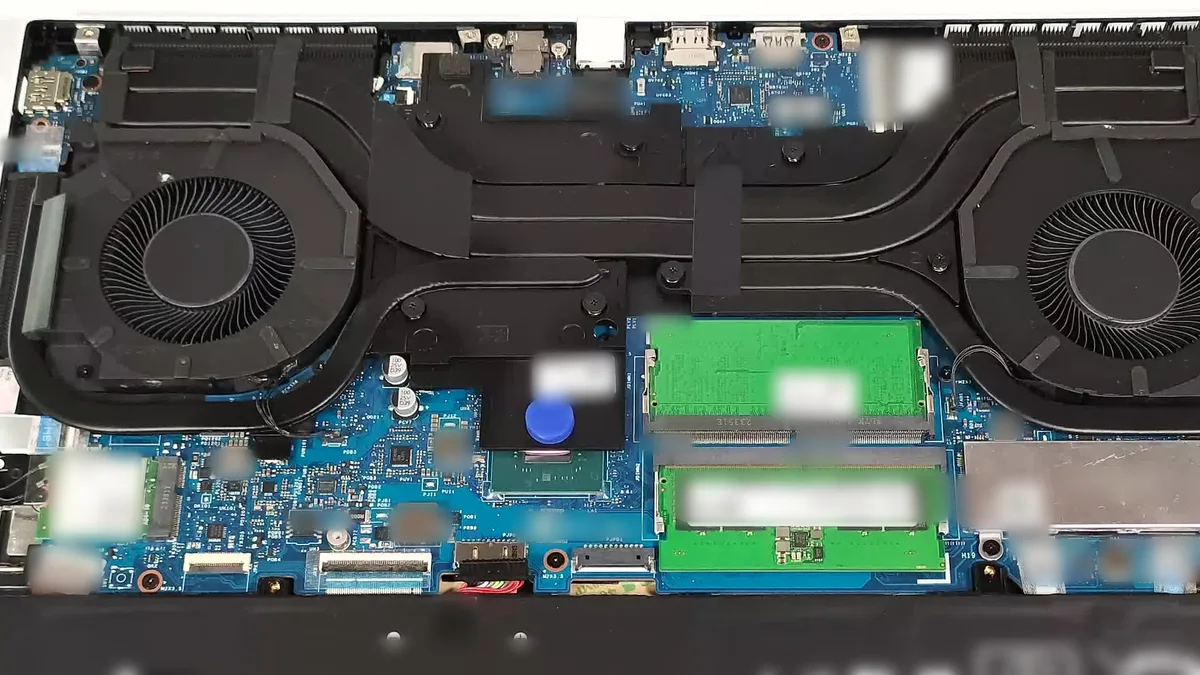
| Will not power on or charge | - Check the charger and cable, and try another socket. - Look for any light, fan or sound: what looks like a dead laptop is often a dead screen showing black. - If it will not power on even on a working charger, it is almost always a board fault, and a new battery will not fix it. Bring it in with the charger (see motherboard repair). |
| Screen black, cracked or showing lines | - Connect an external monitor: if the picture appears there, the computer is running and the fault points to the laptop's own display. - No setting or driver update will fix a cracked panel. - Bring it in for a screen check; a screen replacement usually takes 1–2 hours (see laptop screen replacement). |
| Blue screen or sudden restarts | - Write down the stop code shown at the bottom of the blue screen, such as MEMORY_MANAGEMENT. - Microsoft says that in most cases the restart itself solves the problem; if the same stop code keeps returning, remove any hardware you added just before and start the PC in safe mode. - Reinstalling Windows will not fix a faulty part. If blue screens come back, bring it in with the stop code (see Windows repair). |
| Liquid spilled on it | - Unplug the charger and switch it off at once: Lenovo's own guidance warns that leaving a wet computer on might make it unusable. - Keep it off: Lenovo says to wait until you are certain all the liquid is dry before turning it on. - Bring it in rather than test it at home. After a liquid repair there is no warranty, and when several parts have failed at once we tell you plainly that it is not worth repairing (see water damage repair). |
| Slow: is an SSD or RAM upgrade worth it? | - Before paying for an upgrade, find out what is actually slow and whether your model can take the part. - More RAM does not make every laptop faster, so ask us to check compatibility before you buy (see laptop SSD upgrade). |
| Files deleted or lost | - Stop using the computer or drive at once: Microsoft warns that any use can create files that may overwrite the space a deleted file still occupies. - Recovery software, such as Microsoft's Windows File Recovery, can try to recover deleted files from a working drive; it cannot repair a drive that clicks or no longer shows up. - Bring that drive in rather than keep trying (see data recovery). |
When to stop and bring it in: a computer that will not power on even on a working charger, anything that has had liquid on it, a drive that clicks or no longer shows up, and blue screens that keep coming back. Trying more at home costs you more in these cases: Lenovo warns that a wet computer left on might become unusable, and Microsoft that further use may overwrite deleted files. Laptop diagnosis is free, so finding out costs nothing.
What Does Computer Repair Near Me Cost?
Laptop diagnosis is free, and we confirm the exact price with you before any work begins — so it costs nothing to find out which fault a laptop has. A desktop or all-in-one PC carries a S$65 diagnostic fee, waived when we repair it. No fix, no fee. These are the jobs we are asked for most often at both branches. Prices are before GST (9% is added at payment), and repairs carry our 90-day warranty on the work and the parts we fitted.
| Common job | From (before GST) | Typical time in store |
|---|---|---|
| Screen / LCD panel — cracked, black or lines | S$186 | 1–2 hours |
| Battery — dies quickly, or won't hold charge | S$86 | 30–45 minutes |
| Keyboard — keys not typing, or liquid spilled | S$186 | 2–3 hours |
| Windows won't load — OS reinstall / reformat | S$65 | Same day |
| No power at all — motherboard fault | Free diagnosis first | Depends on parts |
| Deleted or lost your files — data recovery | S$95 | Assessed first |
A water-damaged device is an exception we are upfront about: after a liquid repair there is no warranty, because a board that has been wet can fail again for reasons no repairer controls. We would rather tell you that now than after you have paid.
When a Repair Is Not Worth It
We tell you plainly when a repair is not worth paying for — for example, a computer with liquid damage where several parts have failed at once, or a very old machine, where the replacement part will work but we cannot promise how long the rest of the machine will last.
A computer that will not power on cannot be priced in full up front: its disk and other parts can only be tested after the board is repaired, and that is what moves the price. Our guide on whether a laptop is worth repairing walks through the decision.
What Computer Repair Services Are Available Near Me?
Esmond Service Centre repairs laptops and desktop computers — Windows PCs and MacBooks — as well as phones and tablets. The main services:
- Laptop & MacBook Repairs: Fixing hardware issues (e.g. faulty screens, keyboards, batteries) and software problems for all major laptop brands – from Dell and HP to Apple MacBooks and even high-end gaming laptops.
- Mobile Phone & Tablet Repairs: Quick repairs for iPhones, iPads, and other smartphones/tablets, covering screen replacements, battery changes, charging port fixes, and more.
- Apple Independent Repair Provider: Esmond Service Centre repairs MacBook, iMac, iPhone, iPad and Apple Watch, and is an Apple Independent Repair Provider — not an Apple Authorised Service Provider. Apple describes Independent Repair Providers as companies that offer out-of-warranty repairs for iPhone and Mac, and only repairs done by Apple or an Apple Authorised Service Provider are covered by Apple's Limited Warranty and AppleCare plans.
- Microsoft Surface & PC Repairs: Repair services for Microsoft Surface Pro tablets and desktop PCs or All-in-One computers, including hardware faults and Windows software issues. A desktop or all-in-one carries the S$65 diagnostic fee, waived when we repair the PC.
- Data Recovery Services: Helping recover lost data from damaged hard drives, SSDs, or other storage devices – an essential service if your laptop or drive fails.
- MSI and Actxa Warranty Repairs: Esmond Service Centre is MSI's and Actxa's authorised service centre, and the only MSI authorised service centre in Singapore, so it handles MSI laptop and monitor warranty claims — at the Sin Ming branch only. MSI's own warranty does not cover damage caused by repairs from a third party MSI has not authorised. See MSI warranty claims.
From cracked phone screens to dead laptop batteries and corrupted hard disks, our technicians work on Apple, Lenovo, Dell, HP, ASUS, Razer, MSI, Acer and other brands. On parts: brands do not make their own cases, keyboards or batteries, so we order direct from the manufacturers that make them. Our parts are OEM, original-equivalent and usually arrive without the brand's logo; genuine parts with the logo are fitted only for MSI, Apple and Actxa.
Why Choose Esmond Service Centre for Computer Repair Near Me?
What to know about Esmond Service Centre before you walk in, and what each point means for you:
- Who repairs your computer: Esmond Service Centre has repaired computers and phones in Singapore since 2019, built on our founder's 16 years and counting of hands-on repair experience. Esmond Service Centre is named after its founder, who has received the Singapore Top 25 Prestige Award and the Asia Top 80 Achievers Award.
- Times you can plan around: a battery usually takes 30–45 minutes, a screen 1–2 hours and a keyboard 2–3 hours. A keyboard takes longer because most are held by plastic rivets that are melted back one by one, and then every key is tested.
- A diagnosis before any price: a technician finds the fault and tells you the cost before any work begins — free on a laptop, S$65 on a desktop or all-in-one (waived when we repair it). You decide only once you know the fault and the price, and if a repair is not worth it relative to the device's value, we say so.
- Warranty: repairs carry a 90-day warranty on parts and labour; selected upgrades, such as replacing a laptop drive, carry a longer hardware warranty; and a liquid repair carries none.
- Our own technicians: every diagnosis is done by one of our technicians. Esmond Service Centre has 28 staff and completes more than 10,000 repairs a year (as at August 2026).
- Phones, PCs and Macs at one counter: you can bring an iPhone, a gaming PC and a MacBook to the same branch. We also repair for enterprise clients, from government agencies and schools to MNCs (see corporate IT support).
- Pick-up and delivery: if you cannot get to either branch, Esmond Service Centre offers island-wide pick-up and delivery: the faulty device is collected from your home or office, repaired, and delivered back once it is fixed.
- Trade-in and IT disposal: if an old laptop is beyond repair, we offer buy-back for old laptops and gadgets as part of our IT asset disposal service, so a non-working device may still be worth some cash, and we handle the recycling properly.
Opening Hours and Walking In
Both branches open six days a week: Monday to Friday from 10am to 7pm, and Saturday from 10am to 3pm. Both close on Sundays and public holidays. The weekday hours let you drop a computer off after work; on a Saturday, come before 3pm.
You do not need an appointment: walk in during opening hours. Booking a slot by WhatsApp or email first is optional and shortens the wait. At the counter, a technician diagnoses the computer and confirms the exact price before any work begins; the whole walk-in process, step by step, is on our computer repair shop page.
Before you leave home, in order: first, check the time — Monday to Friday 10am to 7pm, Saturday 10am to 3pm; second, pick the branch you can reach faster, unless it is an MSI warranty claim, which goes to Sin Ming; third, back up your files if the computer still starts; and last, pack the computer, its charger and, for an MSI claim, the purchase receipt.
Contact a Branch Before You Travel
Call the branch you plan to visit — Alexandra on (65) 6994 2262, Sin Ming on (65) 6924 2266 — or message us on WhatsApp with your model and what the computer is doing. To ask for a quote first, use our repair quote page.
Esmond Service Centre is also on Facebook, LinkedIn and Instagram.

Esmond Service Centre's experienced technicians can diagnose and fix it fast — free diagnostics, repairs from $65.