

📑 On this page
Many laptop owners eventually face issues like cracked screens, failing batteries, sluggish performance, or unexpected shutdowns. At that point the big question arises — is it worth repairing your laptop, or are you better off buying a new one? This guide walks through cost, performance, data safety, sustainability and warranty so you can answer it for your own machine. We draw on Esmond Service Centre, a Singapore IT repair provider with experienced technicians and genuine or quality OEM-equivalent parts, featured by TheSmartLocal and Mothership.sg as one of Singapore's top tech repair specialists.
Repairing vs Replacing: Which Is More Cost-Efficient?
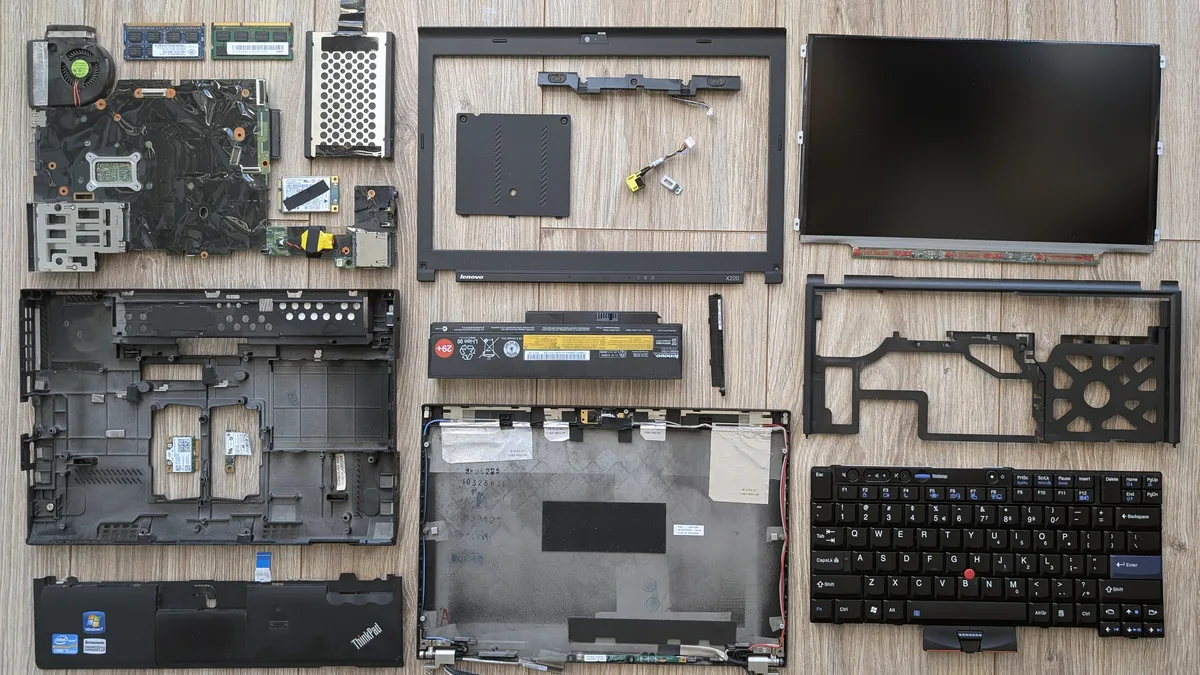
Repairing a laptop is usually worth it when the fix costs only a small fraction of a new machine. Common jobs like a screen, battery or storage upgrade tend to be far cheaper than replacing it, while a major fault such as a motherboard failure can cost enough that buying new makes more sense. Esmond Service Centre offers free diagnostics and an honest quote.
To illustrate, here’s a comparison of typical repair costs versus new laptop prices in Singapore (SGD):
| Issue & Repair | Approx. Repair Cost | New Laptop Cost |
|---|---|---|
| Cracked screen (replacement) | From S$186 | $1,200+ (mid-range) |
| Battery replacement | S$86 to S$186 | $1,000+ |
| Major component failure (e.g. motherboard) | From S$186 | $1,500+ (high-end) |
| Slow performance (RAM or SSD upgrade) | RAM from S$138 · 256GB SSD from S$148 | $1,200+ |
Estimated costs in SGD. Actual repair quotes vary by model; new laptop prices are typical 2026 retail figures. Clearly, repairing a laptop is much more wallet-friendly in many cases. In summary, if a repair is inexpensive and extends your laptop’s life, it’s worth doing; but if repairs would cost nearly as much as a new laptop, replacement is the wiser choice. That is the financial half of the decision.
Laptop Age and Performance Evaluation
The age and performance of your laptop are key factors in the repair-or-replace decision. As a rule of thumb, most laptops start showing their age somewhere around the 5-to-7-year mark. If your machine is only a few years old, investing in a repair is usually worthwhile. But if it’s much older, it is worth asking honestly whether the machine is close to the end of its useful life.
Here’s a quick checklist to evaluate your laptop’s condition and future outlook:
- ✅ Age: Is your laptop under 5–6 years old? (Laptops over ~7 years old are much more likely to develop issues.)
- ✅ Performance: Does it still run your needed applications smoothly? (If it struggles with current software or OS updates, that’s a bad sign.)
- ✅ Upgrades: Can a simple upgrade (adding RAM or an SSD) significantly boost performance at low cost?
- ✅ Scope of Repair: Are issues limited to 1–2 components, or are multiple parts failing?
- ✅ Software Support: Will it support the latest operating system and security updates?
If you can tick most of the boxes above, repairing the laptop could be a smart move. However, if your device scores poorly (very old, slow, and no longer getting updates), pouring money into repairs may not be worthwhile. In short, an older, sluggish machine is usually not worth expensive fixes, whereas a relatively recent device in decent shape probably is. Age and performance are usually what decide it.
Data Preservation and Convenience
Another big advantage of repairing a laptop is retaining your data and settings. When you fix your existing device, everything stays intact – there’s no complicated data migration or setup of a new system. This means you avoid the hassle of transferring files, reinstalling software, and reconfiguring all your preferences. In fact, a key benefit of opting for repair is keeping your familiar environment (apps, files, and settings) just as it is.
What about convenience? Ask yourself whether a repair is worth it simply to avoid transferring everything to a new machine. In many cases, the answer is "yes" – by repairing, you keep everything intact. Many repair centers (including Esmond Service Centre) also offer express services – you can get your device fixed in as little as 30 minutes for basic repairs – resulting in far less downtime than setting up a brand-new machine.
In short, repairing is often the more convenient route. When weighing the decision, remember to factor in the value of your time and the peace of mind that comes from keeping everything familiar. The ease and speed of a repair often weigh more heavily than people expect.
Environmental and Sustainability Considerations
Beyond personal costs and convenience, think about the environmental impact. Singapore's official figures are about what we collect: the Ministry of Sustainability and the Environment reported on 12 October 2025 that over 34,000 tonnes of e-waste have been collected and recycled under the national e-waste scheme since it began in 2021, with the 1,000th collection point opened that day. How much we generate is a different and older number — NEA's own e-waste study, run from April 2016 to October 2017, put it at roughly 60,000 tonnes a year. ⛔ The two are not comparable totals, and we quote both rather than the flattering one: a repaired laptop never enters either figure.
Making a new laptop is where most of its carbon is spent, and manufacturers publish the arithmetic themselves. Apple's Product Environmental Report for the MacBook Air with M4 chip (5 March 2025), calculated to the ISO 14040/14044/14067 life-cycle standards, splits the machine's footprint as 71% production, 3% transport, 25% use and under 1% end-of-life — on a total of 120 to 155 kg CO2e depending on configuration. Dell's own life-cycle assessment of a mainstream business laptop reaches the same conclusion from a heavier machine, about 350 kg CO2eq in total, and adds a detail that matters here: "the motherboard alone accounts for more than 20 percent of the laptop's total carbon footprint." ⚠️ That Dell study dates from 2010, so treat its total as historical; the direction both agree on is the point. Keep a working laptop running and none of that is spent again.
So is a repair worth it for the planet's sake? If your machine can be fixed and serve you a while longer, the answer is yes – you’ll reduce e-waste and curb the demand for new device production. It’s a choice you can feel good about from a sustainability standpoint.
Warranty, Reliability, and Future-Proofing
Lastly, consider warranty and reliability. A new laptop comes with a manufacturer warranty, typically 1–2 years. A repair does not match that, and we would rather say the number than imply one: work done at Esmond Service Centre carries a 90-day warranty on parts and labour. That is the honest gap you are trading against the price difference — and it applies to the part we replaced, not to the rest of an ageing machine.
Also think about how reliable your laptop will be after repair. Newer laptops also have the latest hardware and features, while an older device – even after repair – still contains aged components. If your laptop has been failing often, is it worth repairing the same machine over and over? Probably not. But if this is its first major issue, a quality repair can likely give it a second life.
Consider future needs too: a new machine offers cutting-edge performance and features that your old one might lack. If you truly require those soon, an upgrade might be better. But if your current laptop still meets your needs (aside from the broken part), fixing it now could let you use it comfortably for a few more years. Factor in reliability and what you will need the machine to do next.
When to Stop Trying to Fix It Yourself and Let a Technician Decide
The order to do this in. First, back up anything you cannot lose — before any diagnosis, not after, because the cheapest repair in the world is no comfort if the drive goes with it. Then, get a free diagnosis so you are comparing a real quote against a real replacement price, not a guess against a guess. Finally, apply the 30% rule to that quote: under 30% of a like-for-like new machine, repair is almost always the better buy; between 30% and 50% it depends on the laptop's age; above 50% on a machine over five years old, replace.
What a repair will and will not fix. A screen, a battery, a keyboard, a fan, more memory or a faster drive all restore a specific fault, and a laptop that was fine before will be fine after. What a repair cannot fix is a processor that was slow when you bought it, a machine the manufacturer no longer issues security updates for, or a design that will not run the software you need — no part we fit will change any of those. Multiple unrelated faults arriving in the same year is usually the machine telling you something a single repair will not solve.
Stop and bring it in when any of these is true. The case is swollen or the battery has lifted the trackpad; you can smell burning or see liquid; the machine will not power on at all; or you have already opened it and something no longer connects. ⛔ In every one of those, doing more yourself is where the risk lives — a swollen lithium cell can vent, prising a stuck panel cracks it, and one slip on a live board turns a S$86 job into a S$186+ one. Opening a machine yourself can also void the remaining manufacturer warranty, which is worth more than the repair on a laptop under two years old.
What it costs to get the decision wrong, in both directions. Spend S$186 on a board repair for a seven-year-old laptop that fails again in four months and you have bought four months. Replace a two-year-old machine over a S$86 battery and you have spent S$1,000+ to avoid S$86, and lost your files and settings in the move. The expensive mistake is not repairing or replacing — it is deciding without a diagnosis. Ours is free, it comes with an honest quote, and we will tell you plainly when a repair is not worth doing.
Laptop repair Singapore · Screen replacement · Battery replacement · Motherboard repair · Get a free quote
Repair vs Replacement: Making the Right Choice for Your Laptop
Ultimately, deciding whether your laptop is worth repairing comes down to balancing all these factors. To recap, consider cost, your laptop’s age/performance, data convenience (keeping your files intact), sustainability, and the reliability/warranty benefits of a new device. There’s no one-size-fits-all answer – it really depends on your specific situation.
If the repair is affordable and your laptop isn’t too old, repairing is likely worth it to save money and reduce waste. If the device is old and sluggish, or the fix would cost nearly as much as a new machine, then replacing it might be smarter. A quick check by a professional can also help – for example, Esmond Service Centre offers free diagnostics to assess your laptop’s issues before you commit to a repair.
We hope this helps you weigh your options. If you are still unsure, bring the laptop in — the diagnosis and the quote are free, and you will leave knowing the real number instead of guessing at it.
Stay Tech-Savvy with Esmond Service Centre
Enjoyed this comprehensive laptop repair guide? Follow our Facebook page, LinkedIn profile or Instagram account for more expert insights and practical tips on cutting-edge technology. We regularly share updates to help you get the most from your devices. If you have any specific laptop issues or want professional advice, don’t hesitate to contact Esmond Service Centre – we’re always here to help you make the best tech decisions.

Esmond Service Centre's experienced technicians can diagnose and fix it fast — free diagnostics, repairs from $65.