
📑 On this page
Standing desk height calculator
Set your desktop to
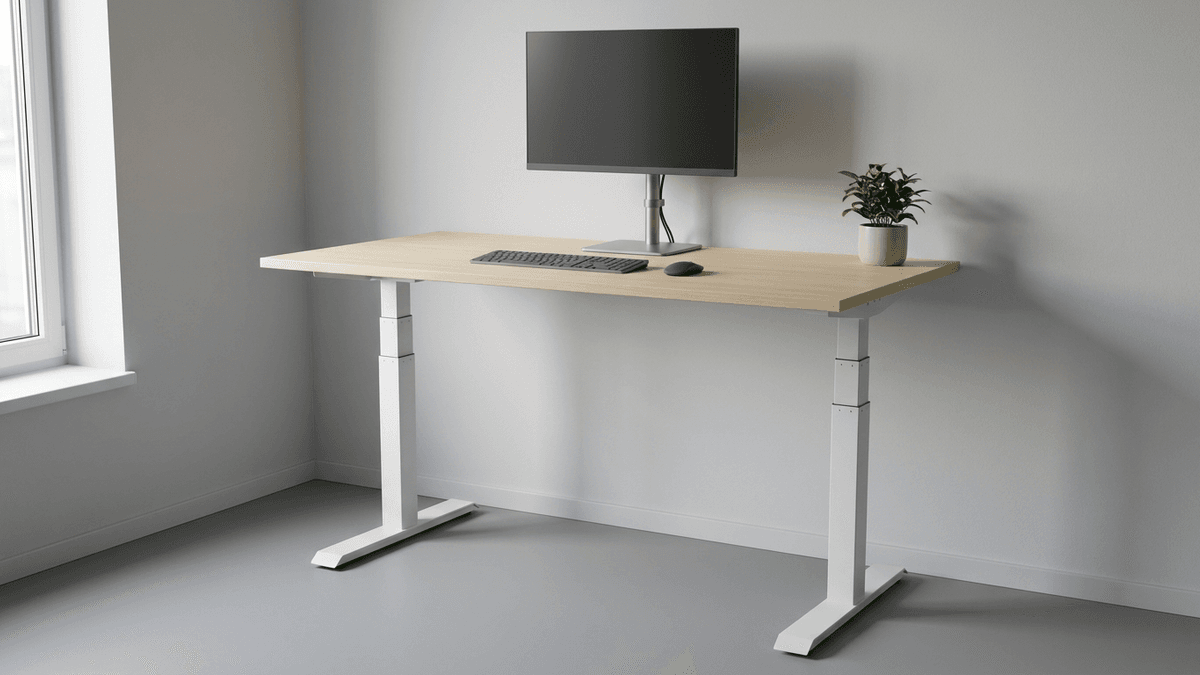
102–107 cm
The VIVAL desk reaches this comfortably.
- Sitting
- Cornell puts a fixed desk for seated work at 71–76 cm (28–30 inches), which suits most adults. If your seated elbow height comes out below 71 cm, raise your chair and use a footrest.
- Monitor
- Top edge of the screen at eye level, so you look straight ahead. On a bare laptop you cannot have both — add an external keyboard, or a stand.
The desk travels 72–120 cm. The number above is a starting point from average body proportions — your own floor-to-elbow measurement always wins, because two people of the same height can have noticeably different arm lengths. Adjust a centimetre or two until your shoulders sit relaxed and your wrists stay straight.
The standing desk height calculator above works in two ways. By my height takes your height in the shoes you work in and returns a band of 60–63% of it, a starting point from average body proportions: at 170 cm (5′7″) that band is 102–107 cm. By my measured elbow height returns your own floor-to-elbow figure, and that is the better number, because two people of the same height can have noticeably different arm lengths. Under each result, a line checks it against the VIVAL desk's 72–120 cm travel, and two notes give the other heights you need: the seated desk height and the top edge of the screen. The number gets the desk close; the last centimetre or two is set by your shoulders and wrists, as the steps below explain.
Esmond Service Centre is a laptop, MacBook and PC repair company with two branches in Singapore, at Alexandra and Sin Ming, and it distributes VIVAL standing desks here (S$289 nett, no GST, with free island-wide delivery — see the VIVAL standing desk, or order it at projectvival.com). So this guide covers the laptop as well as the desk: a laptop's screen and keyboard are joined, and no desk height suits both. The steps run in order — measure, check the number, set the desk, then the screen and the keyboard — and end with the stop lines for your body and for the desk.
Why Does Setting Your Standing Desk at the Right Height Matter?
A desk at the wrong height changes how you hold your arms, usually without your noticing. Too high, and you raise your shoulders to reach the keys while your elbows stay tightly bent; too low, and you type with your wrists bent up. OSHA, the US workplace-safety regulator, names both postures and what they lead to: “Performing keying tasks in awkward postures such as these can result in hand, wrist, and shoulder discomfort.” Cornell University's ergonomics guide makes the same point from the desk's side: if the surface is too low, the hand bends further back, and if it is too high, the elbow stays flexed. That is what the height can change. It cannot make standing still for hours comfortable, which is why the steps below end with moving.
What you are aiming for is what OSHA calls a neutral posture. Its checklist for computer work: hands, wrists and forearms straight, in line and roughly parallel to the floor; shoulders relaxed, with the upper arms hanging normally at your sides; elbows close to the body and bent between 90 and 120 degrees; head level, facing forward and generally in line with the torso. For standing, OSHA adds legs, torso, neck and head roughly in line and vertical, feet slightly apart, and allows one foot up on a rest. The calculator's number is simply the desk height that lets your arms settle into that position. What research says about posture and standing desks more broadly is covered in our guide to standing desk posture benefits.
Getting the height right fixes the things your body does to reach the desk: shrugged shoulders, bent-back wrists, a craned neck. It cannot fix a screen that is in the wrong place — and that is the trap for laptop users. On a laptop the keyboard and the screen are a single piece, so the moment the desktop is at your elbow height the screen sits well below your eyes and you spend the day looking down at it. No desk height solves this, because raising the desk raises both parts together. The fix is to separate them: put the laptop on a stand and add an external keyboard and mouse, or plug in a monitor and set its top edge at eye level. Cornell University's laptop guidance states the problem plainly: with a fixed design, “if the keyboard is in an optimal position for the user, the screen isn't and if the screen is optimal the keyboard isn't”.
How to Measure Yourself for a Standing Desk Height Calculator
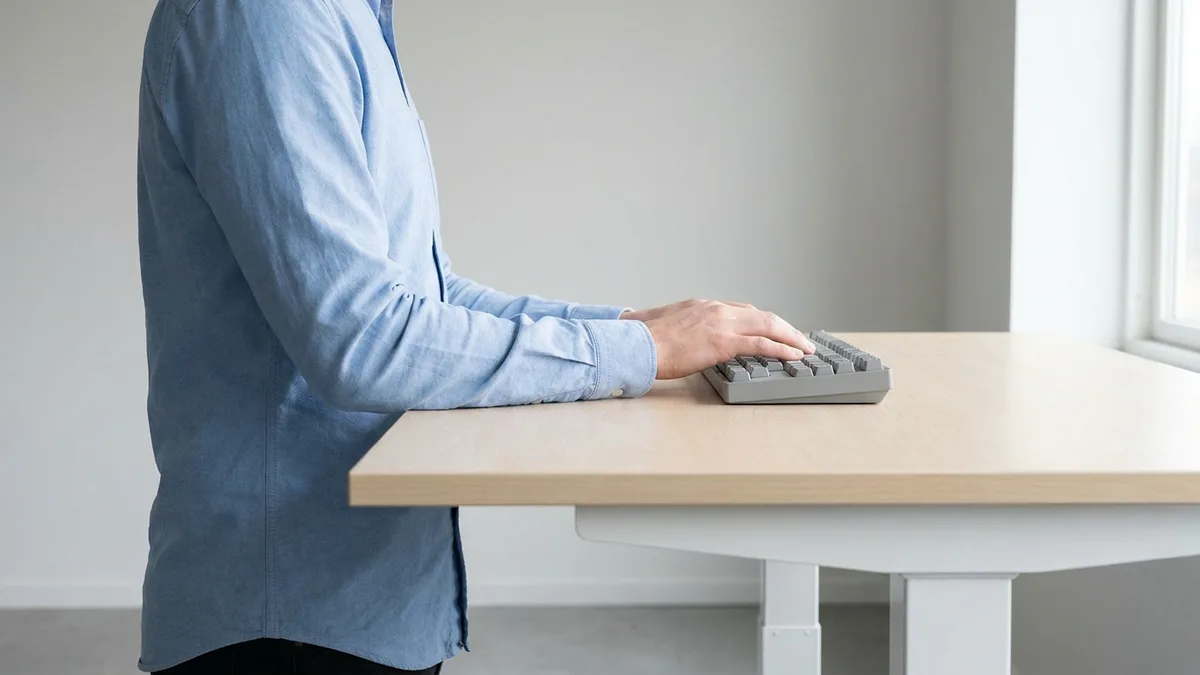
To measure for a standing desk height calculator, stand in the shoes you work in, let your arms hang relaxed, bend your elbows to 90° and measure from the floor to the underside of your elbow. That floor-to-elbow figure is the one to trust: enter it in the calculator's By my measured elbow height mode, and set the desktop at it or just below it. Your height alone, in the By my height mode, gives a starting band from average proportions; use it to sanity-check the measurement, not to replace it.
- Measure Your Height (with Shoes On): Stand straight against a wall while wearing the shoes you normally work in. Mark the top of your head on the wall and measure from that mark down to the floor. Record your full height, because even an inch of shoe sole can affect the output of the standing desk height calculator.
- Measure Your Standing Elbow Height: While standing, let your arms hang relaxed at your sides, then bend your elbows to 90°. Measure from the floor up to the underside of your elbow. Singapore General Hospital (SGH) advises setting a desk so its top surface is just below elbow height, so put the desktop at this figure or a little under it; it is also the number to enter in the calculator's elbow mode. (If you're measuring alone, use a mirror or ask a friend to ensure accuracy.)
- Check your number against the chart below: the table under this list gives a starting band in centimetres for each height, and shows where that band sits inside the VIVAL desk's 72–120 cm travel. Use it to sanity-check the floor-to-elbow figure you measured in step 2. If the two disagree by more than two or three centimetres, measure again — the chart is built on average proportions, and your own elbow is the one that counts.
| Your height (in work shoes) | Standing desk height — starting band | Inside the VIVAL desk's 72–120 cm travel? |
|---|---|---|
| 150 cm (4′11″) | 90–95 cm | Yes |
| 155 cm (5′1″) | 93–98 cm | Yes |
| 160 cm (5′3″) | 96–101 cm | Yes |
| 165 cm (5′5″) | 99–104 cm | Yes |
| 170 cm (5′7″) | 102–107 cm | Yes |
| 175 cm (5′9″) | 105–110 cm | Yes |
| 180 cm (5′11″) | 108–113 cm | Yes |
| 185 cm (6′1″) | 111–117 cm | Yes |
| 190 cm (6′3″) | 114–120 cm | At the very top of the range |
Each band is the calculator's own rule of thumb, 60–63% of your height rounded to the centimetre, so the table and the calculator always agree. Treat it as a starting point, never as the answer: your own floor-to-elbow measurement wins, because two people of identical height can have noticeably different arm lengths. Two limits are worth knowing before you buy. First, the desk travels 72–120 cm: at 190 cm tall the band already touches the 120 cm top, so if you are taller than that, enter your measured elbow height to see whether the desk still reaches. Second, 72 cm is a normal seated desk height — Cornell puts a fixed desk at “between 28"-30" above the floor” — so if your seated elbow height comes out below 72 cm, raise your chair and use a footrest rather than trying to take the desk lower. That is the standard remedy, not a workaround: OSHA and SGH both give it for a desk that will not come down far enough.
Adjusting and Fine-Tuning Your Standing Desk Setup
Once you have your number, set things up in this order. The desk comes first, because the screen and the keyboard are placed relative to it; moving comes last, because no height makes standing still comfortable for long.
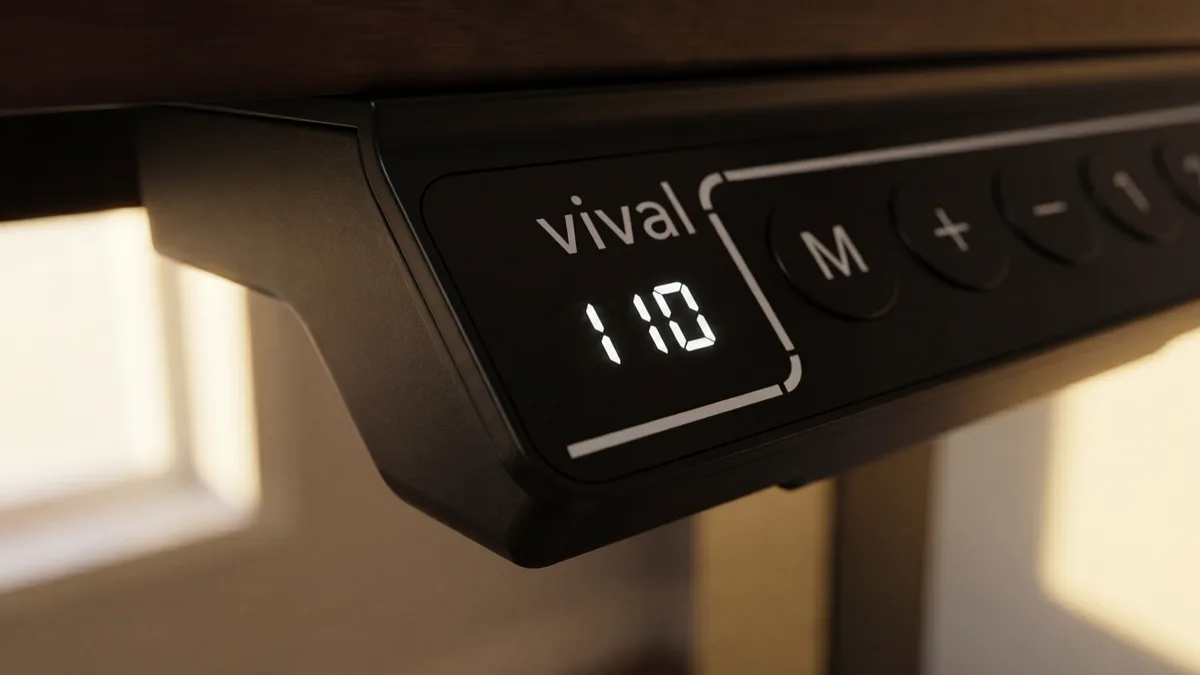
- Set the desk to your number: raise the desk to the calculator's result and stand in your usual working posture, shoulders relaxed and elbows close to your sides. On the VIVAL desk, the controller's LED readout shows the height as it moves, and its three one-touch memory presets let you save that standing height and your seated height, then recall each with a single press. If your shoulders creep up, the desk is too high; if your wrists bend up, it is too low. Move it a centimetre at a time.
- Then the screen: put the top of the screen at or slightly below eye level, directly in front of you. SGH suggests about an arm's length from your eyes; OSHA gives 50 to 100 cm. A monitor on a stand or an arm moves with the desktop, so check the top edge again at each saved height. On a laptop, the screen cannot reach eye level while the keyboard is at elbow height: lift the laptop on a stable stand and use a separate keyboard and mouse, as Cornell's laptop guidance advises. (With two monitors, put the one you use most directly in front of you.)
- Keyboard and mouse at elbow height: the rule OSHA gives is that your elbows should be about the same height as the keyboard and hang comfortably at your sides, with your wrists not bent up, down or to either side. Keep the keyboard directly in front of you and the mouse right beside it, close enough that your elbows stay by your body. The keys sit a little above the desktop, which is why the desktop itself belongs at or just below elbow height rather than above it.
- Change position often, and move: Cornell's ergonomics guide calls switching between sitting and standing the real benefit of a sit-stand desk, and notes that standing still is even more tiring than sitting still. Cornell's sit-stand advice is to stand and move for a couple of minutes about every 20–30 minutes — “Simply standing is insufficient.” SGH likewise notes that a break from sitting every 30 minutes is beneficial. With both heights saved as presets, each change is one press.
When to Stop Adjusting and Get Help
Height is not the answer to every ache, and the useful skill is knowing when to stop turning the dial. If tingling or numbness in your fingers or hands, or pain and tension that come back every day, are still there once the desk, screen and keyboard are set as above, stop adjusting and see a doctor or a physiotherapist. SGH's advice is that pain and tension that persist on a daily basis may mean “muscle, joint or nerve problems”, and no desk height treats those. One check is worth making first: Cornell's guidance is that the elbow angle should be “at or greater than 90 degrees to avoid nerve compression at the elbow” — so if you have to bend your elbows tighter than a right angle to reach the keys, the desk is too high.
The second stop line is the desk itself. If it will not rise, drifts down on its own, stops part-way, runs unevenly, or the keypad is dead or showing an error, stop working at standing height and report it rather than work around it, and do not force it past anything caught under the desktop. A VIVAL desk carries a 1-year local warranty handled by us in Singapore: our VIVAL warranty policy sets out what it covers and how to claim, and our modern standing desk guide explains the motors, the controller and the legs, and what to check first.
The honest cost of getting the height wrong is not dramatic, it is slow. A desk that is too high keeps your shoulders raised for as long as you type at it; one that is too low bends your wrists up over the keys, and OSHA traces where that can lead: swelling in confined spaces such as the carpal tunnel, then “Tingling and numbness of the fingers and hands”. On a bare laptop the cost lands on your neck instead, because the screen sits below your eyes all day. The hardware has limits too: the VIVAL desk is rated for up to 100 kg, so add up the monitors, the PC and everything else before you load it, and give every cable enough slack for the desk's full 72–120 cm travel, so that raising it never pulls on a plug — our desktop cable management guide shows how.
Standing Desk Height: The Settings at a Glance
In short: the desktop at or just below your standing elbow height (the calculator's band is 60–63% of your height, and your measured elbow height beats it); elbows close to your sides at 90° or a little more; wrists straight; the top of the screen at or slightly below eye level, about an arm's length away; a laptop raised on a stand with a separate keyboard and mouse; and a change of position about every 20–30 minutes. Save your standing and seated heights as presets, then fine-tune a centimetre at a time. VIVAL has its own desk height calculator at projectvival.com too.
Be clear about what the right height will not do. It removes the awkward postures that come from reaching for the desk; it does not raise a laptop's screen, make standing still all day comfortable, or treat an injury you already have — as VIVAL itself puts it, “a desk does not diagnose, treat, or prevent any condition.” If you have worked through this guide and it still is not comfortable, the team at Esmond Service Centre is happy to help you set the workstation up — get in touch or drop into either branch.
Where Esmond Service Centre Can and Cannot Help
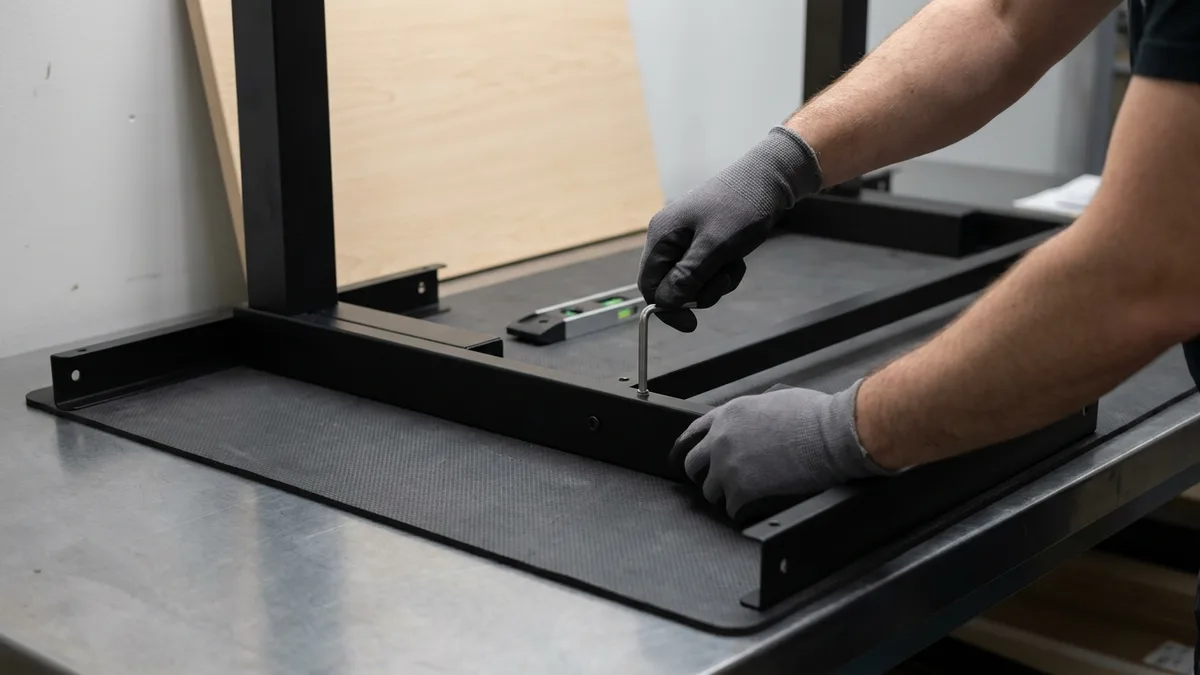
Esmond Service Centre distributes the VIVAL dual-motor standing desk in Singapore and handles its 1-year local warranty; the VIVAL warranty policy has the terms. We are also a laptop, MacBook and PC repair company, so if the laptop on your desk needs a laptop repair, bring it to either branch, at Alexandra and Sin Ming. We do not treat pain, which is for a doctor or a physiotherapist, and we do not service other brands' desks: for those, go to the seller or the maker under its own warranty. Esmond Service Centre is also on Facebook, LinkedIn and Instagram.

Esmond Service Centre's experienced technicians can diagnose and fix it fast — free diagnostics, repairs from $65.