
📑 On this page
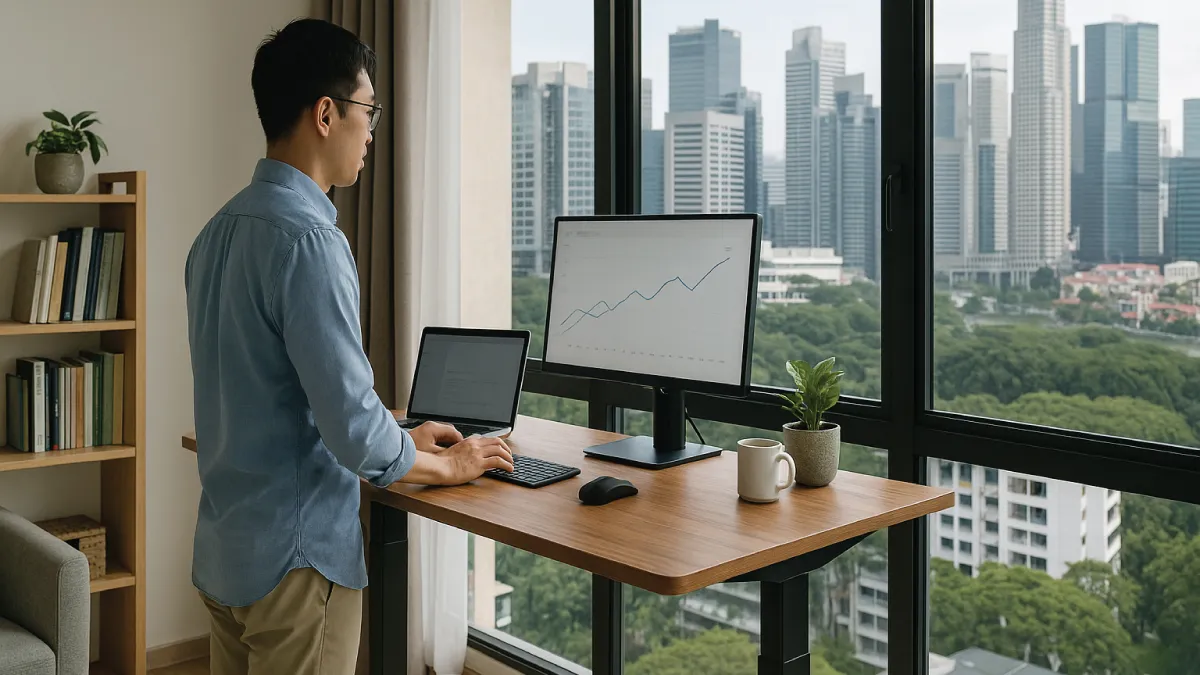
For many people working from home in Singapore, the problem is not the work but the hours spent sitting at it. A standing desk helps by letting you change position, and this guide to standing desk productivity is honest about what that does and does not achieve. It also covers the part most productivity articles leave out: a desk that rises and falls carries your laptop, its charger and its cables with it, and that is where a desk setup can turn into a repair. Every research figure below was read on 14 November 2026 at its source: the Cochrane review and the British Journal of Sports Medicine statement.
Esmond Service Centre repairs laptops, and it is the exclusive distributor in Asia of the Vival standing desk, which is owned and sold by Esmond Solutions. So this guide is written from both sides of the desk: what helps you work, and what keeps the laptop on it working.
Do Standing Desks Improve Productivity? What the Research Shows
The well-measured effect is on sitting time. The 2018 Cochrane review of workplace interventions found that sit-stand desks reduced sitting at work by an average of 100 minutes per workday in the first three months and 57 minutes per day at three to twelve months, on low-quality evidence. On the work itself, the reviewers found that sit-stand desks do not have significant effects on work performance, and that their effects on musculoskeletal symptoms are unclear. So the honest case is narrower than most articles admit:
- Less time sitting still: the one benefit the trials measured reliably. Changing position breaks up long seated spells, which is what the expert guidance below asks for.
- Comfort, as users report it: people who use one report less back and neck stiffness and steadier energy through long workdays. Those are user reports rather than proven outcomes.
- Standing for some tasks: many people take calls or think through a problem standing up. That is a habit worth having, not a measured productivity gain.
- A little more movement: standing uses slightly more energy than sitting, but the difference is modest; the value is in moving more, not in the calories.
None of this needs you to stand all day. The 2015 expert statement in the British Journal of Sports Medicine asks desk-based workers to build up to 2 hours a day of standing and light activity during working hours, eventually 4, by breaking up seated work with standing work, a sit-stand desk or short active standing breaks. Its authors were clear that the guidance rests largely on observational and short-term studies, so treat it as a sensible target rather than a prescription.
Fitting a Standing Desk Into a Singapore Home
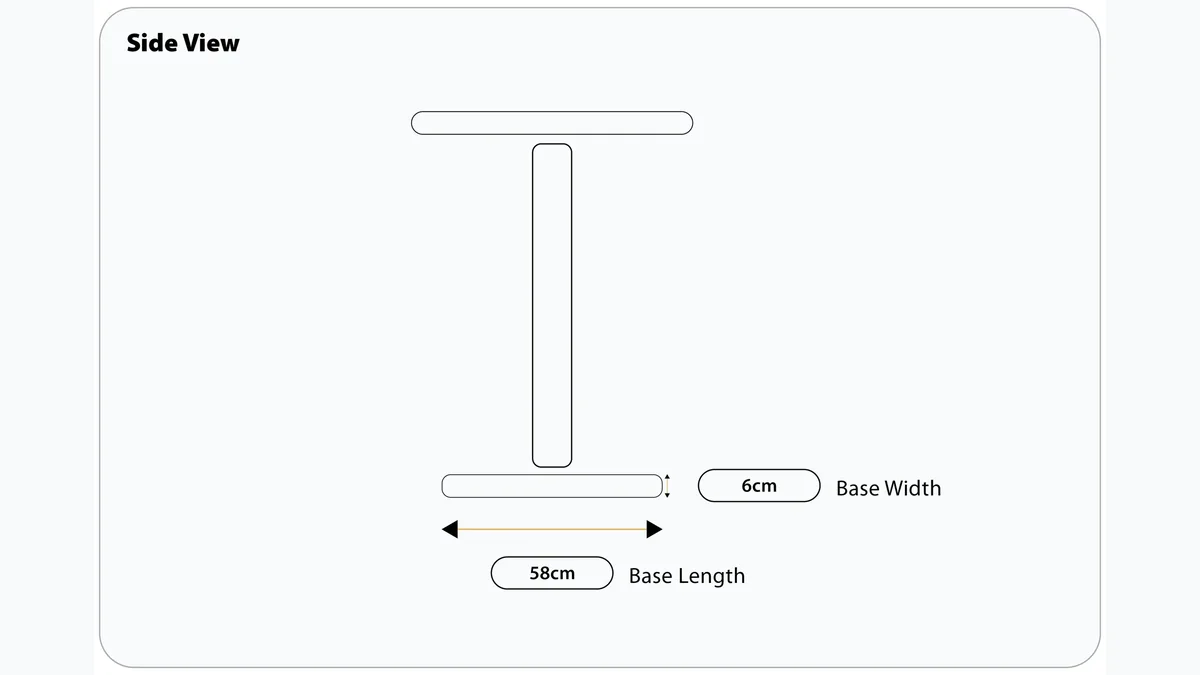
Many people in Singapore work from a bedroom corner, a study nook or the dining table of an HDB flat, where space is the first limit. The Vival desk’s top is 120 by 60 cm, and each foot is 58 cm long and 6 cm wide (the side-view drawing above), so measure the floor space and the distance to the wall before you order.
Height matters as much as footprint. The Vival desk adjusts from 72 to 120 cm and takes up to 100 kg, suitable for a multi-monitor setup when the weight is spread evenly. Work out your own sitting and standing heights first with our standing desk height calculator.
Set Up the Desk So It Protects Your Laptop
A sit-stand desk moves everything on it. On the Vival desk that is 48 cm of travel between its lowest and highest settings, and a laptop, its charger and its cables go up and down every time you change position. These habits keep that movement from turning into a repair:
- Leave cable slack for the full travel. Raise the desk to its highest setting before you tie any cable down, and check that the charger, display and USB cables still reach without pulling. A cable that tightens as the desk rises pulls sideways on the laptop’s charging port, which is how those ports work loose. The Vival top has a cable grommet at its centre to route them through.
- Keep drinks away from the laptop. Put cups at the far side of the desk, never beside or behind the laptop, and never move the desk with an open drink on it. If a spill reaches the laptop, switch it off by holding the power button, unplug the charger and do not turn it back on; our laptop water damage repair page explains what happens next.
- Give the laptop a stable place. Keep it well back from the edge, and check that nothing — a chair arm, a drawer unit, a bin — is in the desk’s path before you lower it. A laptop that falls with a cable attached can crack its screen or break its port.
- Let it breathe. Do not set the laptop on soft surfaces or push it against a monitor stand; its vents need clear space through a long workday.
- Raise the screen, not your wrists. If you work at the laptop for hours, a laptop stand with an external keyboard and mouse brings the screen nearer eye level and spares the laptop’s own keyboard and trackpad.
None of these costs anything, and together they guard against the three kinds of damage a desk setup can cause: a strained charging port, liquid damage and a fall.
Daily Habits That Make a Standing Desk Work
The desk only helps if you change position. These habits matter more than any feature:
- Alternate, do not endure: break up seated work regularly, as the British Journal of Sports Medicine statement asks, and save your sitting and standing heights in the desk’s memory presets so each change takes one press.
- Set the heights once: elbows at about 90 degrees when typing and the top of the screen at about eye level, then save both heights so you do not have to guess each time.
- Stand on something soft: an anti-fatigue mat and supportive shoes make standing spells more comfortable.
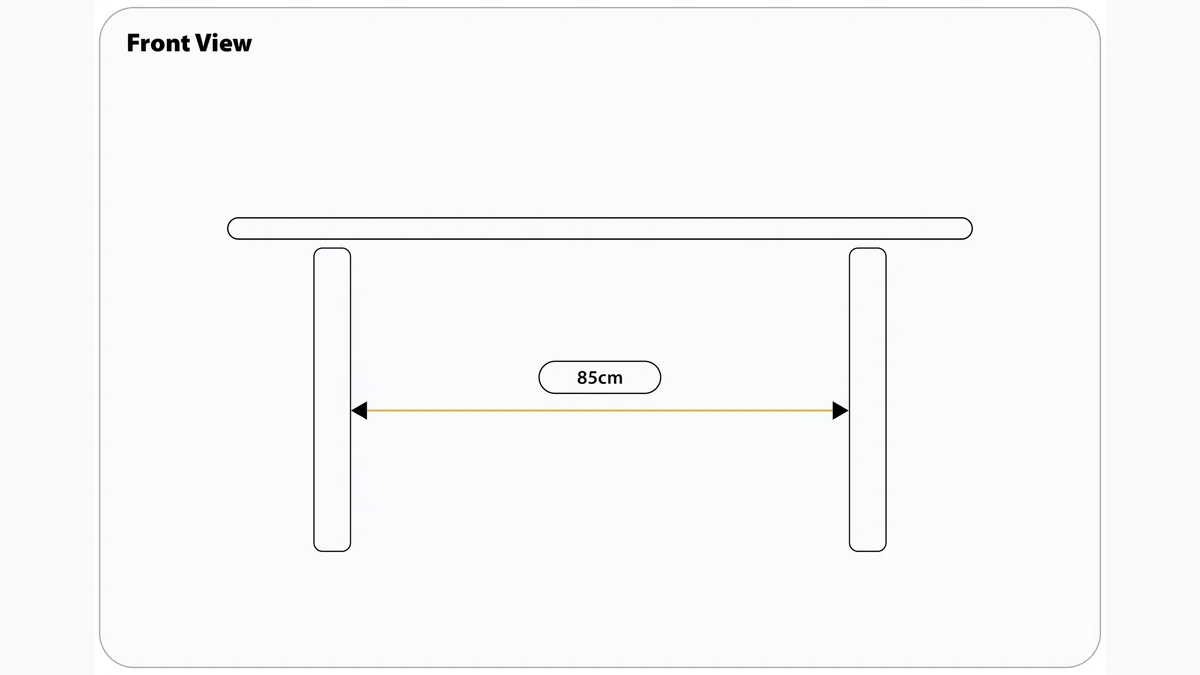
- Leave room under the desk: the Vival desk has 85 cm of clear space between its legs (the front-view drawing above), so keep a chair, drawers or a bin clear of its path when it lowers.
- Take short active breaks: a short walk or a stretch breaks up a long spell in one position, which is what the expert statement asks for.
Give it a couple of weeks: changing position only helps once it is a habit rather than an effort.
What a Standing Desk Will Not Fix, and When to See a Doctor
A standing desk will not fix an existing back or neck injury, a monitor at the wrong height or a chair that was never right for you: it widens your posture options, it does not treat anything. It will not help if you set it once and stand for eight hours; done that way it usually trades back ache for foot, knee and lower-leg ache. And it does nothing about short sleep or skipped breaks.
Stop and see a doctor if standing brings on numbness, tingling, swelling in your legs, or pain that gets worse over days instead of better. Persistent pain is a medical question, and no desk setting is the answer to it.
When the Desk or Your Laptop Needs a Repair
If the desk itself misbehaves — it judders, drifts down on its own, stops at one height or the controller stops responding — stop using it and contact Esmond Service Centre rather than forcing it. The Vival warranty covers manufacturing defects under normal use for 1 year from purchase, including the motor and leg assembly and the controller, and forcing a stuck column is how an in-warranty fault turns into a repair you pay for; the full terms are in our Vival warranty policy. If the laptop is the casualty — a loose charging port, a spill or a fall — bring it to our Alexandra or Sin Ming branch: see laptop charging port repair, laptop water damage repair and laptop screen replacement.
Where to See and Buy the Vival Desk
The Vival dual-motor standing desk is S$289 nett with no GST, with free island-wide delivery, when you order online at projectvival.com; you can also see it and pick it up at our Sin Ming branch (bring your order confirmation). Vival is owned and sold by Esmond Solutions, and Esmond Service Centre is its exclusive distributor in Asia, so the local warranty is handled here. DIY assembly takes about 30–45 minutes, and the full specifications are on our Vival standing desk page.

Esmond Service Centre's experienced technicians can diagnose and fix it fast — free diagnostics, repairs from $65.